Keeping your Google, Facebook, and Instagram pages updated can feel like an endless copy-paste task.
With GMB Everywhere's AI Facebook Post Generator, one Google Business Profile post quickly transforms into platform-ready captions—emoji smart, hashtag tuned, link ready, and sized for each channel. In this short case study, you'll see the full process: the original Google Post, the raw AI drafts, and the polished versions styled for each platform. Follow the steps, add your details, and reach more people with less effort.
Why This Helps
- One Google Post = ready captions for Facebook & Instagram in minutes.
- Fewer rewrites, less copy-paste, more time for real work.
- Platform-fit text (emojis, hashtags, links) without guesswork.
The Source Post (Google Business Profile)
Our starting point is a short GBP Post that follows Google's 1,500-character limit. Short, clear copy makes repurposing fast.
- Headline: “Cold-Brew Flight Now Brewing”
- Body: “Try three origins side-by-side this weekend and find your new favorite! Launch promo: $199 per set.”
- CTA button: Learn More
At just 27 words, it's a good seed for cross-channel reuse. A strong Google Post already has a hook, an offer, and a CTA—exactly what the AI needs to build solid captions.
AI Output: First Drafts
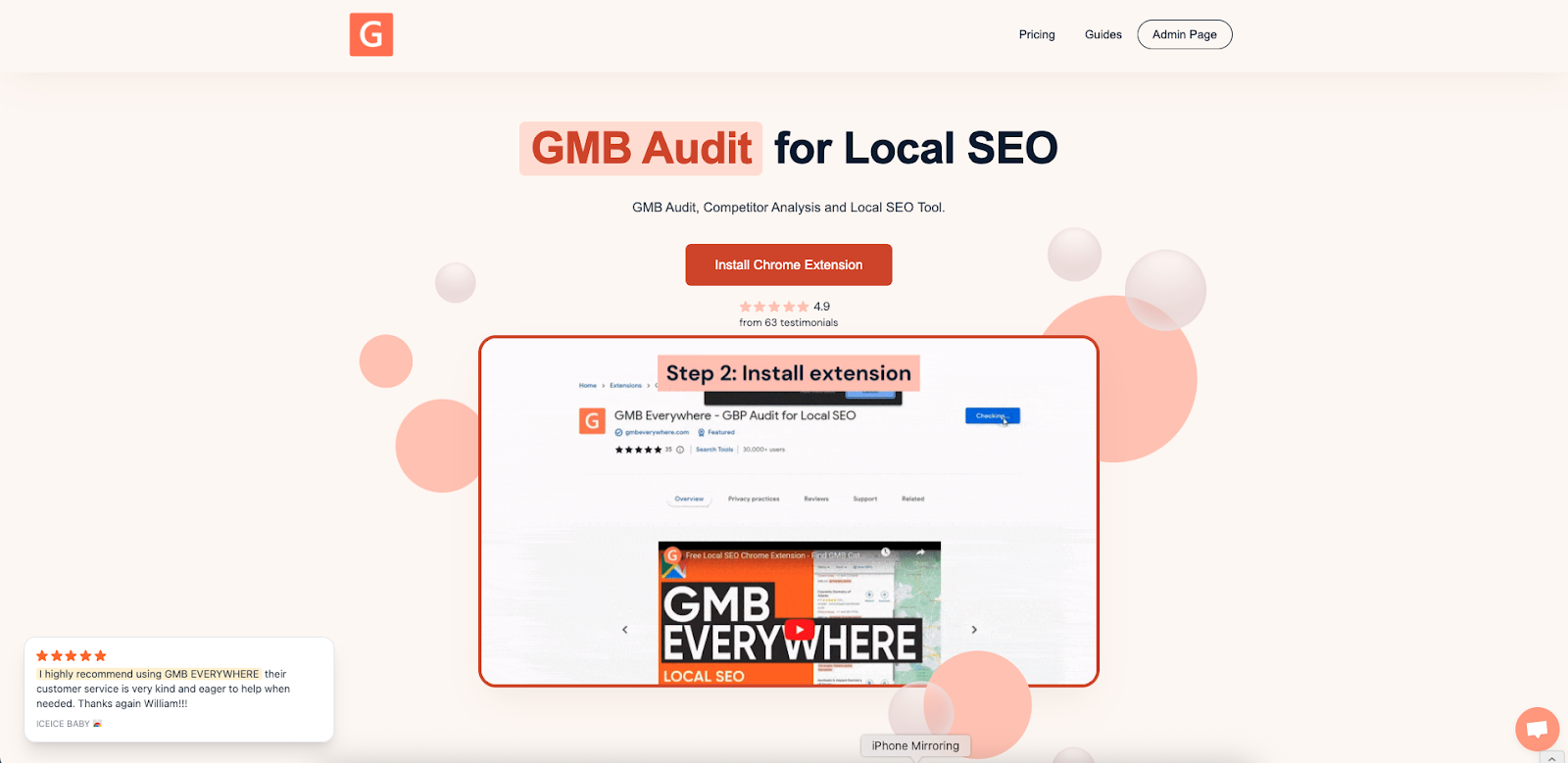
Install the GMB Everywhere Chrome extension: go to gmbeverywhere.com → Install Chrome Extension → Add to Chrome → pin the icon → log in.
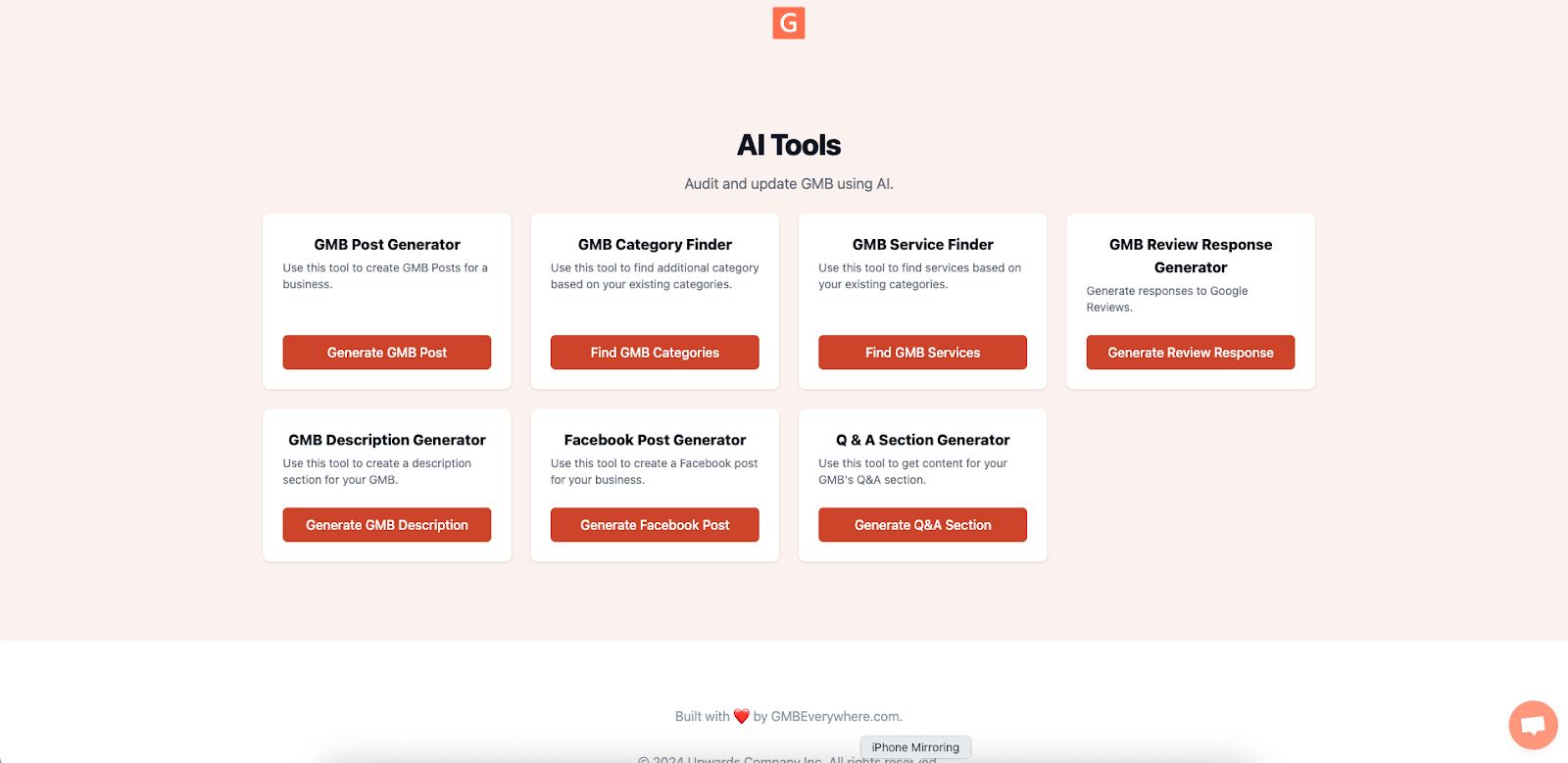
Go to link.gmbeverywhere.com/ai-tools and open AI Facebook Post Generator.
Search for your business, add the prompt to the information box, and click Generate Post.
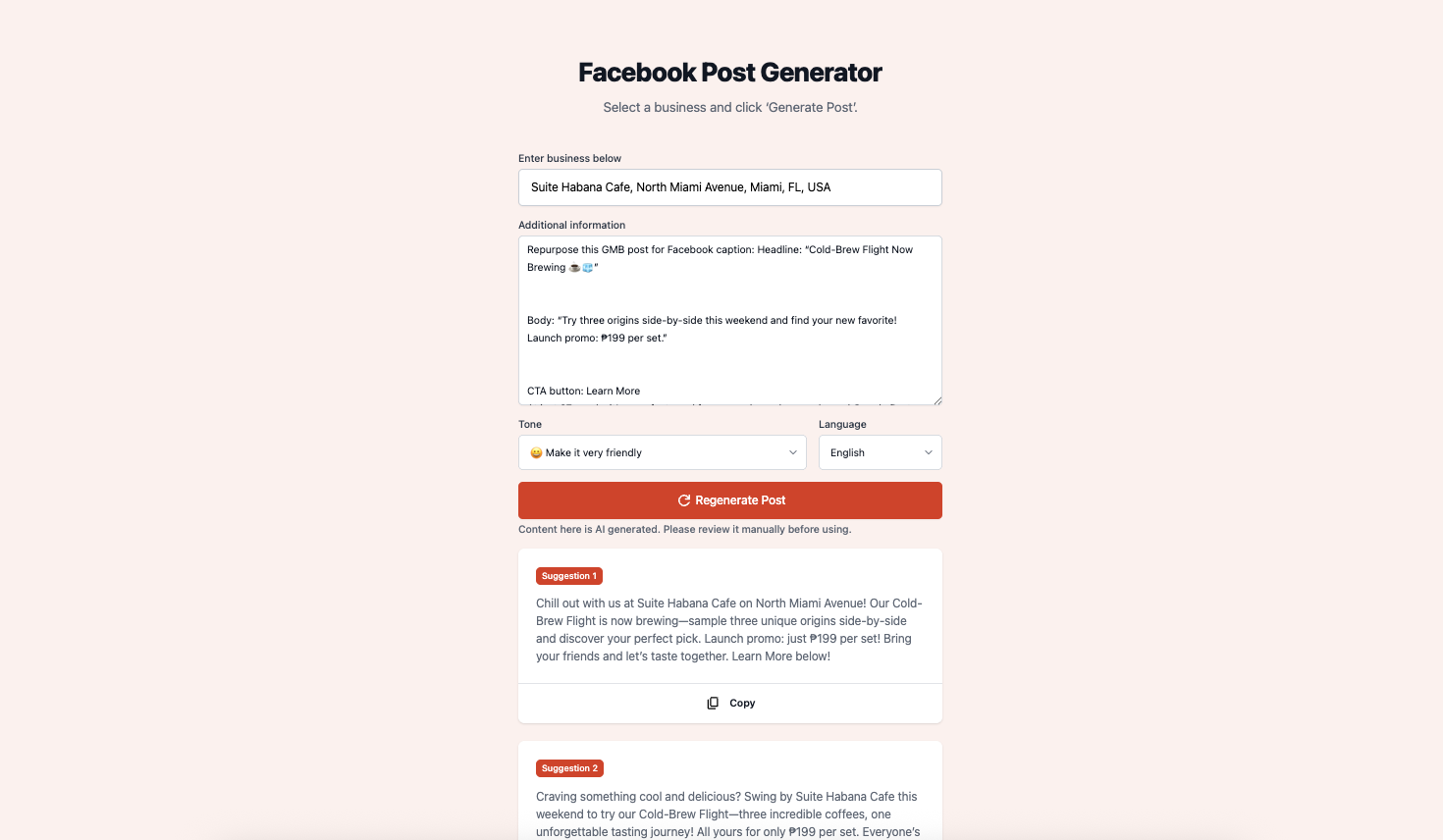
In seconds, you get two unedited drafts:
- Draft 1: “Chill out with us at Suite Habana Cafe on North Miami Avenue! Our Cold-Brew Flight is now brewing—sample three unique origins side-by-side and discover your perfect pick. Launch promo: just $199 per set! Bring your friends and let's taste together. Learn More below!”
- Draft 2: “Craving something cool and delicious? Swing by Suite Habana Cafe this weekend to try our Cold-Brew Flight—three incredible coffees, one unforgettable tasting journey! All yours for only $199 per set. Everyone's invited to join the fun and find a favorite. Learn More!”
Best Practices for Captions on Facebook & Instagram
Facebook: Hook readers in the first line, add a clear call to action (“Book now,” “Order here”), and include one clean link with UTM tags. Use emojis to highlight key points, but keep hashtags to zero or one. Break long text into short lines so it's easy to skim.
Instagram: Lead with a punchy opener or emoji, keep the most important info in the first 125 characters (before “more”), and use 3–8 focused hashtags. Tag your location or venue when it helps discovery, and add CTAs like “Tap link in bio” or “DM to order.” Line breaks and simple sentences make the caption easier to read on mobile.
Both: Match the tone to your brand, double-check spelling and prices, and reuse winning phrasing across future posts. Save a few caption templates so you can swap in new offers quickly.
Smart Tips and Easy Wins
- Start with one strong Google Post.
- Run the AI tool right away while the idea is fresh.
- Adjust first lines, CTAs, emojis, and hashtags per platform style.
- Add UTM links on Facebook (and in your Instagram bio or story link) to measure real traffic.
- Keep a quick reference: emoji style, hashtag count, link spot, CTA wording.
- Store winning posts in a shared doc so your team can reuse what works.
Quick FAQ
Does the AI schedule posts?
No. It writes the text. Use Meta Business Suite, Instagram's scheduler, or other tools to publish.
Will repeating text hurt SEO?
Social captions rarely index like web pages. Focus on engagement and clarity. Website SEO stays separate.
Can I change the tone?
Yes. Pick Casual, Professional, or Friendly Expert in the tool, then fine-tune the wording.
Can I reuse it for LinkedIn or X (Twitter)?
Yes. Shorten for X or make it more formal for LinkedIn. One base post can work across many networks.
Conclusion
With GMB Everywhere and the AI Facebook Post Generator, one Google Post can power multiple social channels. The AI gives you ready-to-edit drafts; your edits add brand voice, urgency, and the right CTA.
Publish on Google Business Profile, repurpose for Facebook and Instagram, and track how engagement improves. One idea can travel far when the workflow is this smooth.