Google Business Profile is a useful tool for showing your business online. When you create and keep up with your GBP posts, you can reach more customers and stay visible in search results.
This article covers simple strategies to get more from your GBP posts. All the post types available—updates, offers, events, and more—work together to keep your audience informed and engaged.
Step 1: Install GMB Everywhere Chrome Extension
To get started, install the GMB Everywhere extension on your Chrome browser. Head to gmbeverywhere.com and click Install Chrome Extension. Once installed, you’ll be able to run a Post Audit on any business and see what’s working in their posting strategy.
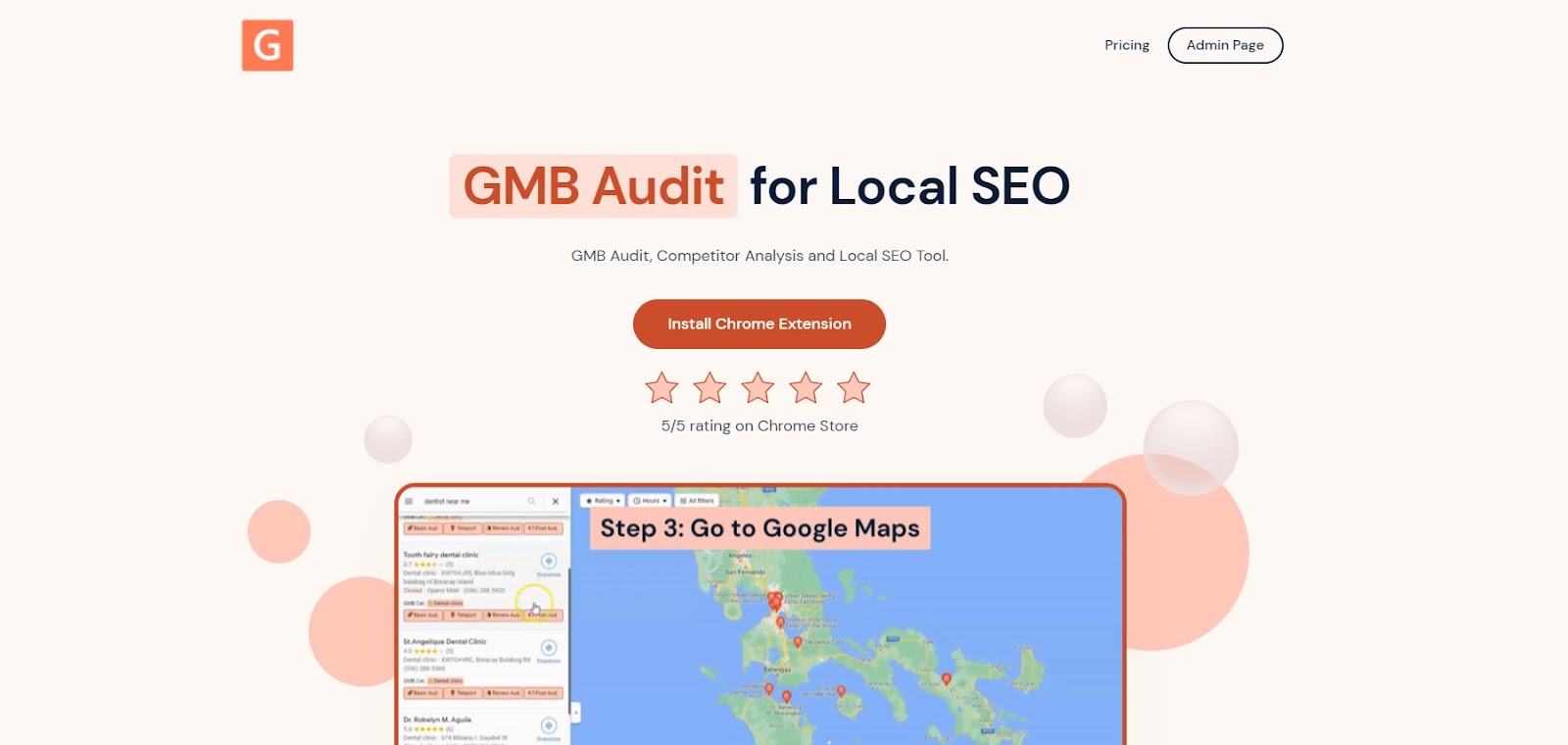
The GMB Everywhere homepage where you can download the extension
Step 2: Search For Your Business
Go to maps.google.com and search for your business name. On the left side search results, click Post Audit. You will be taken to the GMB Everywhere Post Audit page.
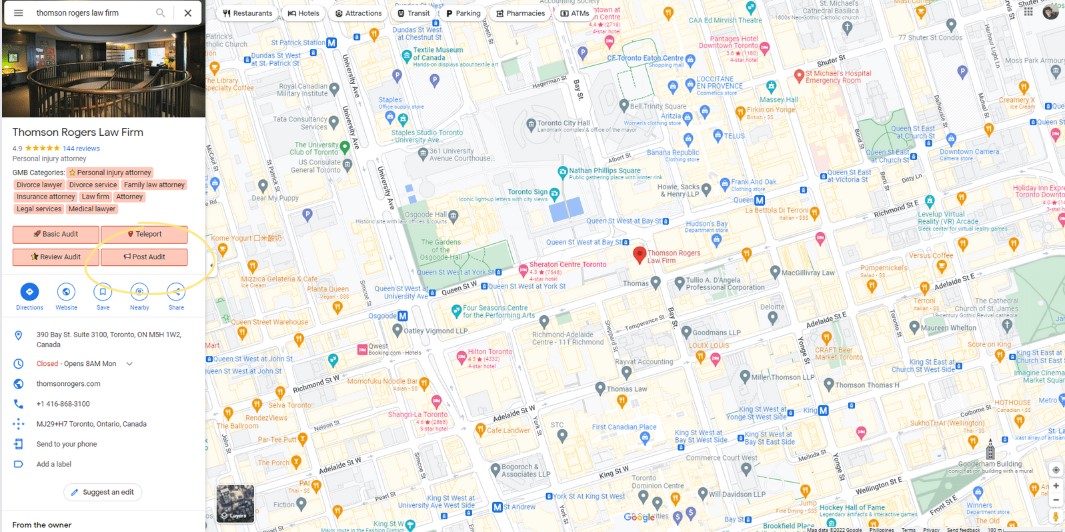
The GMB Post Audit button in Google Maps
Step 3: Check the Post Audit Insights
At the top of the Post Audit page, you’ll see the Number of Posts Per Date and the Cumulative Posts Til Date charts. You can click the legend items to show or hide specific lines on the graph.
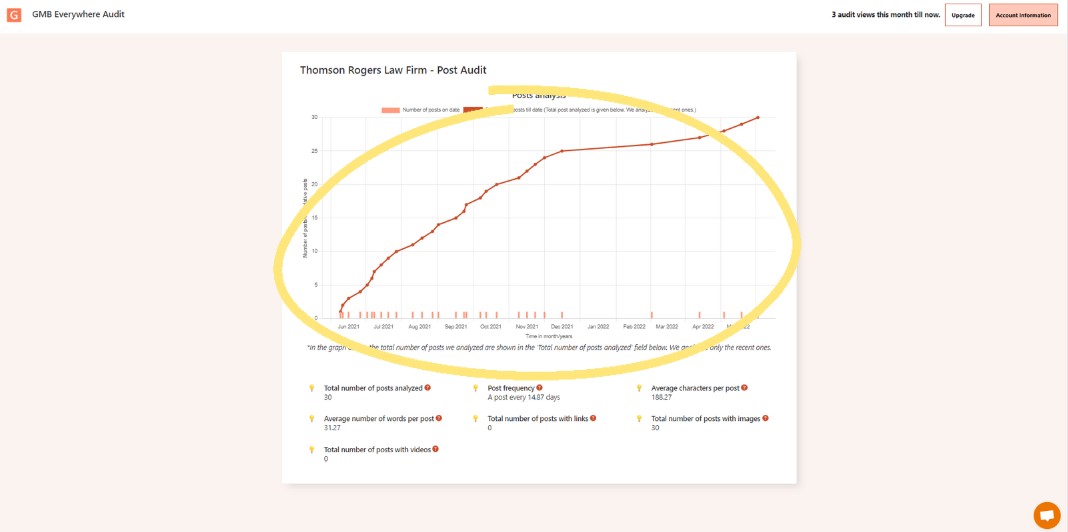
The Post Audit chart showing posting activity over time
Further down the page, you’ll see a breakdown of the business’s last 30 GBP posts. This includes:
- Total number of posts analyzed
- Average number of words per post
- Total number of posts with videos
- Post frequency
- Total number of posts with links
- Average characters per post
- Total number of posts with images
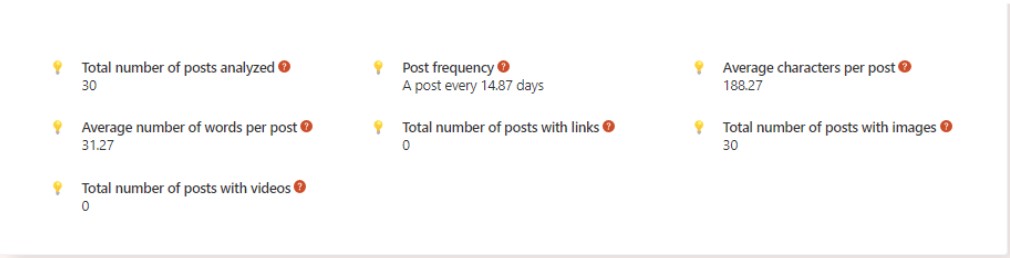
Additional Post Audit metrics and statistics
FAQs
1. How often should I post on Google Business Profile?
Aim to post at least once a week to stay visible. The right frequency depends on your industry and audience, but consistency matters more than volume.
2. Can I edit or delete a Google Business Profile post after publishing it?
Yes. Log into your Google Business Profile, find the post you want to change, and edit or delete it at any time.
3. Are there any character limits for GMB posts?
Yes. The headline can be up to 58 characters and the description up to 1,500 characters. Keep your content focused and to the point.
4. Can I promote events and offers through GMB posts?
Yes. GBP posts are a good way to share events, offers, discounts, and limited-time deals. Write a clear post that tells people what they get and what to do next.
5. How can I encourage customers to leave reviews on my GMB profile?
Provide good service and ask customers politely. Keep the process simple—a short follow-up message or a direct link to your review page makes it easy for them.
Conclusion
Keeping up with your GBP posts helps your business stay visible and reach more customers. Focus on knowing your audience, posting useful content regularly, and checking what’s working so you can keep improving.
Want to know more? Check out our guide articles section.