Replying to Google reviews takes time, especially when every comment is public and often emotional. The GMB Everywhere AI Review Response Generator drafts replies in seconds so you can focus on adding the personal touches that matter.
This guide covers six common review situations, from harsh complaints to glowing praise. For each one, you'll see the AI's first draft plus simple edits to make it sound like you. Google's review guidelines say owner responses should be helpful, professional, and free of personal data. The AI follows those rules, and you handle the final polish.
Getting Started with the AI Tool
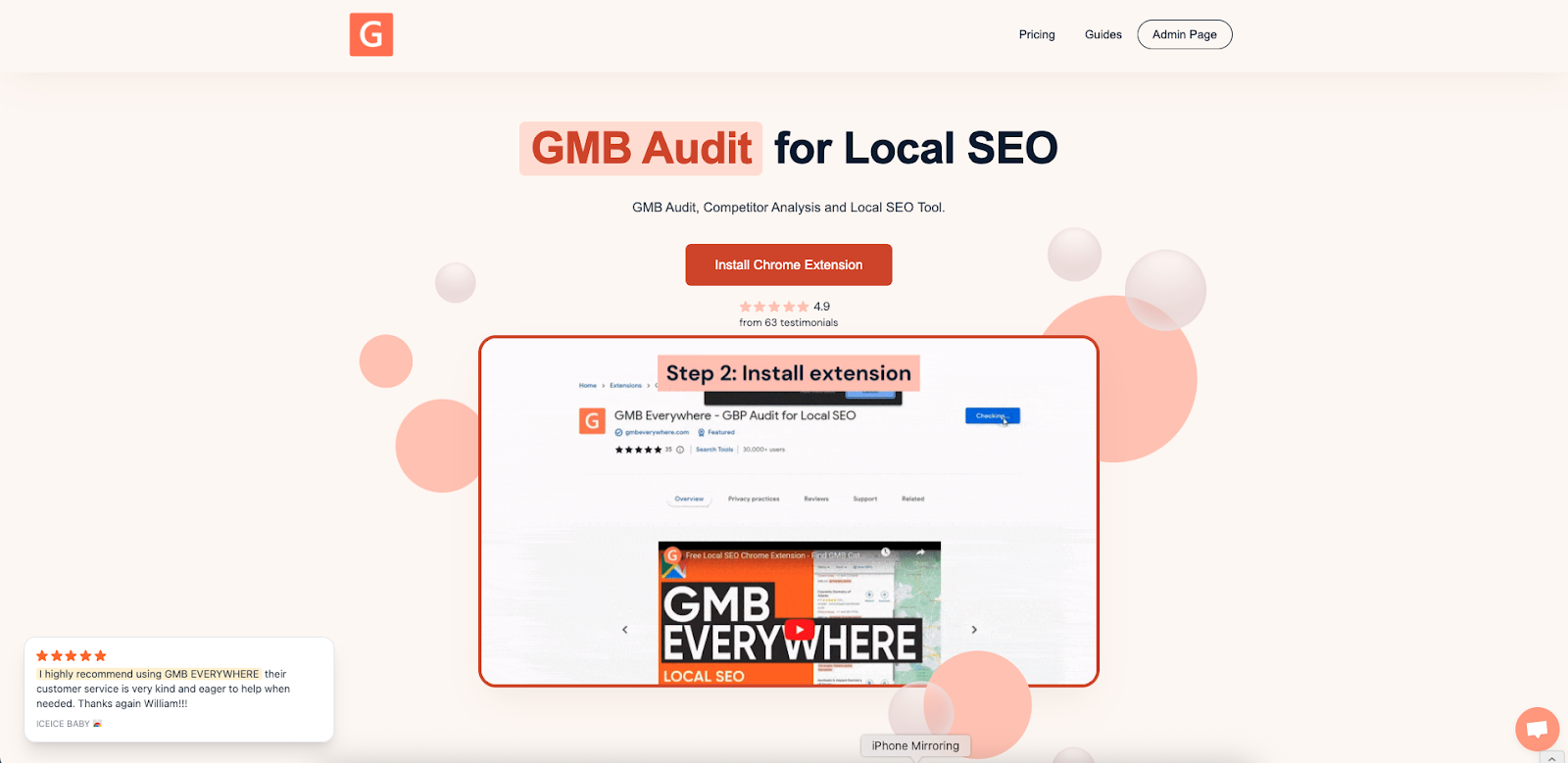
Go to gmbeverywhere.com, click Install Free Extension, then Add to Chrome, and Add Extension.
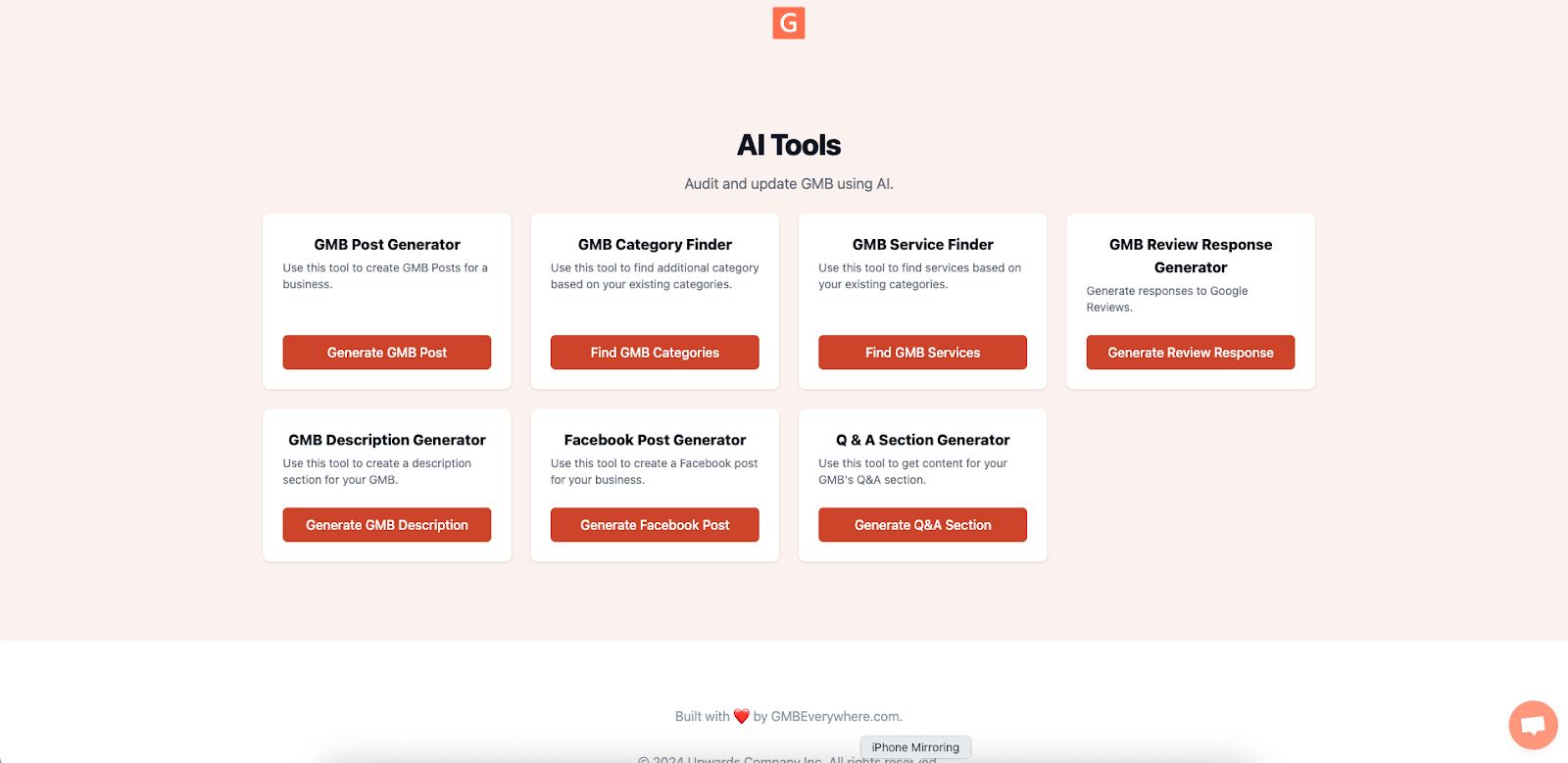
Next, open the AI tools dashboard and choose Review Response Generator.
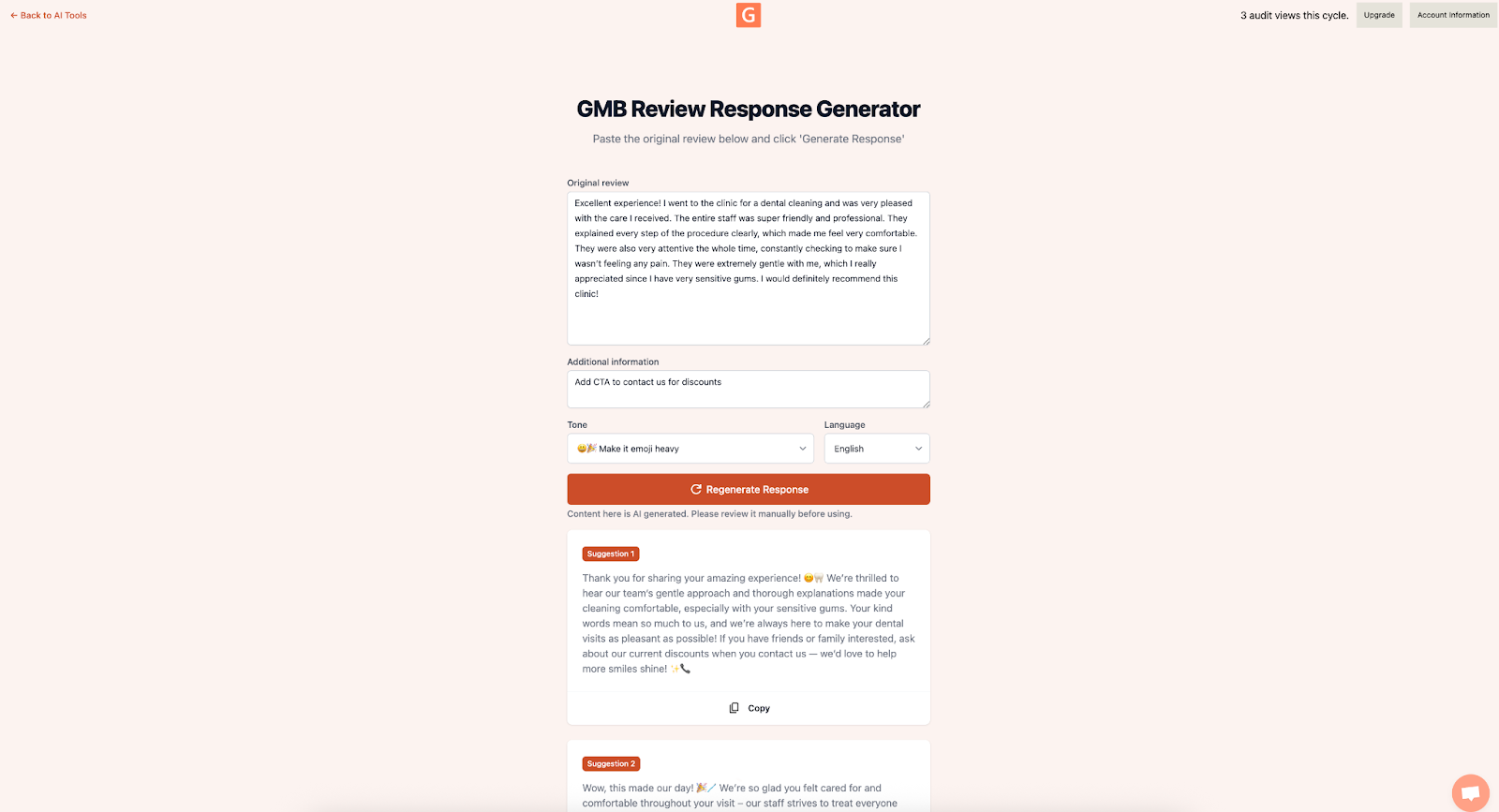
Paste the customer's review, pick a tone (Friendly, Professional, or Apologetic), and click Generate Response. Your draft appears in seconds.
How to Use This Playbook
- Find your scenario — Match the review to one of the six examples below.
- Copy the AI draft — Grab the generated reply.
- Add your tweaks — Follow the "Tweak Tips" to add warmth, local details, or a goodwill gesture.
- Publish — Paste your polished response into your Google Business Profile reply box.
Each scenario follows this format:
- Review — the customer's comment
- AI Draft — what the tool produces
- Tweak Tips — simple edits to make it your own
Scenarios & Final Reply Examples
Scenario 1: The 1-Star "Never Again"
Review: "Service was slow and my latte arrived cold. Won't be back."
AI Draft:
"Hi [Name], I'm sorry your latte wasn't hot and that you experienced a delay. We strive to serve every drink fresh. If you're open to it, please email us at hello@abcd.ph so we can make this right."
Tweak Tips:
- Offer a free drink: "Next latte is on us."
- Add context: "Saturday mornings get busy here."
- Replace "strive to" with something more natural.
Final Reply:
"Hi Ana, Saturday mornings get busy here, and you deserve a hot latte every time. Next one's on us — just show this reply at the counter. Thanks for the honest feedback."
Scenario 2: The 3-Star "Meh"
Review: "Coffee was okay, the place was noisy."
AI Draft:
"Hi [Name], thank you for stopping by and sharing your thoughts. We're glad you enjoyed the coffee but sorry about the noise. We're adding acoustic panels next month and hope you'll notice a quieter vibe soon."
Tweak Tips:
- If the fix is done, update it: "We've installed new acoustic panels."
- Suggest the best time to visit: "After 4 PM on weekdays is usually quieter."
Scenario 3: The 5-Star Rave
Review: "Best cold brew in Manila. Barista even explained the beans."
AI Draft:
"Thank you, [Name]. Our baristas love talking beans and we're thrilled you enjoyed the cold brew. See you again soon for the next seasonal roast."
Tweak Tips:
- Name-drop your team: "Migs will be delighted to hear this."
- Encourage shares: "Tag us @abcdcoffee when you snap your brew."
Scenario 4: The 4-Star Suggestion
Review: "Great espresso. I wish you had lactose-free milk."
AI Draft:
"Hi [Name], thanks for the kind words and the suggestion. We're sampling lactose-free milk options this month. Hope to have it on the menu soon — stay tuned."
Tweak Tips:
- Offer an alternative: "In the meantime, we have oat milk available."
- Point to updates: "We'll post on our Instagram Stories when it arrives."
Scenario 5: The Local Guide's Feedback
Review: "Local Guide here: Loved the ambiance but Wi-Fi was patchy during my meeting."
AI Draft:
"Hi [Name], we appreciate detailed feedback from Local Guides like you. We upgraded our router last week — could you let us know if you notice an improvement on your next visit?"
Tweak Tips:
- Personalize: "Level 6 tips like yours are pure gold."
- Close the loop: "We'll DM you once we've stress-tested the Wi-Fi."
Scenario 6: The Mixed Review
Review (excerpt): "Eggs Benedict was perfect, but our second round of drinks took 25 minutes because the espresso machine needed maintenance."
AI Draft:
"Hi [Name], thank you for the detailed feedback — glad the Eggs Benedict hit the spot. You're right about the delay on drinks; our espresso machine needed a gasket change. It's back to full speed now. We hope to serve you faster on your next visit."
Tweak Tips:
- Be transparent: "Our backup machine goes live next week to avoid this."
- Offer a token: "Show this reply for a 10% discount on your next brunch."
Quick Editing Checklist
Before you hit Publish, check that you've:
- Used the reviewer's name (if you know it).
- Kept the apology short and honest — no excuses.
- Mentioned a specific fix or next step.
- Offered a way to follow up privately (if needed).
- Left out any personal data.
- Matched the tone to your brand.
Measuring Reply Success
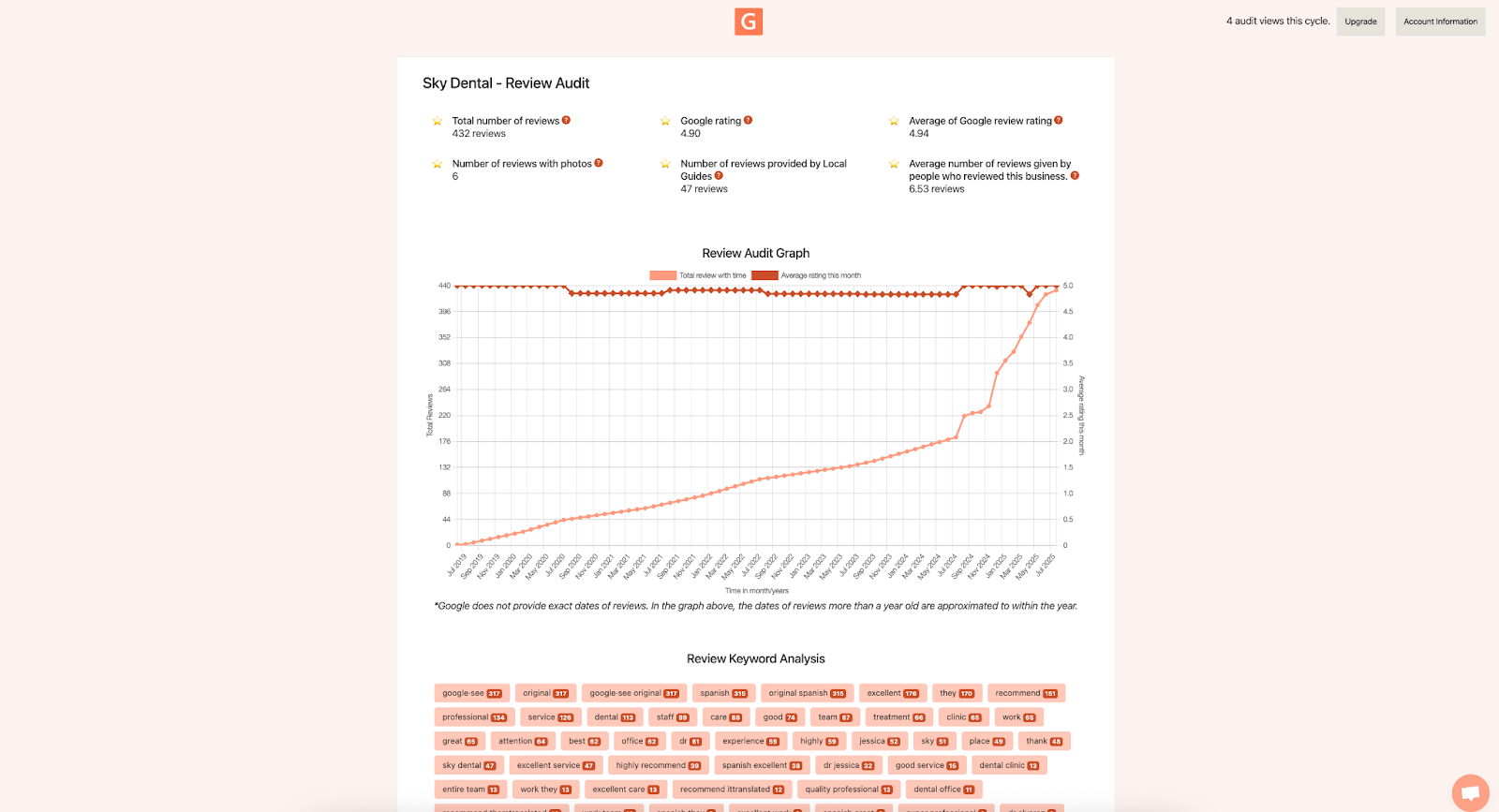
- Star rating trend — Compare your average rating before and after you start replying consistently.
- Common keywords — Use the GMB Everywhere Review Audit to see which words come up often. If customers keep mentioning a service, make sure it's listed on your profile.
- Reply time — Try to respond within 48 hours. AI drafts make this easy to keep up with.
Conclusion
The AI Review Response Generator handles the heavy lifting so you can focus on the personal touches — using the reviewer's name, mentioning specific details, and saying thanks.
Quick, genuine replies build customer trust, help your local SEO, and turn every review into a chance to win repeat business.