When someone searches for "dentist near me," the first thing they look at is the star rating on Google Maps. Even a small difference can decide whether they click on your profile or a competitor's.
Research shows that most people won't even consider a business with fewer than three stars. So knowing where you stand compared to the dentist down the street is worth a few minutes of your time.
Why Star Ratings Matter So Much
- Stars are the first thing people see. Patients decide whether to click your profile in seconds, long before they notice anything else about your practice.
- Google also pays attention. Businesses that get a steady flow of new reviews tend to show up higher in Maps results than those with stale feedback.
- So a strong star rating works in two ways: it builds trust with patients and helps Google show your profile to more people.
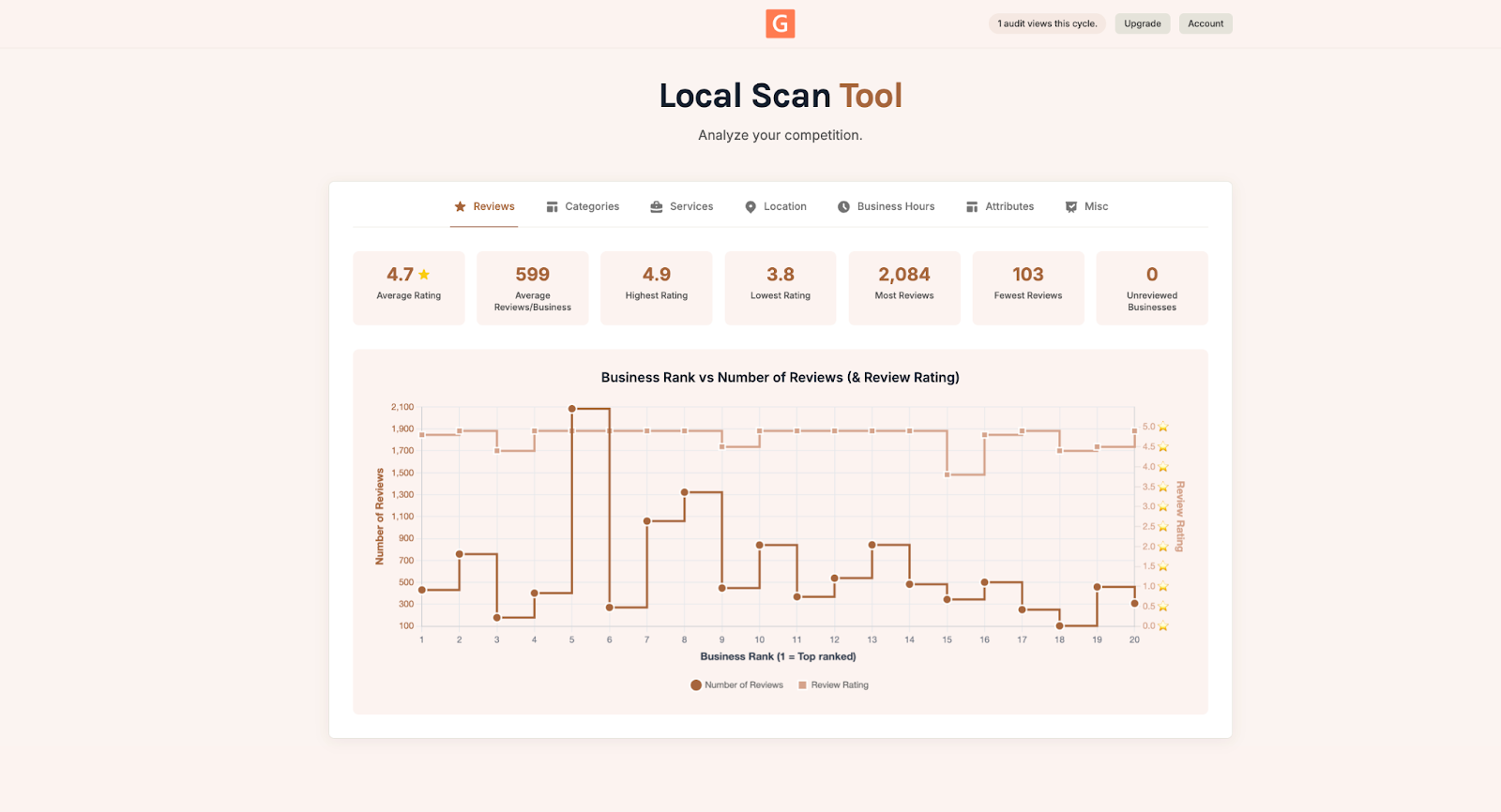
Compare Your Profile with Local Scan
Local Scan from GMB Everywhere compares your Google Business Profile to every nearby dentist in seconds. It's organized into seven tabs so you can quickly see where you're ahead and where you're behind.
- Reviews: Your average score, highest and lowest ratings, total review count, and which businesses have no reviews at all.
- Categories: Which categories top-ranked practices use and where you might have gaps.
- Services: Every service your competitors list, so you can spot ones worth adding.
- Location: A map showing each clinic ranked 1 through 20, so you can see who's closest and who's dominant.
- Business Hours: When competitors open and close, including weekend and evening hours.
- Attributes: Things like accessibility features, payment options, and other details that patients look for.
- Misc: Profile basics like website links, phone numbers, and whether online booking is set up.
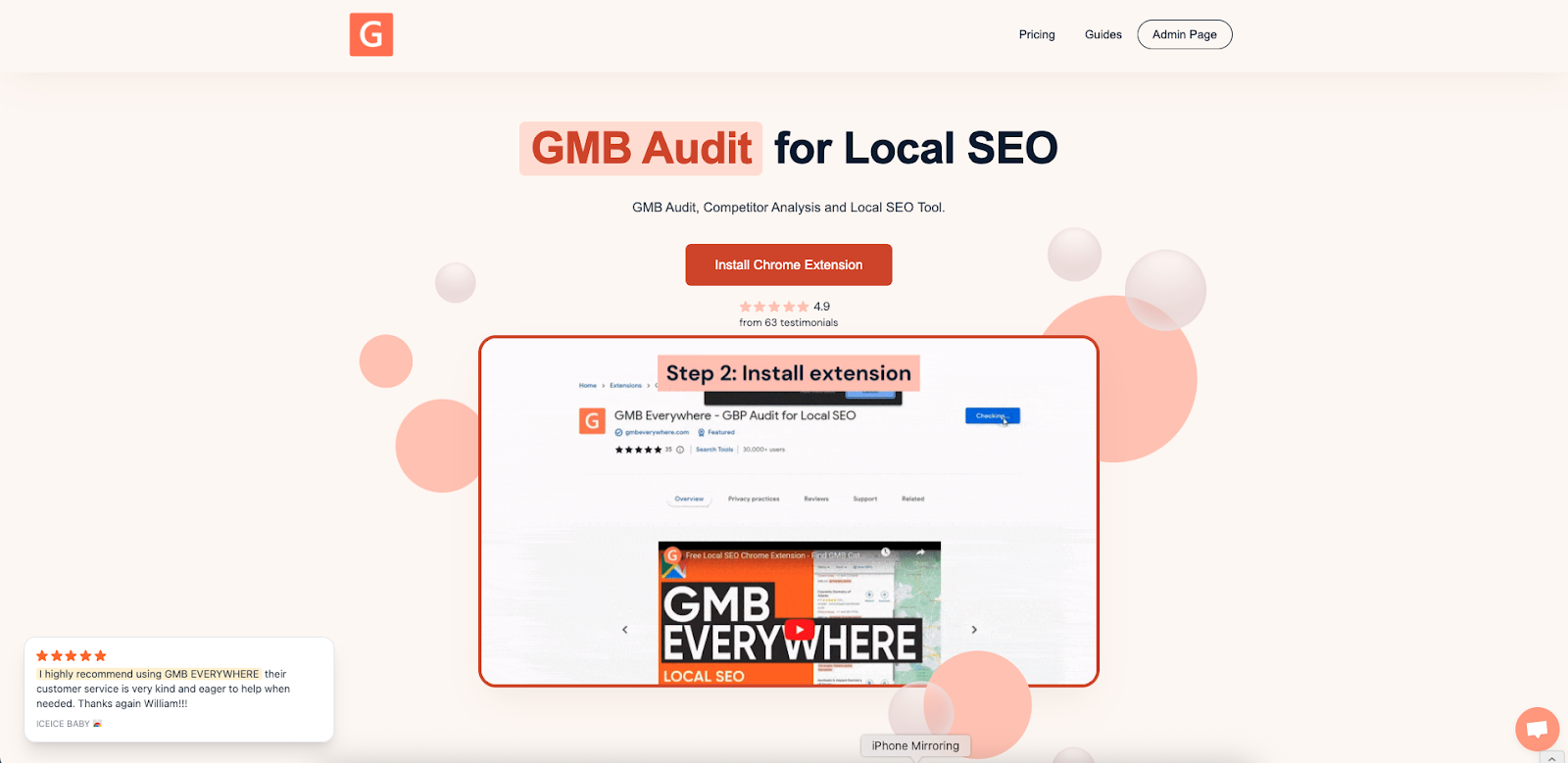
To get started, go to gmbeverywhere.com and add the extension to Chrome.
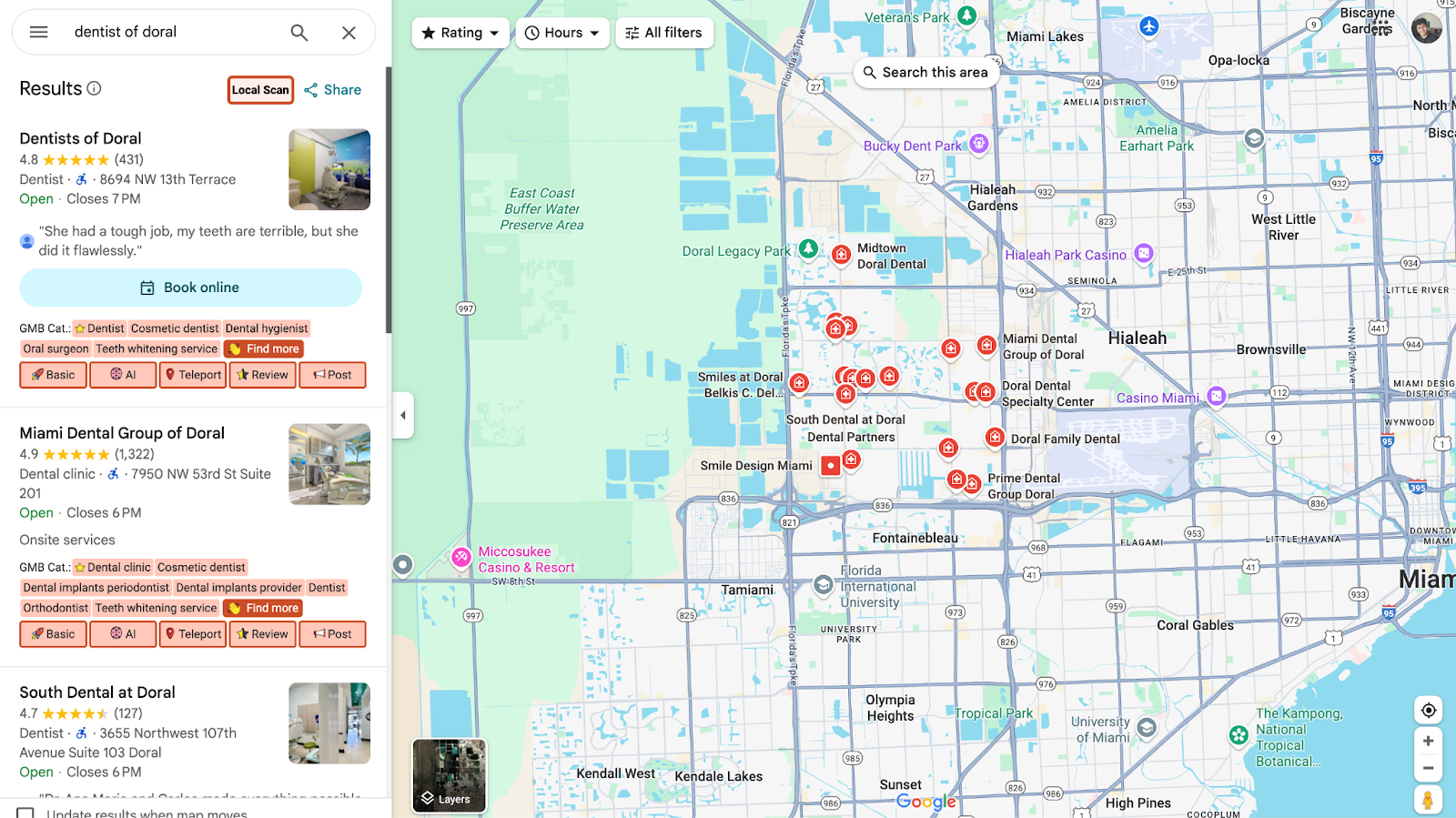
Then open Google Maps and search for your business. Click the Local Scan button on the left panel.
Click the Reviews tab to see how your ratings and reviews compare to competitors. You can check out a sample report above.
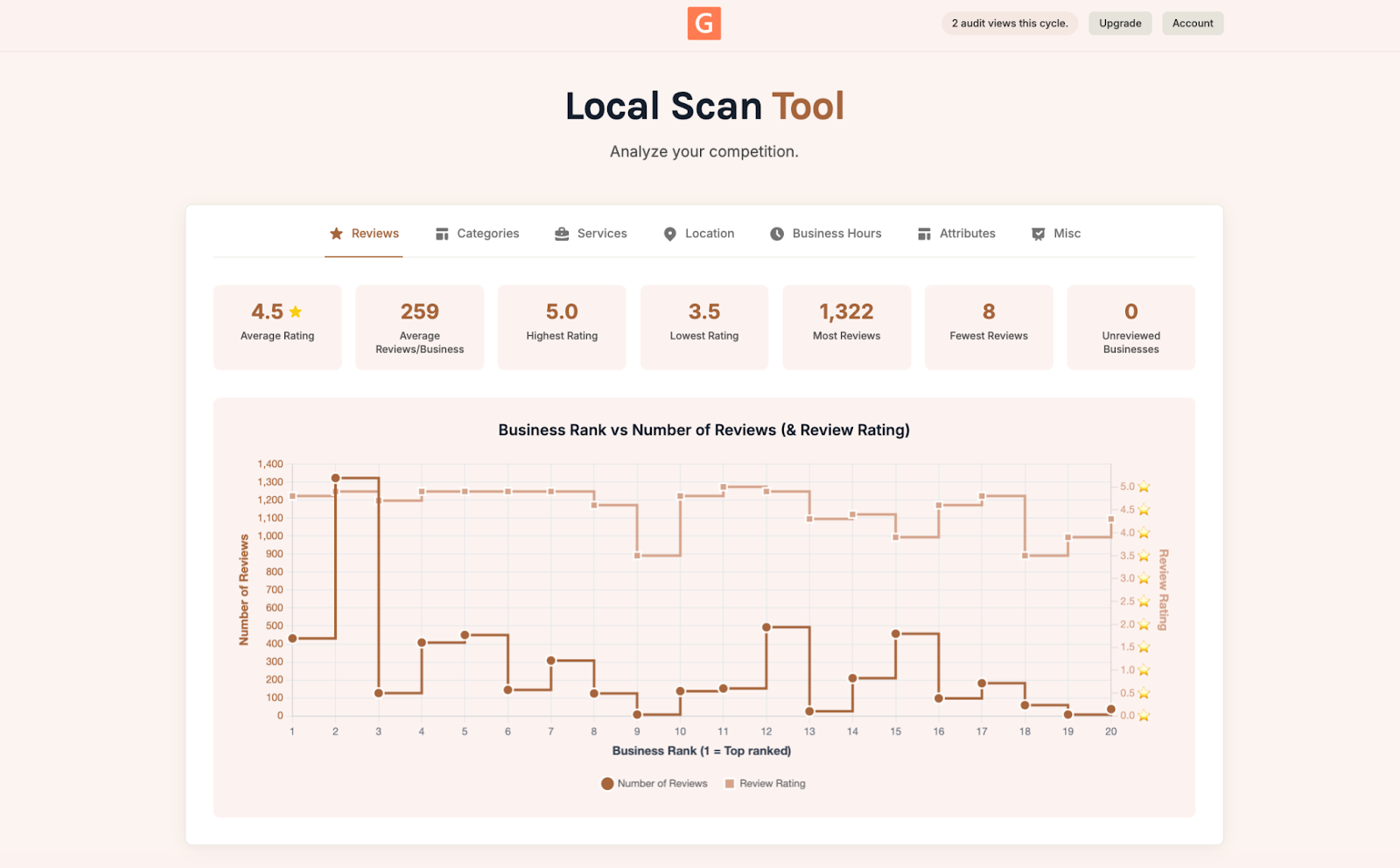
What to Look for in the Reviews Tab
This is the best place to start. Here's what to pay attention to:
- Average rating: If your score is below the local average, it's time to focus on getting more reviews. Ask happy patients to leave one after their visit, or share recent success stories on your profile.
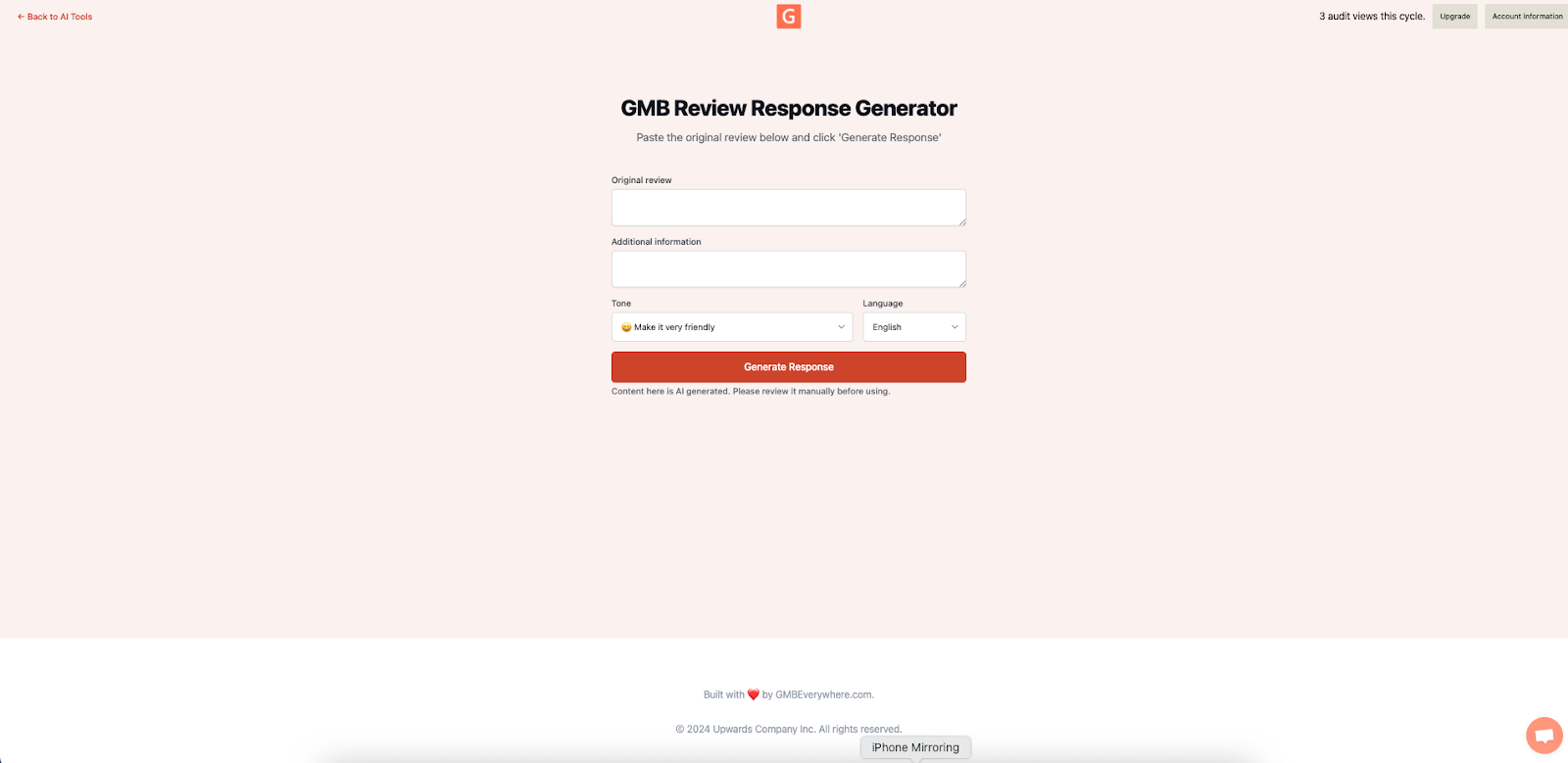
- Rating breakdown: Read through your reviews to spot patterns. Are people complaining about the same thing? Fix the issue and respond to the feedback. GMB Everywhere's Review Response Generator can help you reply to reviews faster, which also helps your reputation.
Conclusion
You don't have to guess how your practice stacks up. A free Local Scan shows you in under a minute where you stand compared to nearby dentists.
Once you know the gaps, the fixes are usually simple: ask for more reviews, update your hours, or add missing services. Small changes like these can make a real difference in how many patients find and choose your practice.