Replying to Google reviews is one of those things that matters a lot but takes forever to do well. Good replies show customers you care, and they help your local SEO too. The problem is that writing thoughtful, on-brand responses for every review can eat up hours of your week.
GMB Everywhere's AI Review Response Generator speeds that up by writing draft replies for you in seconds. You just add a personal touch and hit publish. This guide walks you through how to set it up, pick a tone, work through reviews in batches, and build a simple routine so you never fall behind.
Set Up the Extension
Head to gmbeverywhere.com and click Install Chrome Extension, then Add to Chrome, then Confirm. Pin the GMBE icon next to your address bar so it's easy to find, and log in.

Next, open a new tab and go to link.gmbeverywhere.com/ai-tools. Click Review Response Generator to open the tool.
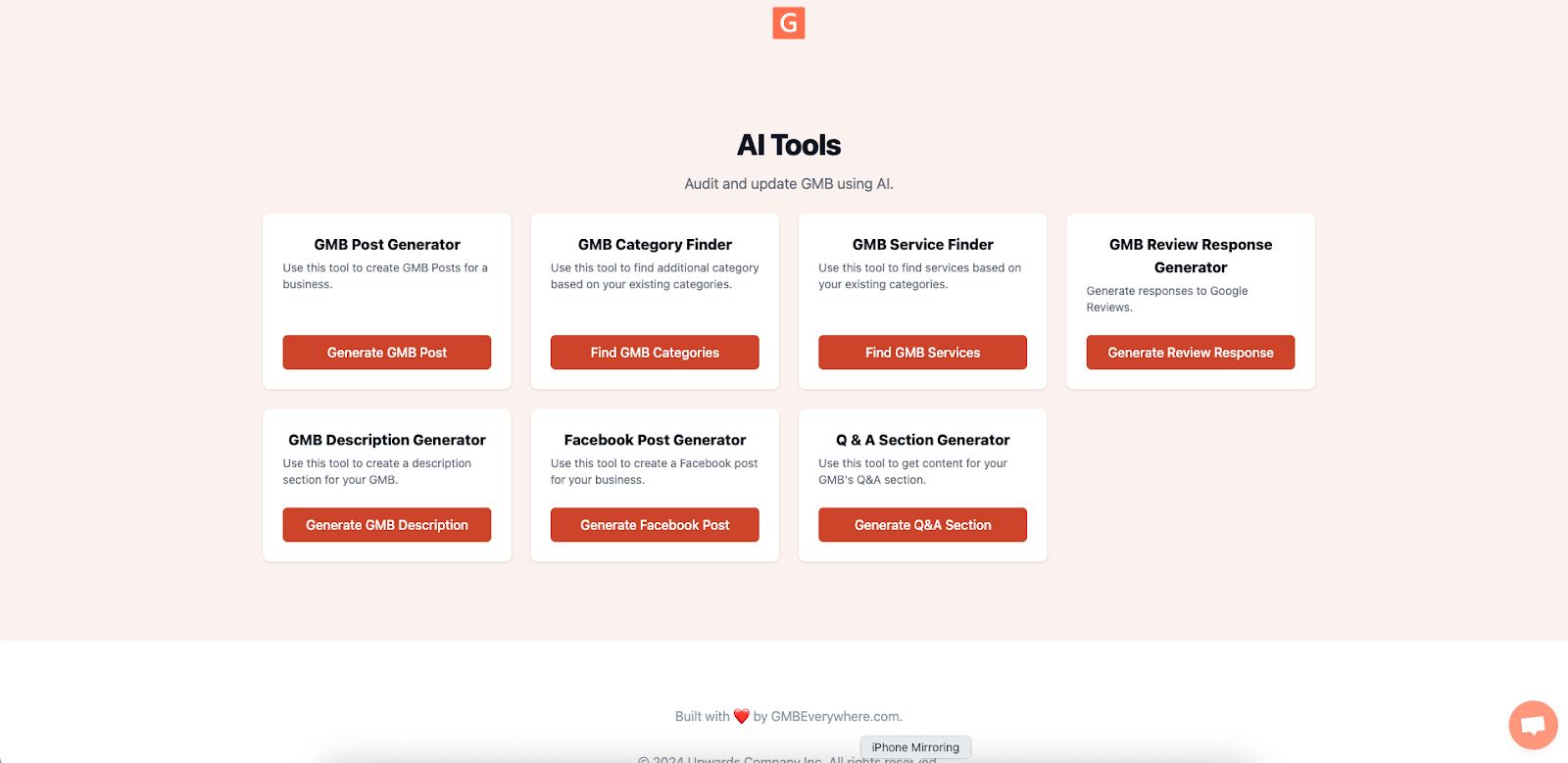
Pick a Tone and Start Generating Replies
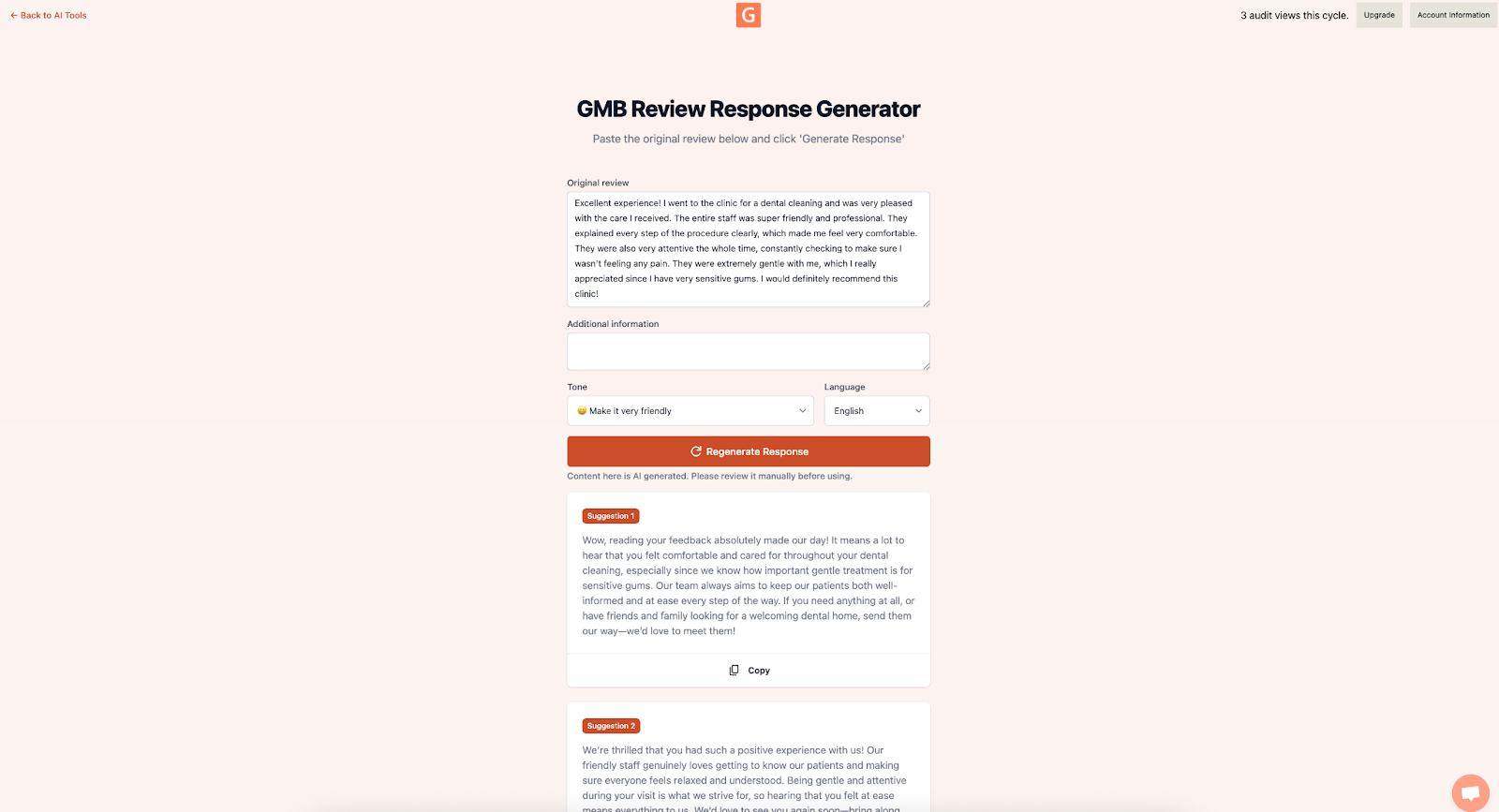
Once the tool is open, pick a tone: Casual, Professional, or Friendly-Expert. Choose the one that fits your brand and stick with it so all your replies feel consistent. You can always change it later.
Here's how to work through a batch of reviews:
-
Start with low-star reviews
Open your Google Business Profile's Reviews tab. Filter for 1 to 3 star reviews and sort by newest first. These need attention the most. -
Generate a draft
For each review, click the GMBE icon and select Review Response Generator. Paste in the review text, pick your tone, and hit Generate.
-
Make it personal and publish
The AI gives you a solid starting point, but don't post it as-is. Add the reviewer's name, mention something specific they said, and keep the language natural. If someone left a negative review, a small gesture like "next one's on us" goes a long way. Once it sounds like you, copy it into the Reviews tab and hit Publish. For anything complicated, follow up privately.
Build a Simple Review Routine
Set aside 15 minutes every Monday and Thursday. That's it. Here's what to do in each session:
-
Check for new reviews
Look through the last 48 hours and find any reviews you haven't replied to yet. -
Run through the batch
Use the steps above to generate, personalize, and publish replies. Try to handle up to 10 reviews per session. -
Keep track of your numbers
Log how many reviews you replied to in a simple spreadsheet. Aim for 90% or higher each week.
This keeps every review answered within two days, which is what Google recommends.
How to Tell It's Working
Once a month, take a few minutes to check how things are going:
-
Reply rate
What percentage of reviews are you answering within 48 hours? Anything above 90% is great. -
Star rating trend
Compare your average star rating from before you started using AI replies to now. Even a small bump matters. -
What people are saying
Use GMB Everywhere's Review Audit word cloud to see if negative words are showing up less often over time.
You can also check your GBP Insights for changes in things like phone calls or website clicks. If those numbers are going up along with your reply rate, your review responses are making a real difference.
Conclusion
Responding to reviews doesn't have to take hours. GMB Everywhere's AI Review Response Generator gives you a solid draft in seconds, and all you need to do is make it sound like you.
Pick a tone, work through your reviews in batches twice a week, and you'll stay on top of things without burning out. Your reply rate goes up, your customers feel heard, and your local SEO gets a boost. Install the extension and try it on your next batch of reviews.