Creating seasonal promotions and event Posts across Google Business Profile (GBP), Facebook, and Instagram can feel overwhelming. GMB Everywhere’s AI Post Generator makes it simpler by producing ready-to-use drafts and caption variants designed for each platform.
In this guide, you’ll learn how to set up the tool, build reusable templates, test captions, and check your results so you can run stronger campaigns with less effort.
Set Up the AI Post Generator
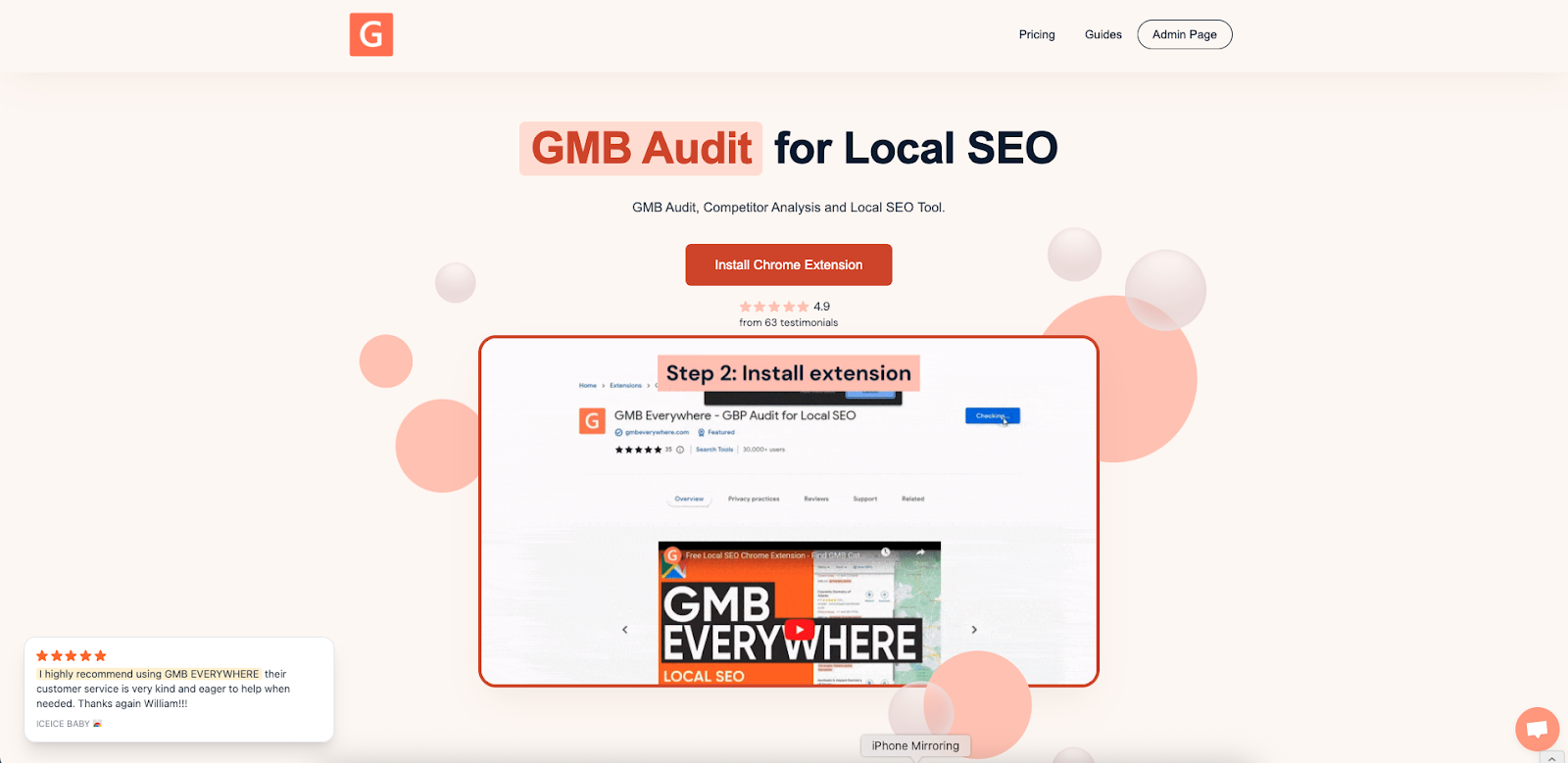
Visit gmbeverywhere.com → click Install Chrome Extension → Add to Chrome → Confirm. Pin the GMB Everywhere icon beside your address bar and log into your account.
In a new tab, go to link.gmbeverywhere.com/ai-tools → click GMB Post Generator.
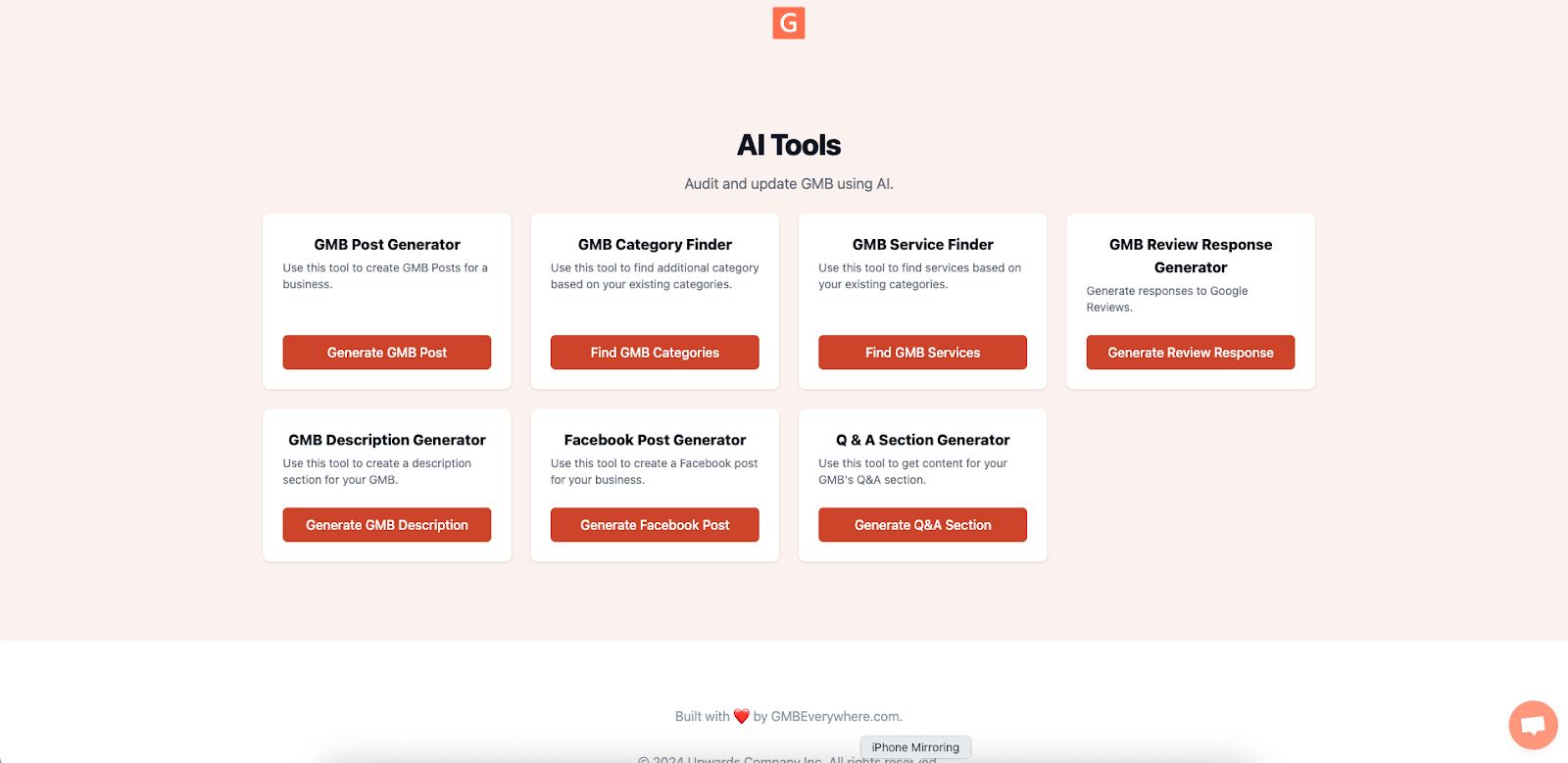
With the extension active, you’re ready to generate campaign-ready Posts in seconds.
Design Reusable Campaign Templates
Before you run the AI, gather your campaign details:
- Name and Theme (e.g., “Summer Solstice Yoga in the Park”)
- Date Range and Times
- Offer Details (e.g., “20% off all classes”)
- Target Audience (e.g., “Beginners, ages 25–45, BGC area”)
Generate Platform-Specific Drafts
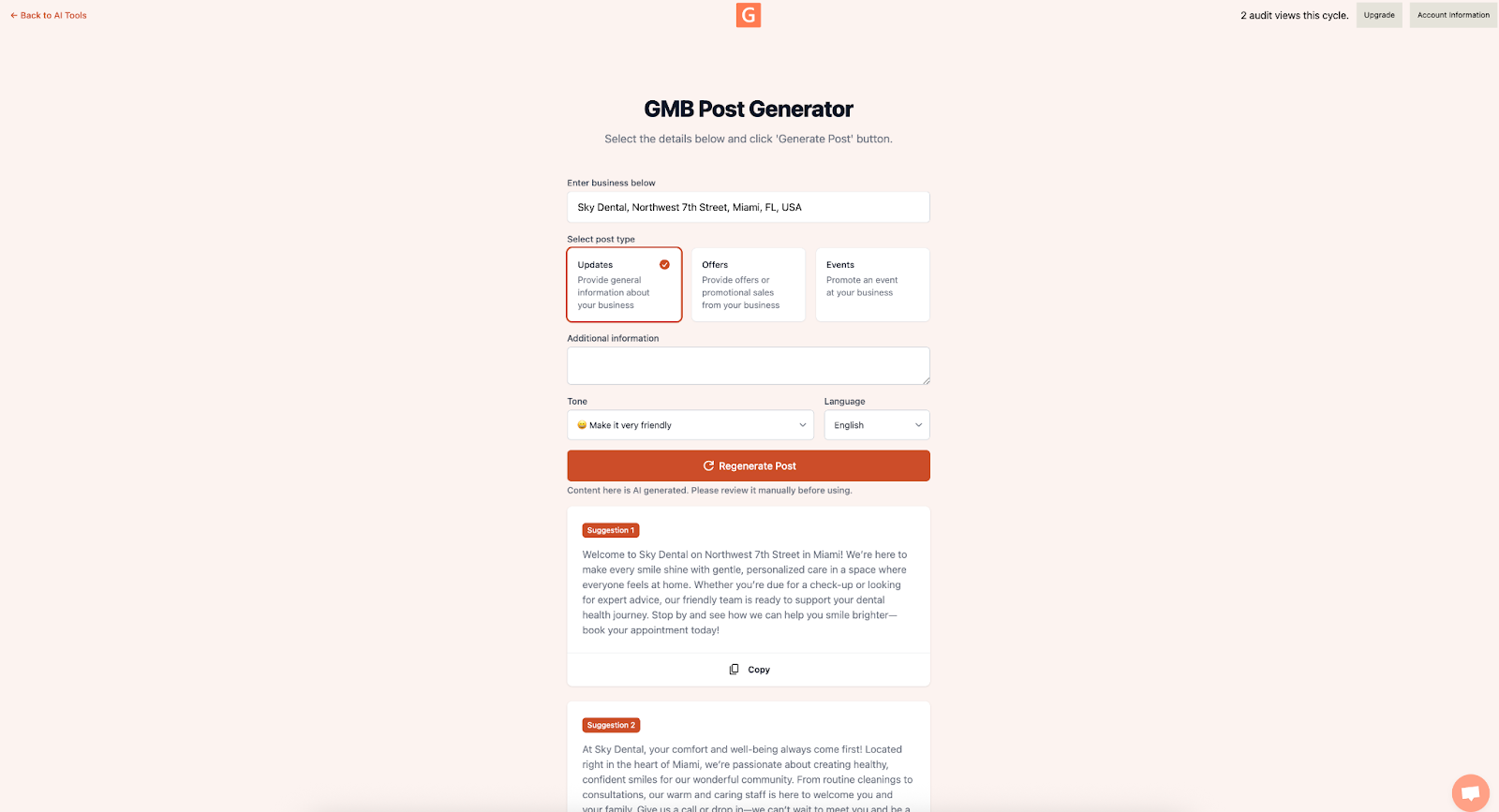
- In the AI Post Generator, fill in your business and additional prompt and information.
- Choose what kind of content you are creating: Updates, Offers, or Events.
- Choose a tone—Casual, Professional, or Friendly-Expert.
- Click Generate.
Leverage Platform-Specific Features
-
Event Posts on Google
Include a title, description, and start/end dates, plus a Register or Call button. Put the key details first (e.g., “Join us June 21 for sunrise yoga—bring a mat, RSVP here”). -
Stories for Facebook & Instagram
Toggle Story Mode in the AI tool to get short, vertical-format snippets (under 75 characters) with suggested sticker prompts like #RSVP or #SwipeUp.
Measure Campaign Performance
After launch, check your results across each platform:
- GBP Insights: Impressions, Clicks, CTA Actions (aim for 10–15% CTR on Offers).
- Facebook Insights: Reach, Link Clicks, Reactions, Comments.
- Instagram Insights: Accounts Reached, Profile Visits, Story Interactions.
You can also calculate your Cost per Engagement by dividing the time you spent (for example, 15 minutes at your hourly rate) by the total number of engagements. This shows how much more efficient AI drafting is compared to writing posts manually.
Conclusion
GMB Everywhere’s AI Post Generator makes it easier to run seasonal and event campaigns across multiple platforms. Define your campaign details once, generate drafts for GBP, Facebook, and Instagram, and measure your results—all without writing everything from scratch.
Want more tips on getting the most from your GBP Posts? Browse our guide articles section.