Fresh Google Posts help your Google Business Profile (GBP) stand out on Search and Maps. On mobile, the newest Post now appears prominently, and clear offers can even show up inside Google’s AI Overview results.
If you ever run out of ideas, GMB Everywhere makes posting easy—just spark an idea, shape your draft, and publish it fast. This guide will walk you through the steps.
Why GBP Posts Still Matter in 2026
Google places your newest Post right under your business name on mobile, pushing it in front of reviews and other info. Short, timely updates also support visibility signals in Google’s Improve your local ranking guide. Consistent Posts give Google fresh, accurate info to show, and they give customers clear reasons to click, call, or visit.
Spark: Tell the AI What You Want
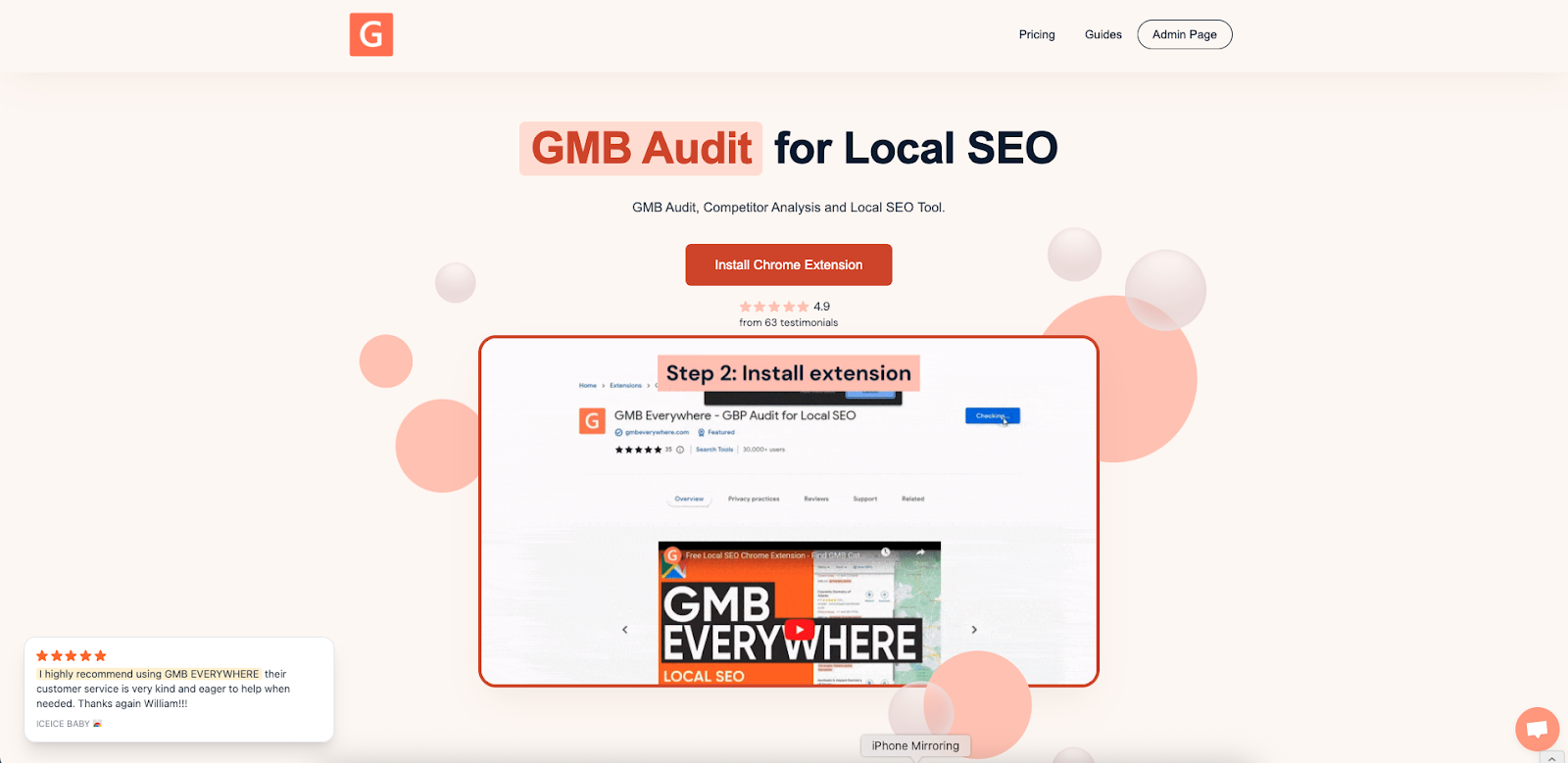
Install the Chrome extension at gmbeverywhere.com (Install → Add to Chrome → pin the icon → log in).
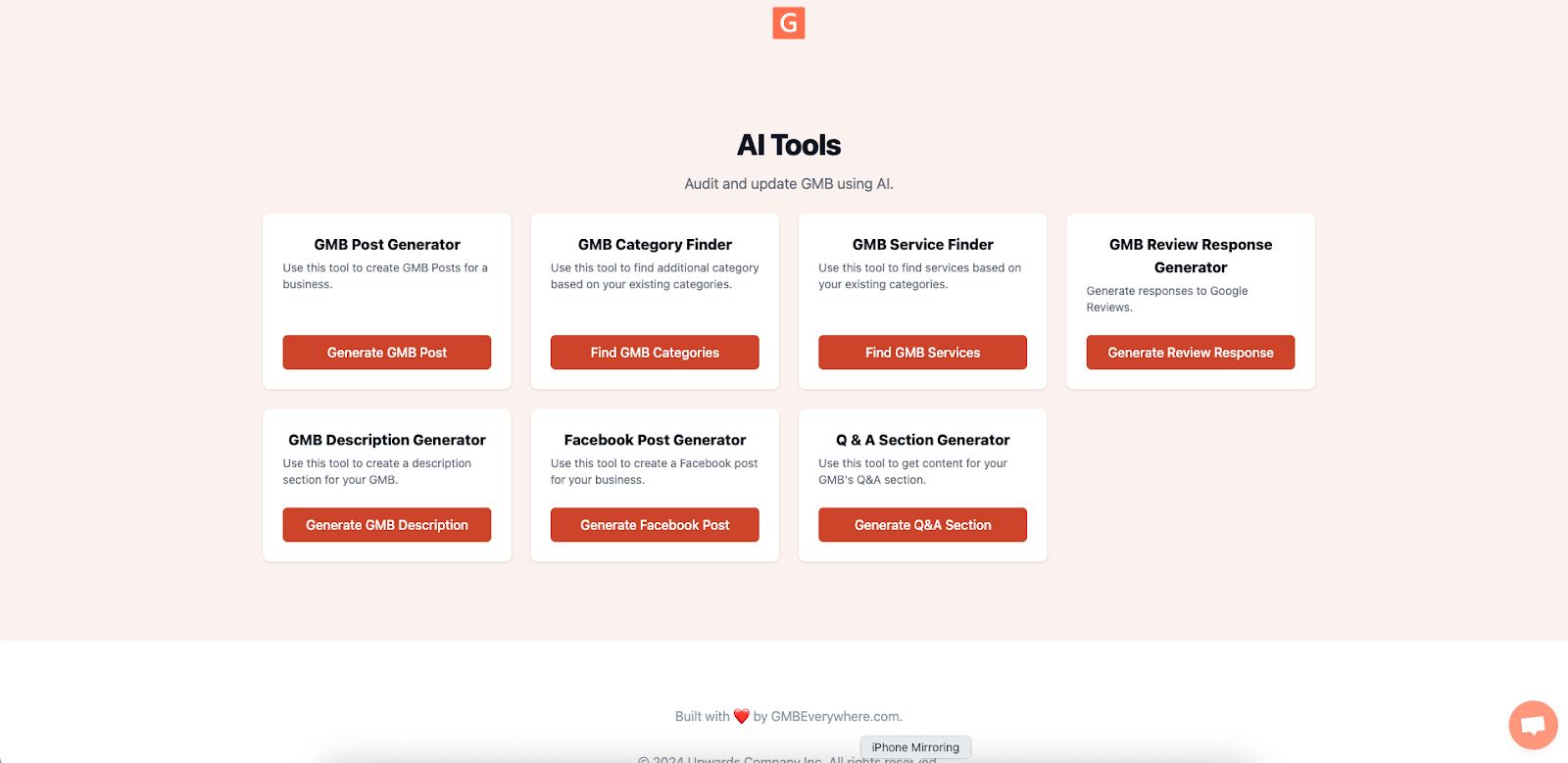
Open link.gmbeverywhere.com/ai-tools and pick AI Post Generator.
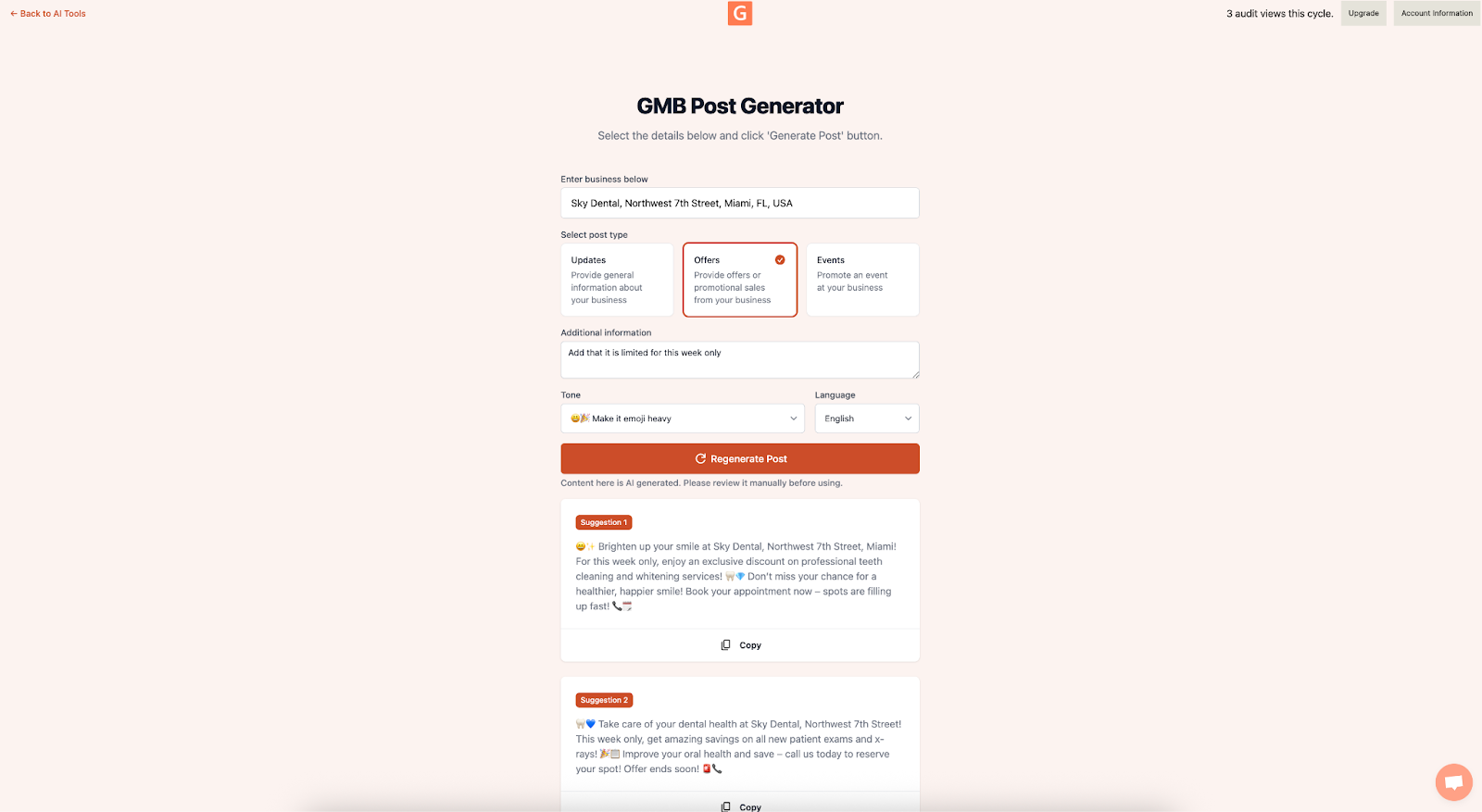
Search for your business and add your prompt to the Additional Information section. You can also customize the tone—friendly, funny, or descriptive. Click Generate Post. In seconds, you’ll get a draft ready for your GBP Post.
Shape: Add Your Voice & Local Hook
Even great drafts shine brighter with a human touch:
- Brand voice: Swap any phrases that feel off. Change “Hey folks” to “Hey Brickell homeowners,” for example.
- Local hook: Mention your area or neighborhood (“Serving Brickell and Downtown Miami this weekend”).
- Clarity & policy: Keep it clear, friendly, and truthful. Encourage helpful info, not ALL CAPS or phone numbers in the text.
Most AI drafts land at 80–120 words—well within Google’s 1,500‑character limit—so edits are quick.
Send: Publish, Track, Repeat
- In GBP, click Add update (or Offer/Event). Paste your refined copy.
- Upload a strong visual. A 1200 × 900 px image looks crisp on mobile. Real photos (team, product, on‑site work) usually earn more taps than stock.
-
Pick a button (e.g., Learn more,
Get offer, Book). Add a simple
UTM code to your link so you can see traffic later (example:
?utm_source=google&utm_medium=post&utm_campaign=leak_repair). - Hit Publish, then view your profile in an incognito window to confirm it’s live.
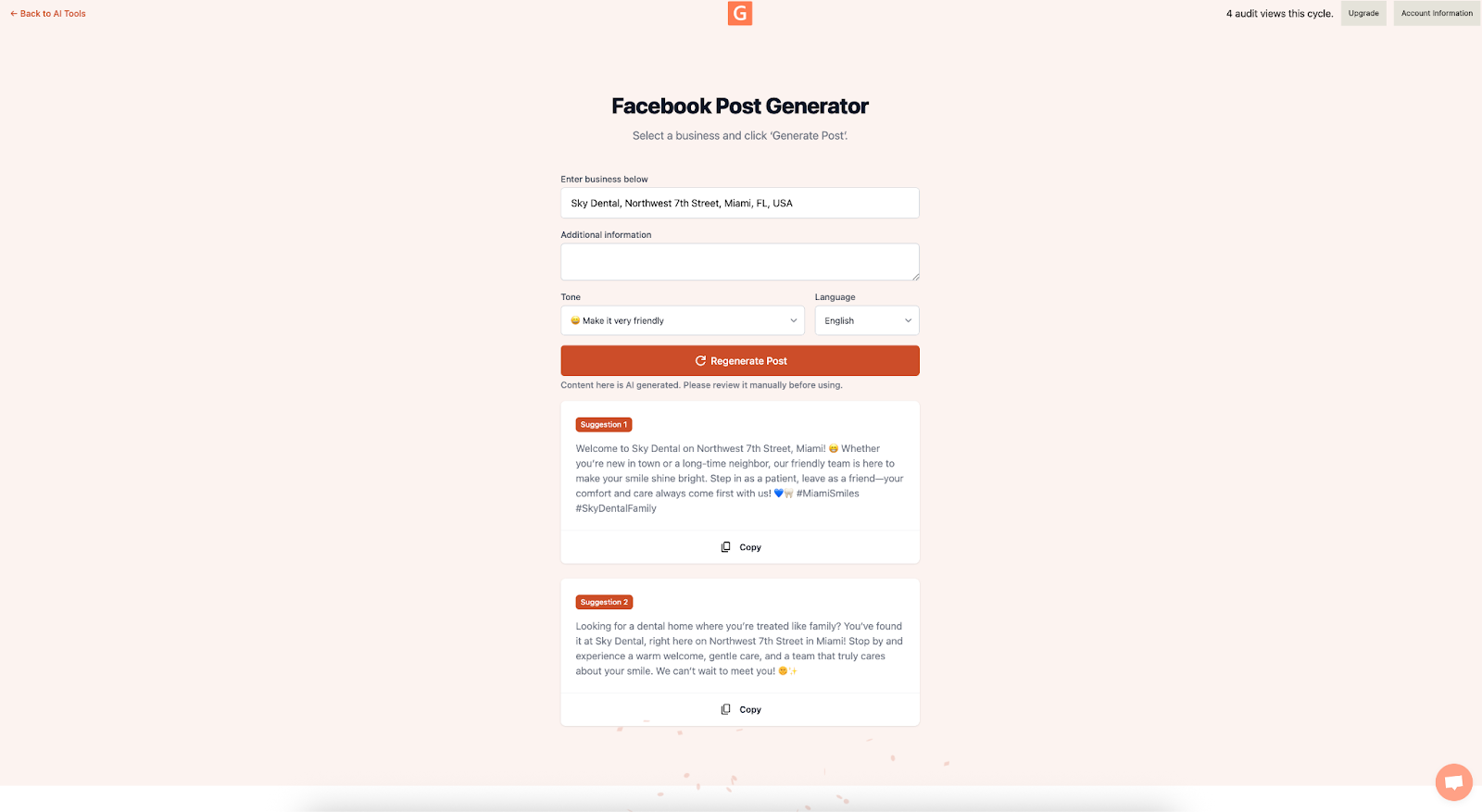
- Want quick social reuse? Open AI Facebook Post Generator inside GMB Everywhere to spin the same idea into Facebook-ready text. Go to link.gmbeverywhere.com/ai-tools, click on Facebook Post Generator, search for your business, add your content and any extra instructions, and reuse the post for social media.
Conclusion
Blank-page stress is over. With GMB Everywhere, you can publish a strong GBP Post in about two minutes of real effort. Fresh Posts keep your profile lively, feed Google the details it needs, and give customers a clear reason to act.
Install the extension, open the AI tools dashboard, and watch your Posts turn views into calls, clicks, and visits. Want more tips? Browse our guide articles section.