Customer reviews are a source of high-value keywords—real words from real experiences. Most businesses never look at them for copy ideas, FAQs, or new service offerings. GMB Everywhere’s Review Audit brings those insights to your screen in seconds. A word cloud shows your most common positive and negative terms, while a frequency table shows how often each appears and its sentiment. No exports, no spreadsheets—just click, review, and act.
Here is a simple Mine → Map → Monetise workflow you can finish in about 25 minutes. You’ll see how to turn real customer language into sharper service descriptions, click-worthy FAQs, and engaging posts using GMB Everywhere’s AI tools.
Mine Customer Keywords with Review Audit
Install the GMB Everywhere Chrome extension: go to gmbeverywhere.com → Install Chrome Extension → Add to Chrome → pin the icon.
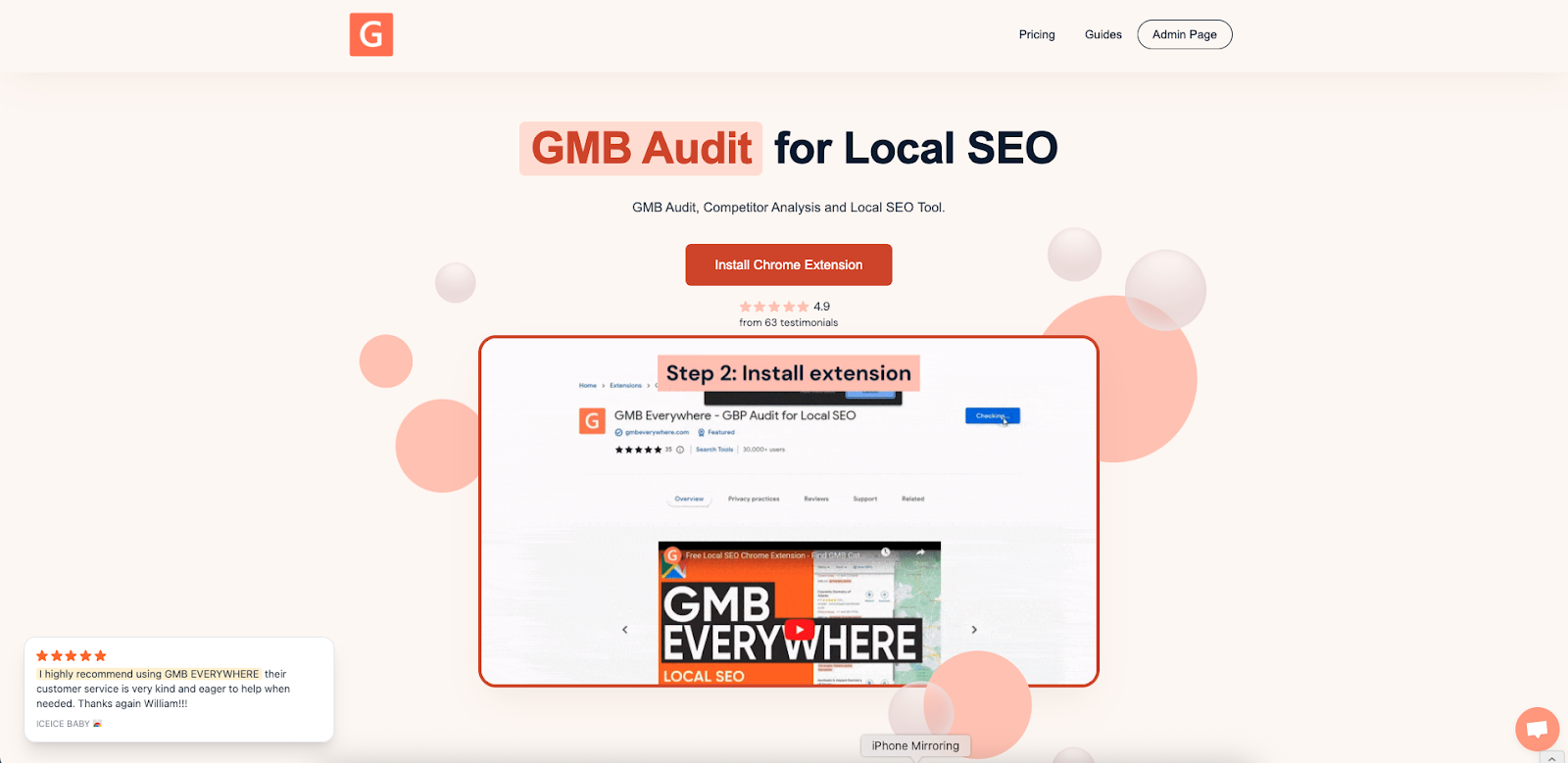
Search for your business in Google Maps and select Review Audit.
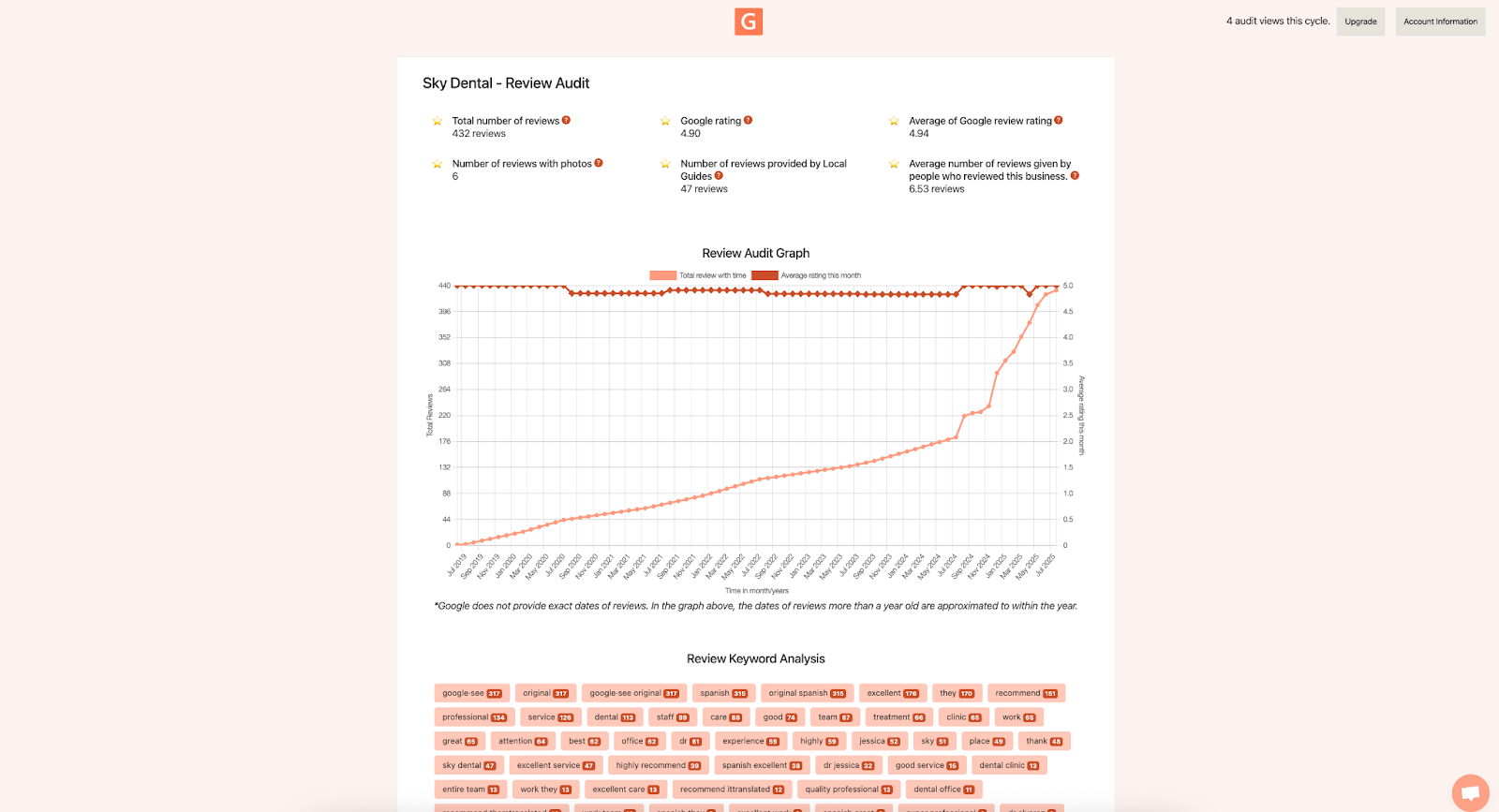
You’ll instantly see:
- Word Cloud of stemmed keywords—from “leak” and “pipe burst” to “fast” and “clean.”
- Frequency Table listing each term’s count and whether reviews mention it positively or negatively.
Capture the top ten keywords (a quick screenshot or jotting them down works). These terms reflect exactly what your customers care about—and what they type into Google.
Map Keywords to Profile Elements
| Review Keyword | Where to Use It |
|---|---|
| leak, pipe burst | Service description: “Emergency leak repair within 60 minutes.” |
| camera inspection | New service: “Drain camera inspection – pinpoint issues fast.” |
| weekend service | FAQ: “Q: Do you offer weekend call-outs? A: Yes, 8 AM–6 PM daily.” |
| clean, tidy | Post: “Our technicians always leave your home spotless—see gallery.” |
Assign one keyword per profile element so your language stays natural. Mapping each term ensures your updates read like real conversations and address customer concerns directly.
Monetise by Updating Your Profile
In your Google Business Profile dashboard under Services, edit the name or description of each key service. Weave in one or two of your mined phrases—keep each entry under 80 characters. Then update your Business Description using top positive words like “fast” or “clean” to reinforce great experiences.
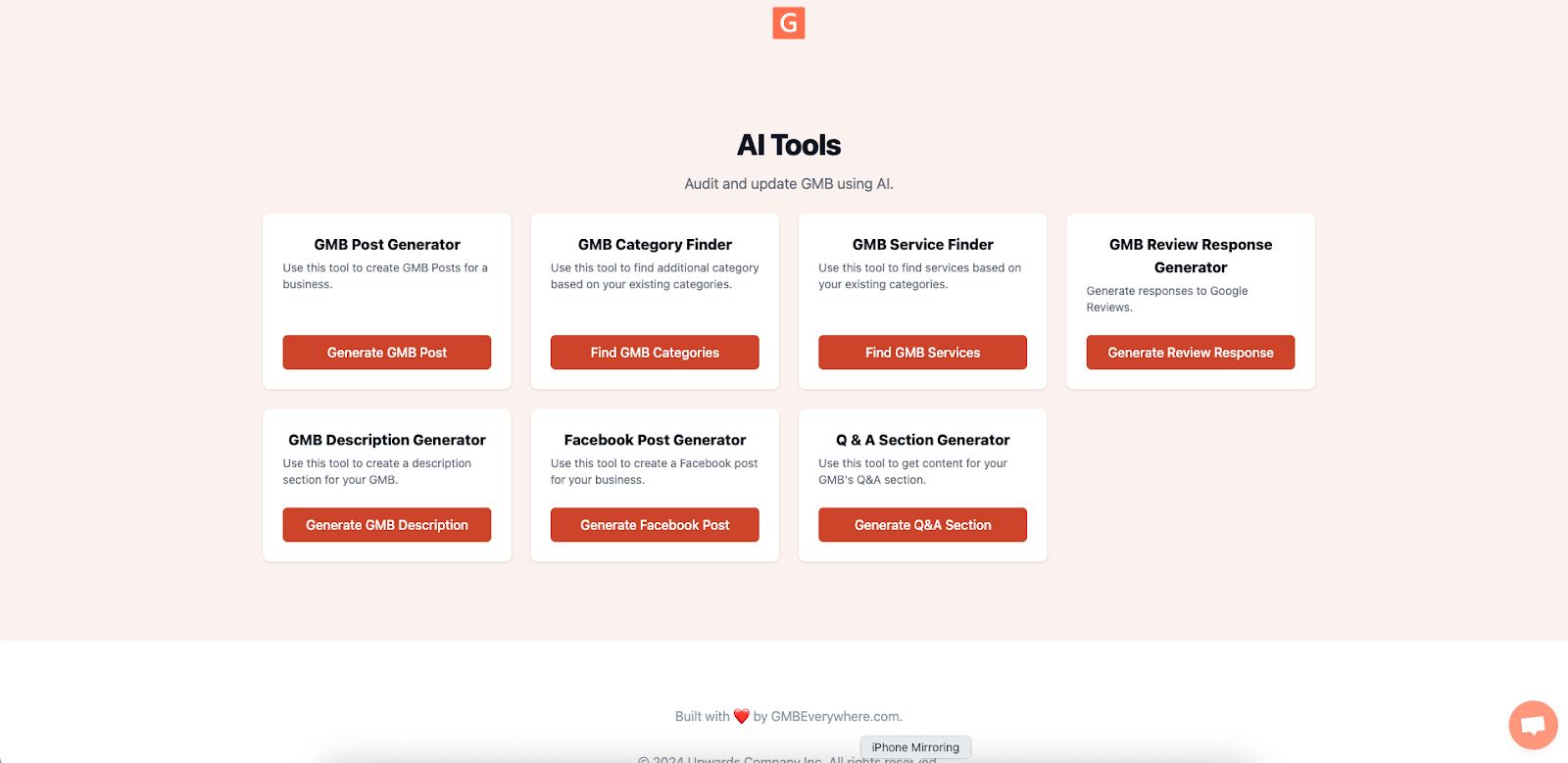
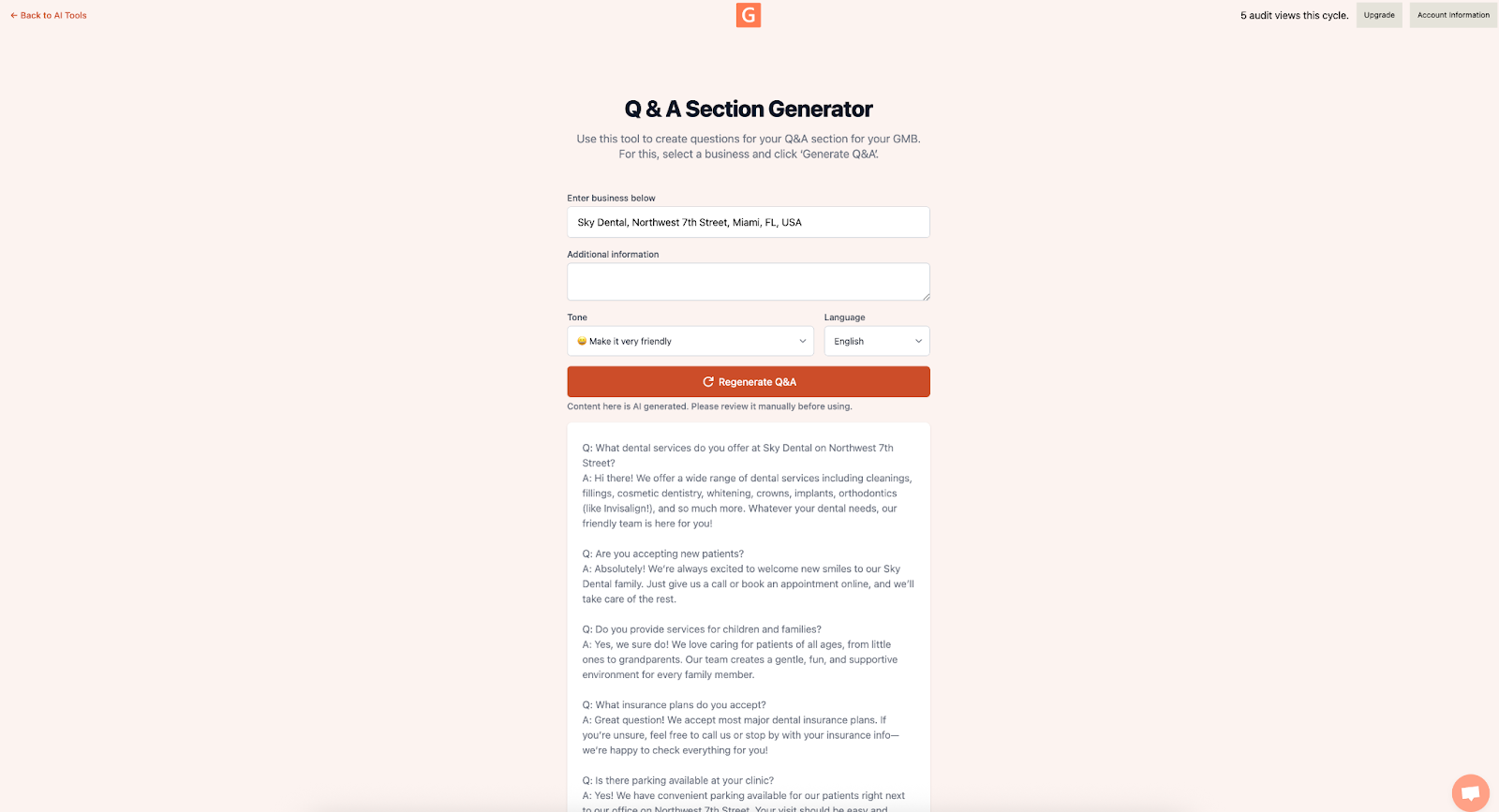
Next, improve your Q&A section. You can use the Q&A generator in GMB Everywhere to create questions and answers about your business. Open link.gmbeverywhere.com/ai-tools and choose Q&A Section Generator.
Search for your business, add any additional information, adjust the tone, and click Generate.
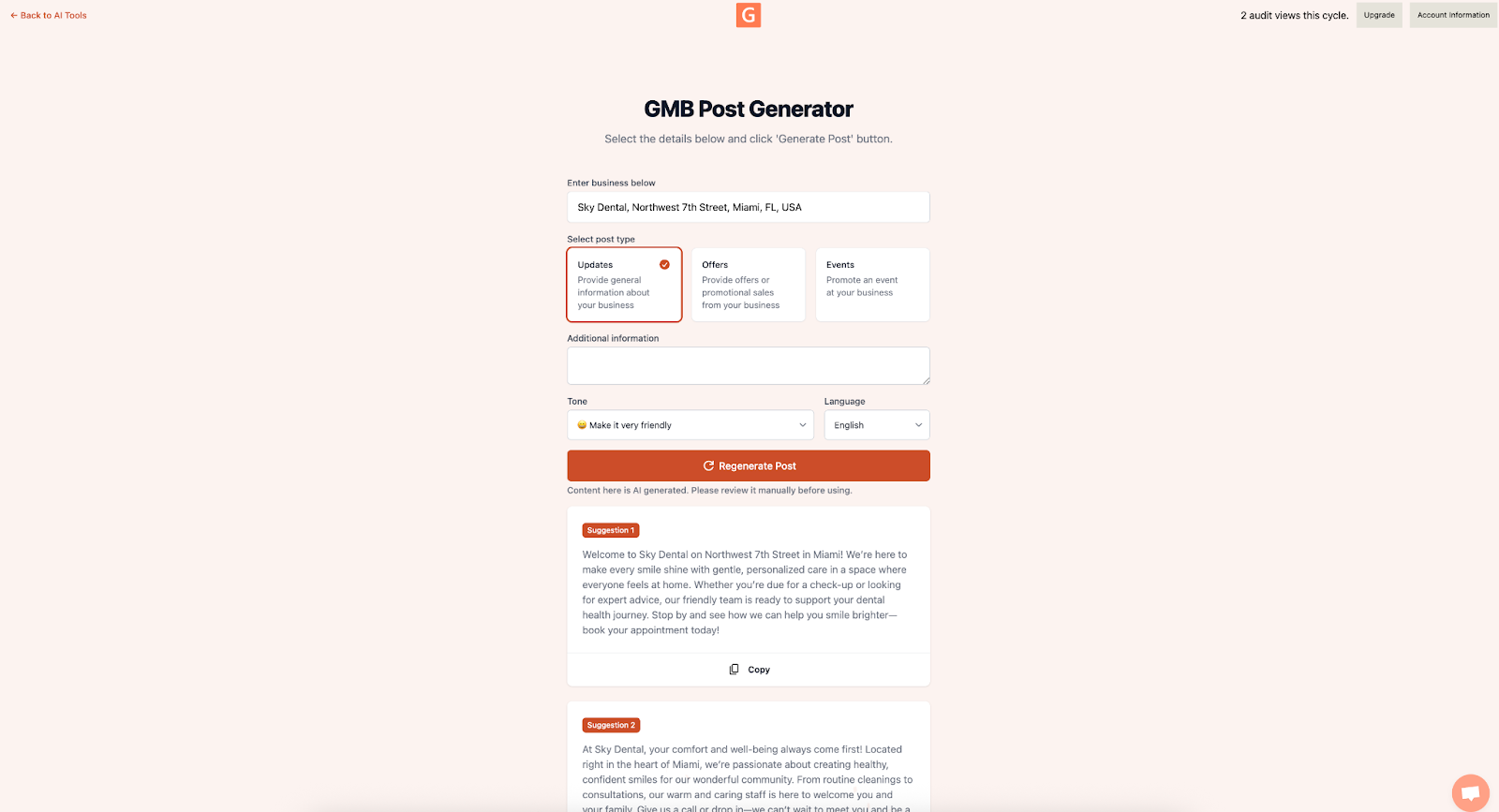
Finally, create a new post highlighting a keyword combination —for example, “Fast leak repair—check out our before-and-after images.” Consistent use of customer language across multiple elements boosts relevance without sounding forced. For this, use the GBP Post Generator in GMB Everywhere. Open link.gmbeverywhere.com/ai-tools and choose GMB Post Generator.
Search for your business, select your post type, adjust the tone, and your GBP post is ready to use.
Track Your Results
Each week, check your Profile Insights:
- Service Click-Through in Service Interactions: look for a 5–10% lift within two to three weeks after updates.
- Discovery Calls under Calls: watch for more non-branded inquiries as your new service language connects with searchers.
Monitoring these metrics shows exactly how converting customer vocabulary into profile content drives real business results.
Best Practices
- Reusing Negative Phrases: Frame them as solutions. Instead of “No more low pressure,” use “High-pressure diagnostics guarantee clear flow.”
- Overloading Profile Fields: Focus on your top five keywords and save the rest for future posts or FAQ entries.
- Ignoring Inspiring Reviews: After updating your profile, reply to the original reviewer—acknowledging them builds trust and signals engagement.
Conclusion
Every review holds high-intent keywords your competitors are missing. Spend just 25 minutes on the Mine → Map → Monetise workflow with GMB Everywhere’s Review Audit and your Google Business Profile editor, and you’ll have service descriptions, FAQs, and posts that connect with customers and convert. No spreadsheets, no guessing—just a quick routine that turns feedback into revenue.
Want to know more? Check out our guide articles section.