Your Google Business Profile's Q&A panel is prime real estate for customer engagement—answer questions before they even click through. Yet most profiles leave it blank or let strangers fill it in.
With GMB Everywhere's AI Q&A Generator, you can fill and refresh this panel in under five minutes—no brainstorming, no guesswork. Follow this guide from setup to publish.
Why Q&A Matters for Local SEO
The Q&A section works like an FAQ built right into Google Search results, answering visitor questions and keeping them engaged with your page. Google's local search guidelines emphasize that complete profiles perform better for relevance.
Well-written Q&As can also appear in Google's AI Overview snippets, giving your business extra visibility. When owner answers receive up-votes, they pin to the top—putting your responses first and helping you build trust with potential customers.
Install and Activate the AI Generator
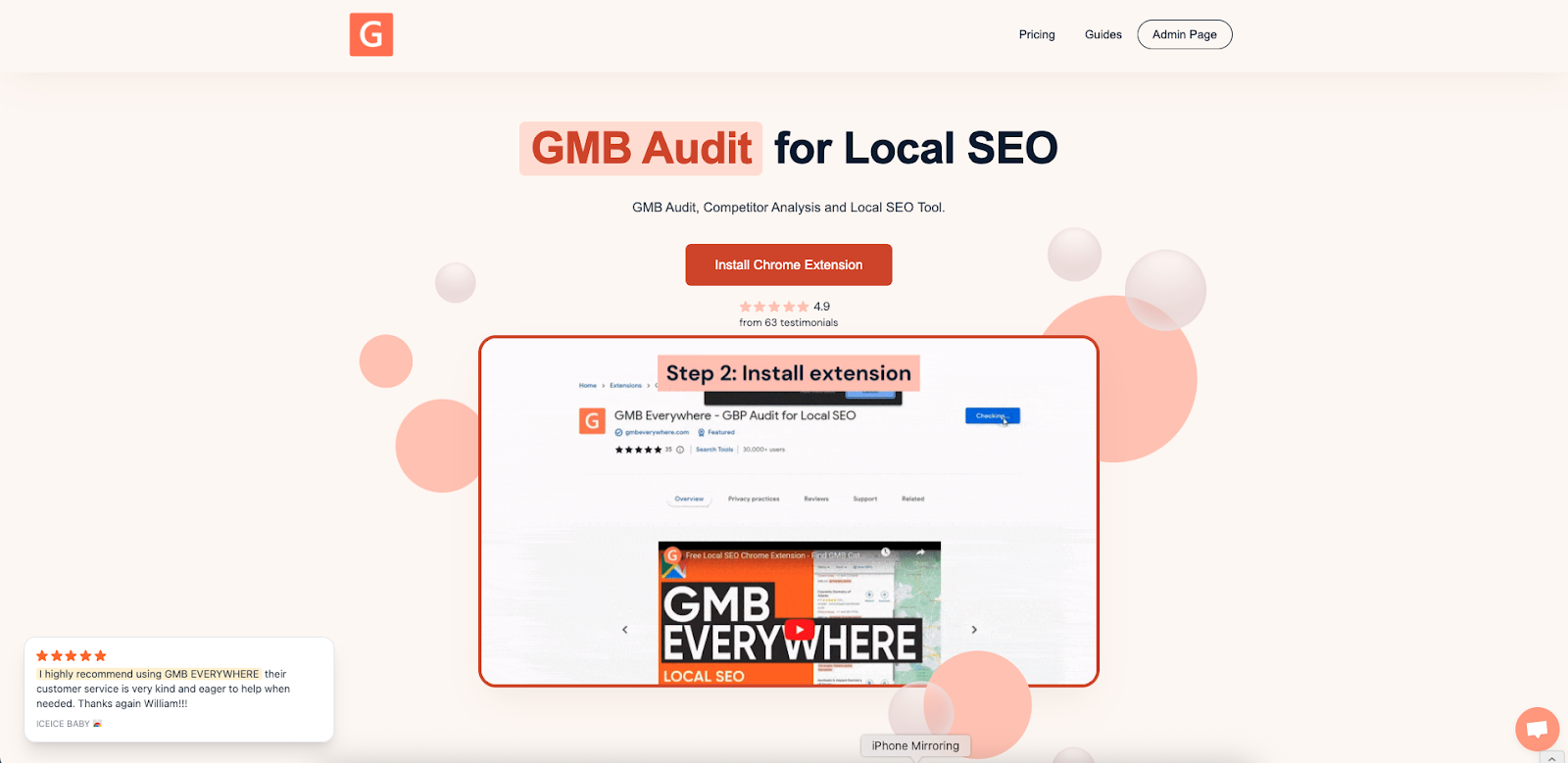
Add the Chrome Extension: Go to gmbeverywhere.com → Install Chrome Extension → Add to Chrome → Confirm. Pin the GMBE icon next to your address bar and sign in.
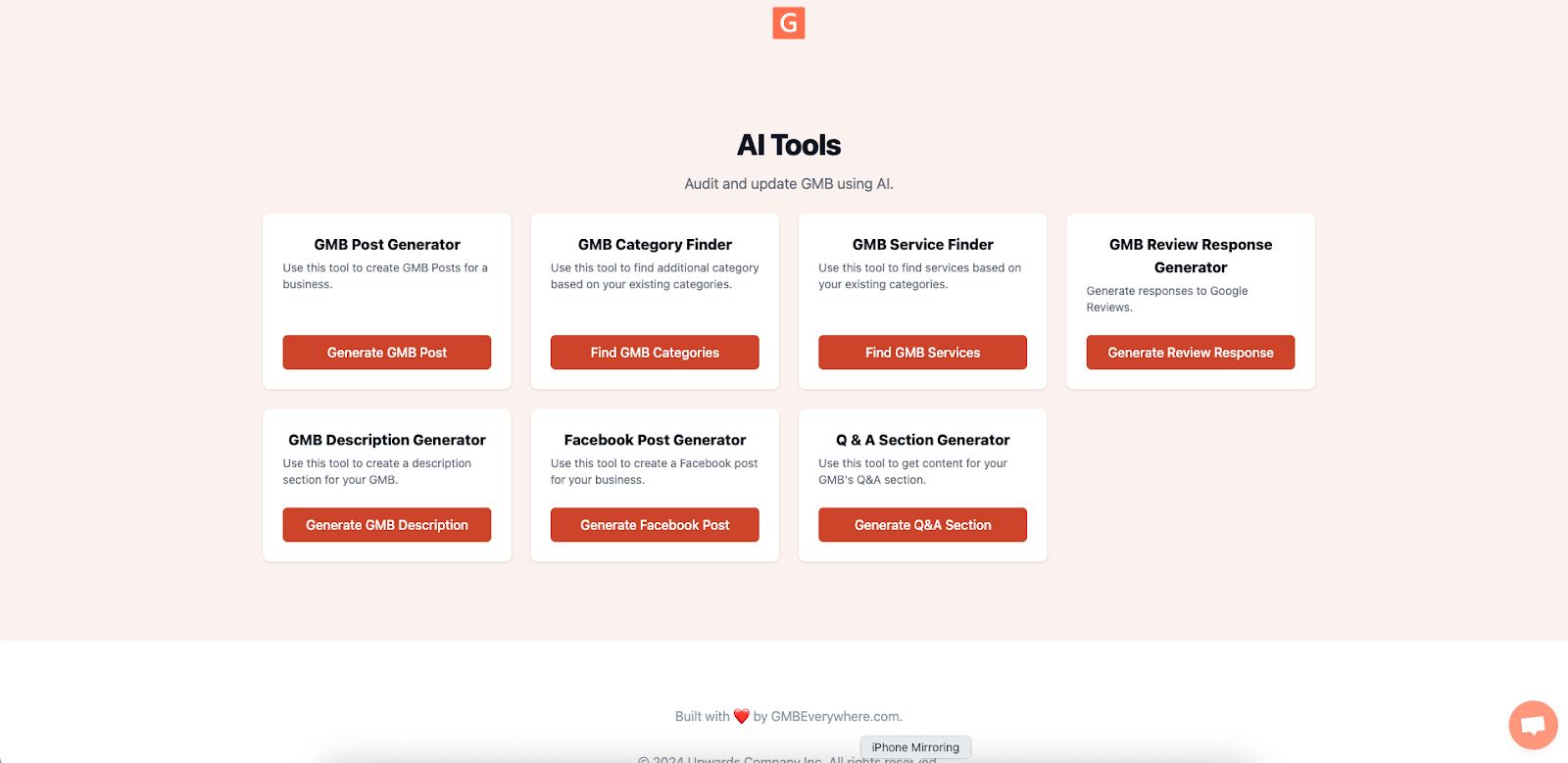
Open AI Tools: In a new tab, visit link.gmbeverywhere.com/ai-tools → click Q&A Section Generator.
Workflow: Spark, Vet, Publish
Spark Ideas
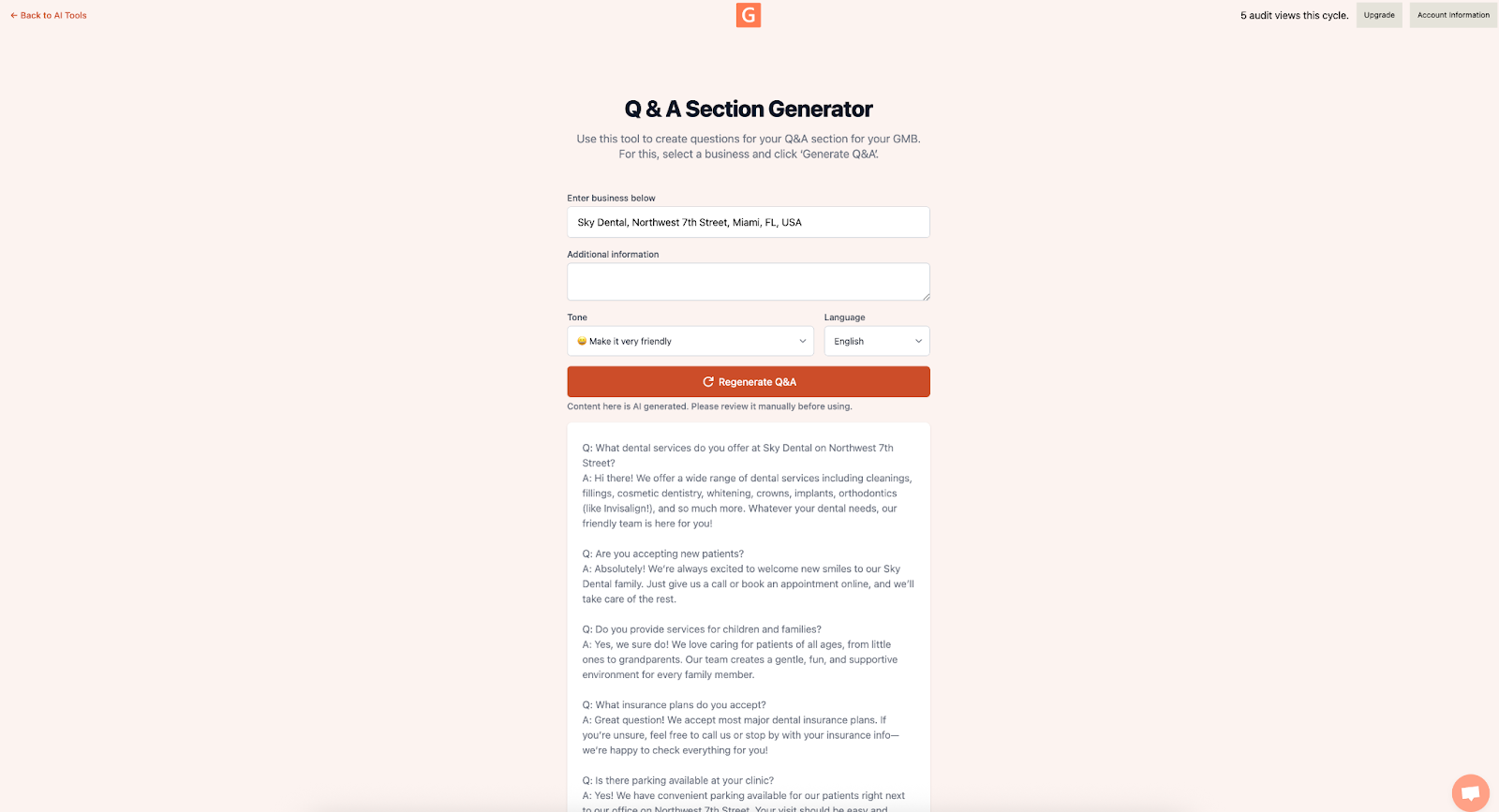
Search for your business, add any additional context, adjust the tone, and click Generate. You'll get 8–10 question-and-answer pairs.
Vet and Tweak
Refine each Q&A before publishing:
- Match your tone ("our dental clinic" vs. "our facility").
- Keep answers under 250 characters to avoid mobile cutoff.
- Add local touches ("here in Miami").
- Double-check facts (hours, pricing, policies).
Publish and Pin
On your public profile:
- On your Google Business Profile, click Ask a question and paste one AI-generated Q&A.
- Immediately reply with the approved answer.
Track Your Q&A Performance
In your weekly profile check, monitor:
- Impressions under the Q&A beta dashboard—aim for a steady climb.
- Discovery Calls to see if visitors call less once common questions are answered—look for a small uptick in other inquiries within two to three weeks.
Refresh and Optimize Your Q&As Over Time
- Schedule Monthly Reviews: Set a calendar reminder to run the AI generator each month and spot new trending questions.
- Update for Seasonality: Refresh any time your hours, services, or policies change (e.g., holiday schedules).
- Rotate Questions: Swap out low-performing Q&As for new ones based on your latest Insights data.
- Leverage Customer Feedback: When repeat questions appear in reviews or messages, add them to your panel to pre-empt common doubts.
- Automate Alerts: Use a simple Google Calendar alert to remind you when a Q&A hasn't been updated for more than 30 days.
Regular refreshes keep your panel accurate, relevant, and engaging for potential customers.
Conclusion
GMB Everywhere's AI Q&A Generator turns an overlooked profile feature into a traffic booster. Spend a few minutes to generate, vet, and publish your Q&As, and you'll build trust, improve visibility in local search, and pre-empt common customer questions—without spreadsheets or guesswork.
Browse our guide articles for more tips on optimizing your Google Business Profile.