If you run a local business, adding your products and services to your Google Business Profile (GBP) is one of the simplest ways to get more customers. When people search for what you sell, Google can show your listings right in Maps and Search — before they ever visit your website. This guide covers how to add products at scale, keep your listings accurate, and make the most of what Google offers.
Make Your Business Easier to Find
Adding what you sell and the services you offer to your Google Business Profile helps Google match your business to the right searches. When someone looks up a product or service you carry, Google is more likely to show your listing if that information is already on your profile. Businesses that keep their GBP up to date tend to appear more often in local search results.
What Can You Share on Google?
You can add a lot to your Google Business Profile, including:
- Products and their categories
- Services you provide and their categories
- Inventory synced through Google Merchant Center
Even service-based businesses benefit from listing their offerings like products — it gives Google more to work with. If you manage multiple locations, adding items one by one quickly gets time-consuming. That's when bulk uploading becomes useful.
How to Add Lots of Products at Once
Google Business Profile doesn't currently support bulk product uploads across multiple locations through its standard interface. Your options are:
- Add products one by one to each location
- Use Google Merchant Center for easier multi-location management
- Sync local product inventory feeds with Google Merchant Center for detailed, location-specific listings
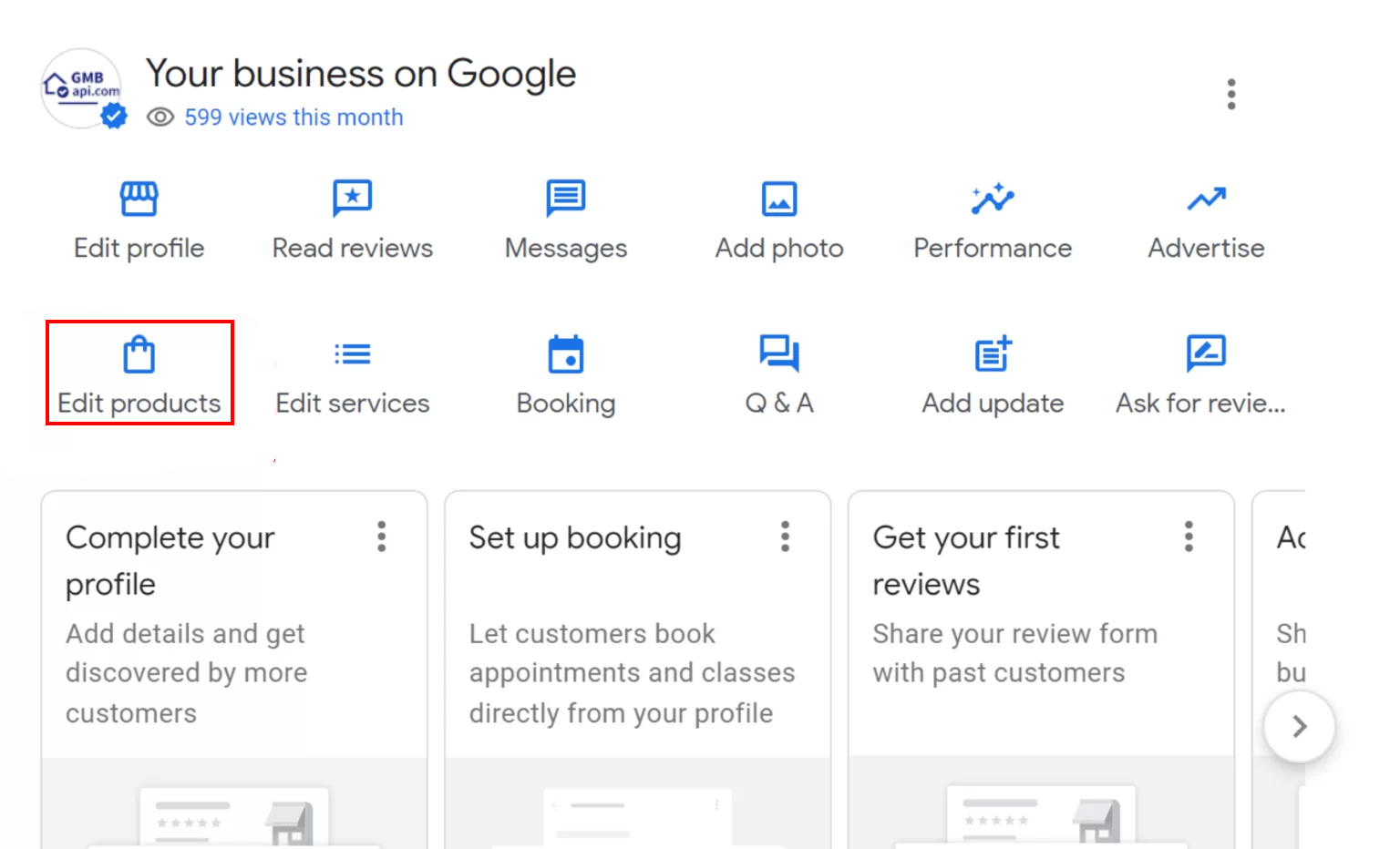
Adding items one at a time is straightforward — log into your Google Business Profile, select the location, and fill in the product details.
Tips for Managing Your GBP Products
Here are some practical ways to keep your product listings accurate and working for you.
Use Google Merchant Center
Google Merchant Center is the most efficient way to manage products across Google Search, Maps, Shopping, and Ads. You can update titles, descriptions, prices, and images in one place, and Google pulls those changes automatically. It's a good option for any business with more than a handful of products, and it doesn't require complex software to get started.
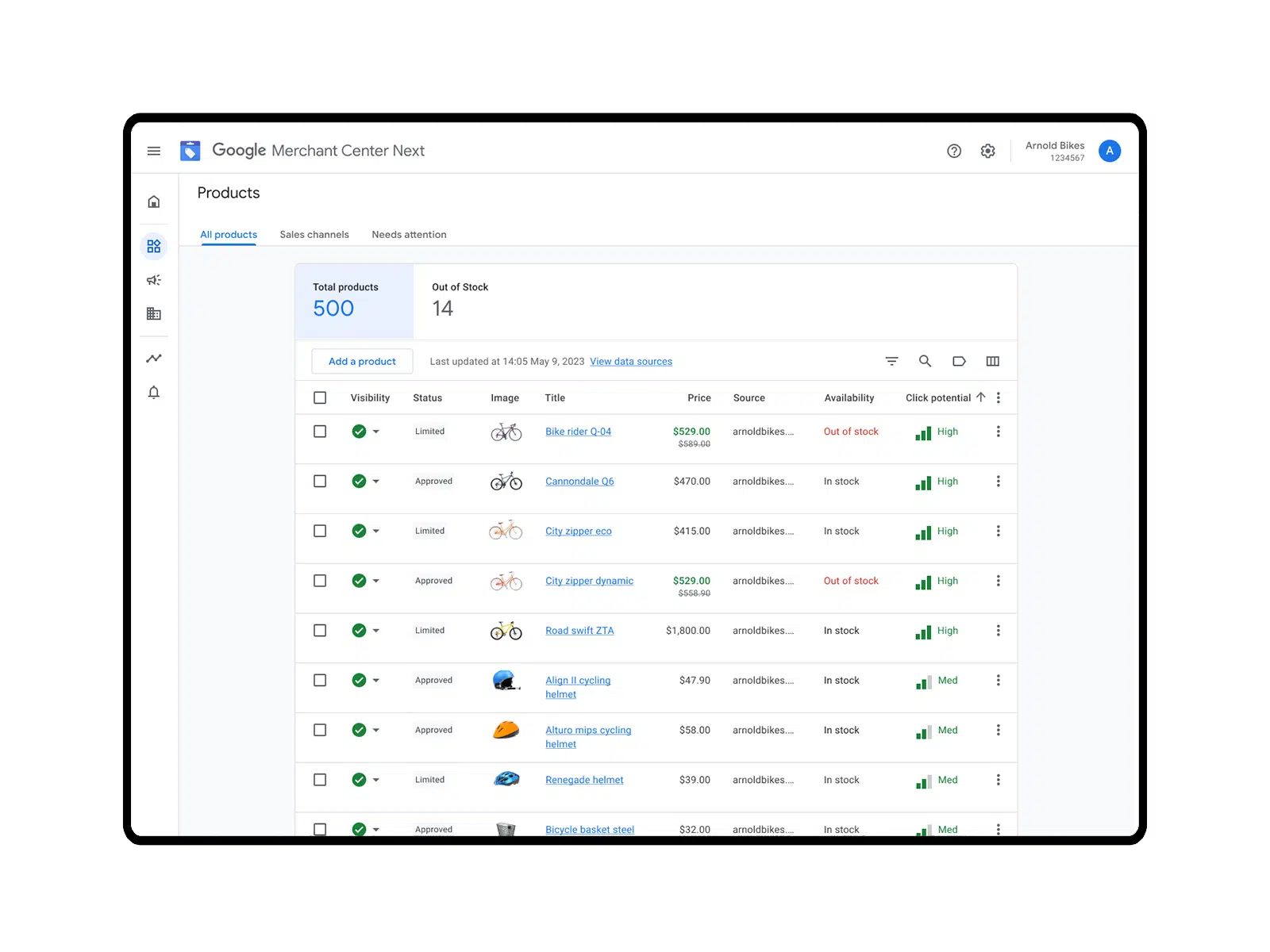
One useful feature is automatic data scraping — Merchant Center can crawl your website and sync product information without you having to re-enter it manually. This keeps listings current even when your inventory changes.
Keep Your Inventory Accurate
A Local Product Inventory Feed tells Google exactly what's available at each of your locations. When your online listings match what's actually in stock, customers are less likely to show up and leave empty-handed. Regular updates build trust and improve your chances of appearing in local search results for products you carry.
Connect Your E-commerce Store
If you sell on Shopify, WooCommerce, Etsy, or Amazon, you can link your store to Google Merchant Center and have your product listings sync automatically. Titles, descriptions, prices, and images pull directly from your store — no manual re-entry needed. This keeps everything consistent across Google Search, Maps, and Shopping.
Make Your Listings Stand Out
Good listings do more than just show up — they give customers a reason to click. A few things that help:
- Clear descriptions: Write in plain language. Focus on what the product does and why someone would want it.
- Quality photos: Use sharp, well-lit images that show the product from a useful angle. Multiple photos help.
- AI writing tools: If you have a large catalog, AI tools can help you draft descriptions faster without sacrificing quality.
Conclusion
Keeping your products and services on your Google Business Profile is one of the most direct ways to help local customers find you. The more complete and accurate your listings, the better your chances of showing up when someone nearby searches for what you offer.
Use the GMB Everywhere Chrome extension to audit your profile and find services you can add. For managing products across multiple locations, GMBapi.com offers tools built specifically for bulk GBP product management.