Adding the right services to your Google Business Profile helps customers understand what you offer and makes your listing more likely to show up in relevant searches. GMB Everywhere's Service Finder gives you service ideas based on your business category so you don't have to guess. Here's how to use it.
How to Find Services to Add
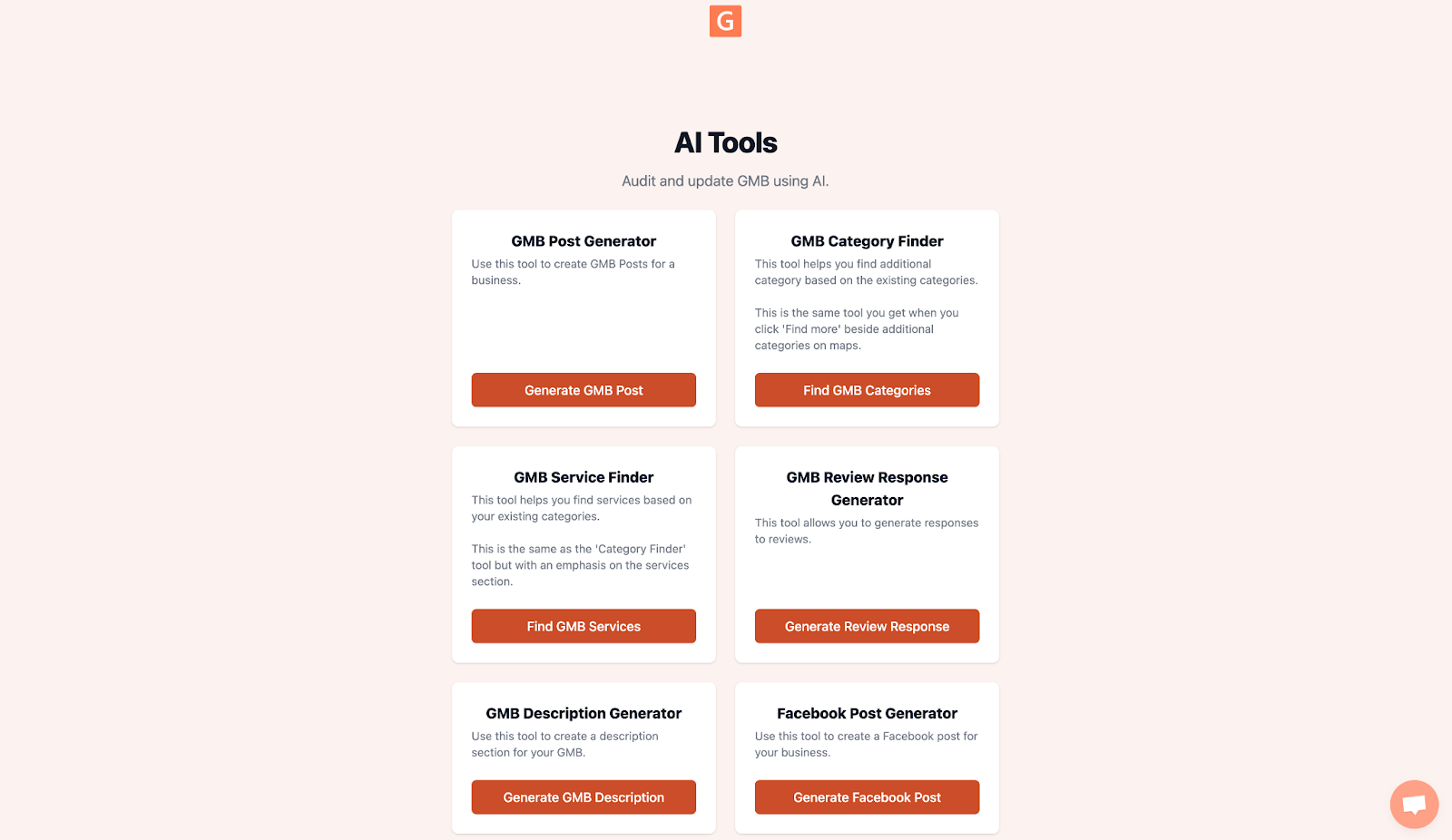
Step 1: Go to link.gmbeverywhere.com/ai-tools and click on GMB Service Finder.
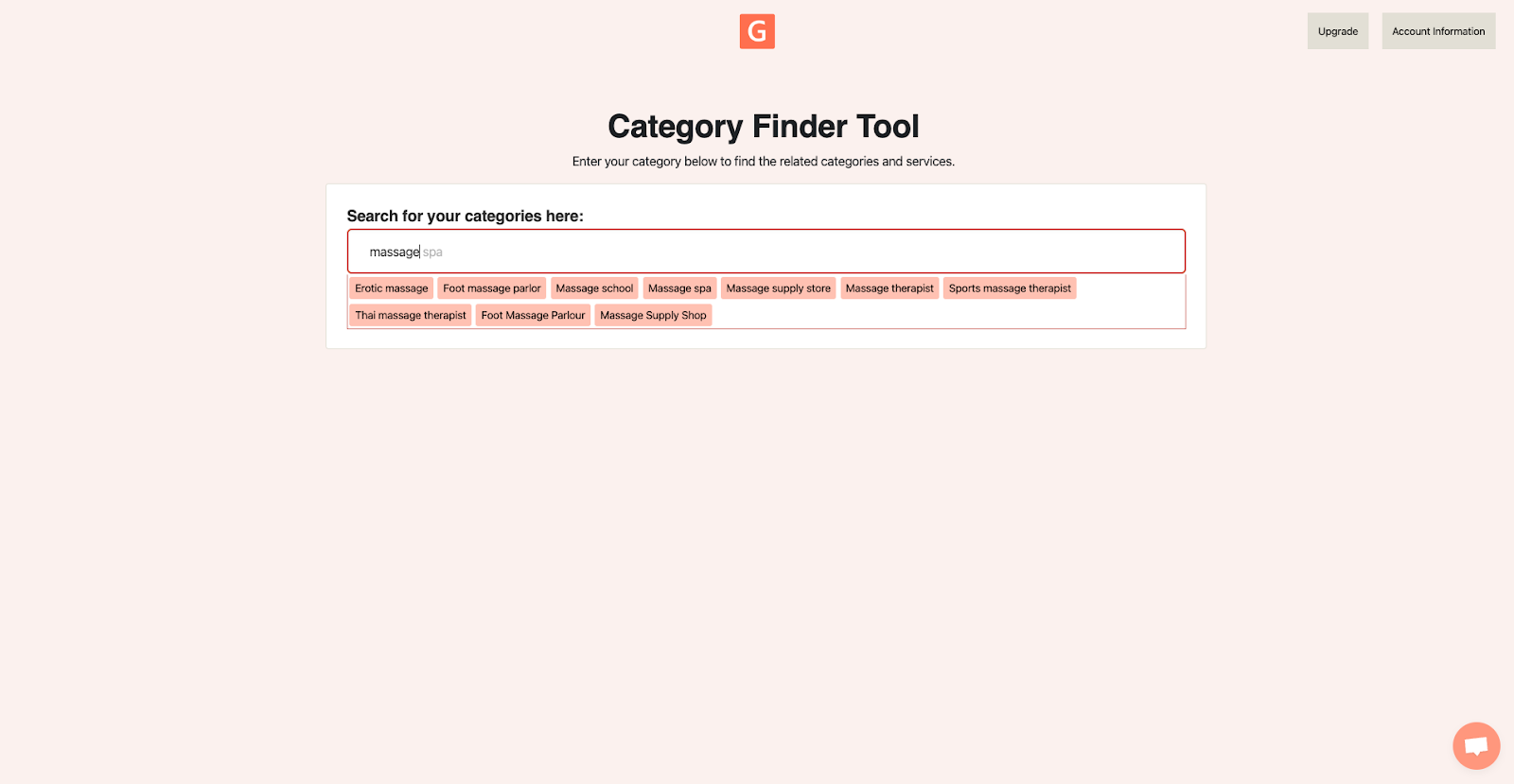
Step 2: Type your business category in the search box and select the matching result. The tool will generate a list of related categories and services.
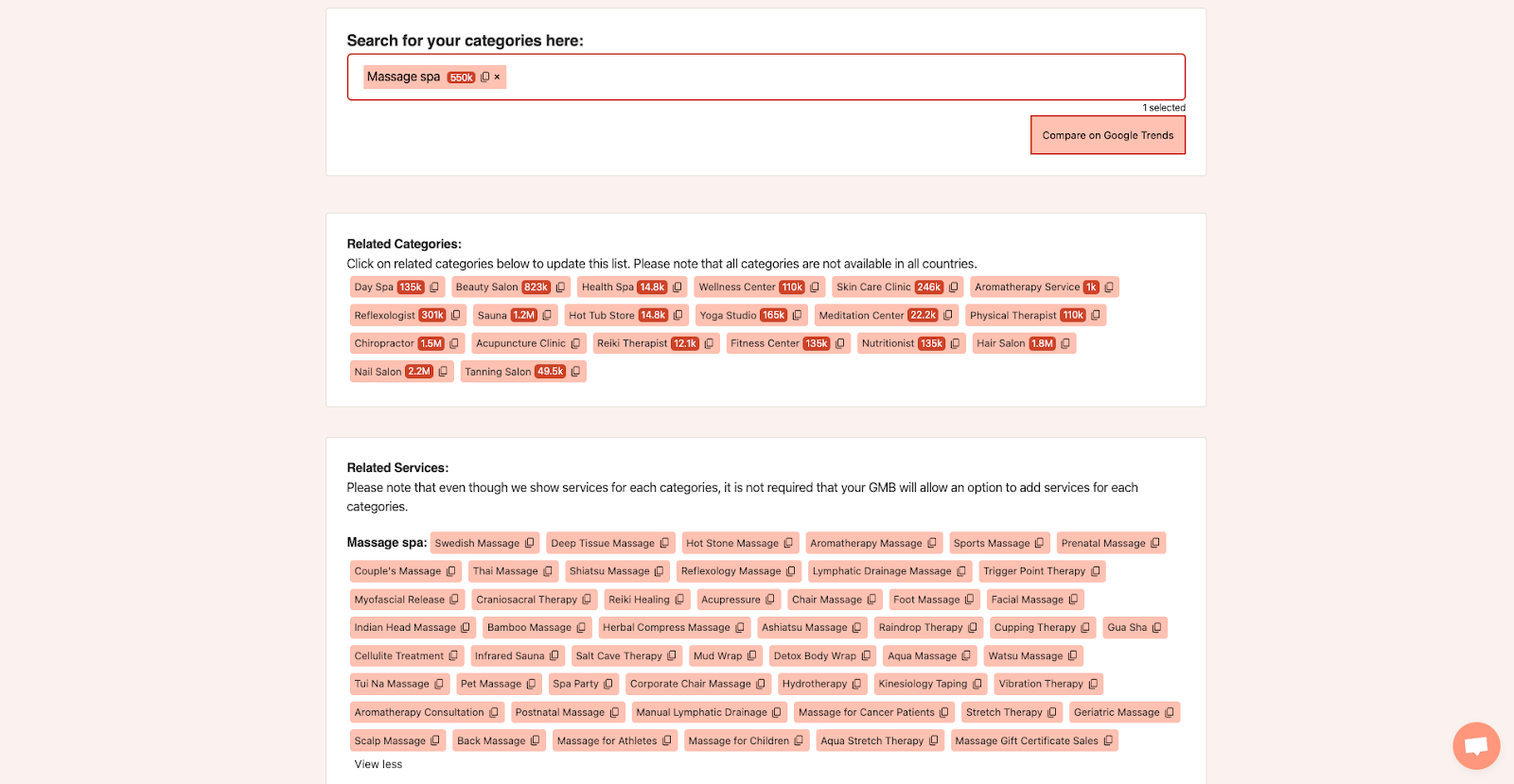
Step 3: Browse the results and pick the services that match what you actually offer. Click the copy icon on any result to copy it, then paste it into your Google Business Profile.
Why Add Custom Services?
Google sometimes auto-generates services for your profile, but they may not match what you actually do. Adding your own services means customers see accurate, specific information. It also helps your profile show up when people search for those exact services in your area.
How Services Help Your Profile
Your Google Business Profile lets you list the specific services your business offers. When someone searches for a service in your area, Google uses that information to decide which profiles to show. A complete services list gives you a better chance of appearing in those results.
Services also help customers understand exactly what you do before they contact you. Instead of guessing from your business name or category alone, they can see a clear list of what's available. That means fewer mismatched calls and more of the right leads.
Tips for Adding Services
Once you have your list from Service Finder, keep these tips in mind:
- Use names people actually search for. If customers call it "teeth whitening" rather than "dental bleaching," use the term they'd type into Google.
- Pick the right categories first. Services are grouped under categories. Make sure your primary category matches your main business type, then add secondary categories that cover the rest of what you offer.
- Add a short description to each service. A sentence or two explaining what the service includes helps customers and gives Google more context.
- Don't add services you don't offer. Listing irrelevant services can lead to mismatched leads and hurt your credibility.
- Keep your list up to date. If you stop offering a service or add a new one, update your profile right away so the information stays accurate.
- Check what competitors list. Use GMB Everywhere's competitor tools to see what services nearby businesses have added. You might spot something you offer but forgot to include.
Conclusion
Adding the right services to your profile only takes a few minutes with Service Finder, and it can make a real difference in which searches you show up for. For more tips on getting the most out of your Google Business Profile, check out our guides section.