Running a single Google Business Profile is straightforward enough. Scaling that effort across five, fifty, or five hundred locations is an entirely different challenge. Each listing needs accurate hours, a unique description, fresh photos, and a steady stream of review responses — all while staying consistent with a central brand voice.
In 2026, Google continues to reward businesses that keep every location profile complete and active. This guide breaks down the core strategies that multi-location brands use to stay organized, rank well in local search, and turn each listing into a customer acquisition channel — with the help of tools like GMB Everywhere.
Build a Content Strategy That Scales
A strong multi-location content strategy starts with the basics: every listing must have accurate business hours (including holiday schedules), a verified address, a local phone number, and high-quality photos that reflect the specific branch — not just generic corporate imagery.
Beyond accuracy, each location should have its own identity within the listing. That means unique business descriptions that mention the neighborhood or city, location-specific Google Posts highlighting local events or promotions, and product or service lists tailored to what each branch actually offers. Copy-pasting the same content across every profile is one of the most common mistakes multi-location brands make, and Google's algorithms are getting better at detecting (and deprioritizing) duplicate content across listings.
Create a content calendar that cycles through post types — offers, updates, events, and product spotlights — so every location publishes regularly without overwhelming your team. A centralized schedule with local customization at the branch level strikes the right balance between brand consistency and neighborhood relevance.
Keywords for Your Multi-Location GMB Strategy
The search terms people use to find your business are gold. Google Business Profile provides performance data that reveals exactly which queries drive impressions and clicks for each location. Extracting and acting on these keywords is one of the highest-leverage activities in local SEO.
Unlike traditional keyword research tools that focus on national or global volume, GBP search data shows you hyper-local intent: the actual phrases people in a specific area type when they need a business like yours. These might include neighborhood names, nearby landmarks, or service variations unique to a region.
What to Do with Local Keywords
Once you have location-specific keywords, deploy them strategically across your profile:
- Google Posts: Work top-performing keywords into your post copy naturally. A post about "emergency plumbing in Midtown" is far more effective than a generic "We offer plumbing services."
- Business description: Weave primary keywords into each location's description without keyword-stuffing. Focus on readability first.
- Services and products: Use the exact phrasing your customers search for when naming services. If people search "same-day AC repair" rather than "HVAC maintenance," match their language.
- Business title: While Google's guidelines are strict about business names, make sure your title accurately reflects your brand as customers know it locally.
Extracting Keywords from GBP Insights (Single Location)
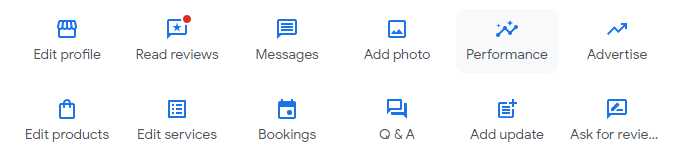
For a single location, you can pull keyword data directly from the Google Business Profile Performance dashboard. Log in to your Google Business Profile account and navigate to the Performance section.
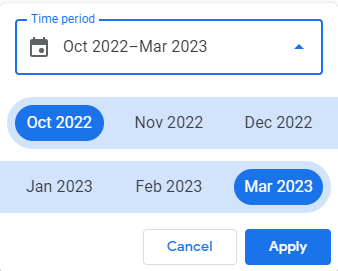
Select a date range that gives you meaningful data — at least three months is recommended for identifying reliable trends rather than seasonal blips. The Performance report will show you the search queries that triggered your listing, along with impression and interaction counts for each.
Export this data and sort by impressions or interactions to find the keywords that matter most. These are the terms you should prioritize in your posts, description, and service listings.
Extracting Keywords Across Multiple Locations
When you manage dozens or hundreds of locations, logging into each profile individually to pull keyword data is not practical. This is where third-party platforms like GMBapi become essential. These tools connect to the Google Business Profile API and aggregate keyword performance data across all your locations into a single dashboard.
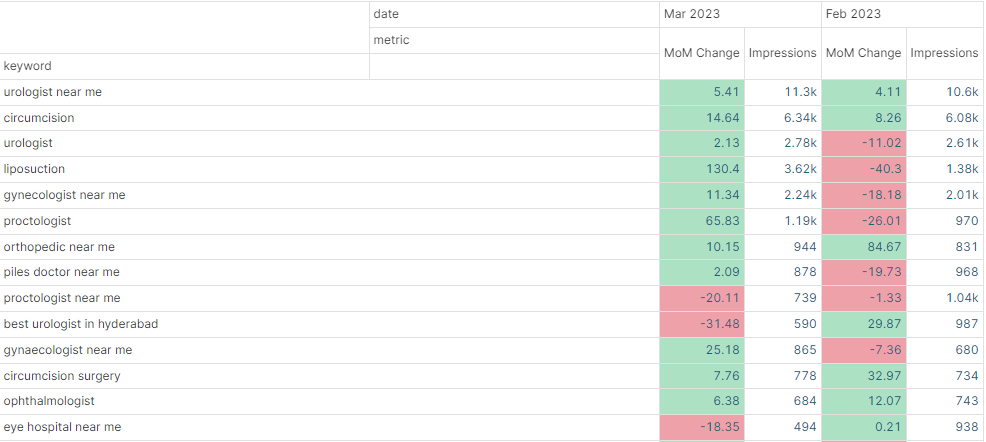
With aggregated data, you can identify keyword patterns that work across your entire network and spot location-specific opportunities that a single-profile view would miss. For example, you might discover that one region searches for "walk-in clinic" while another uses "urgent care" — and adjust each listing's content accordingly.
Compare keyword performance month over month to track whether your content updates are moving the needle. Rising impressions on target keywords signal that your optimization work is paying off.
Reputation Management at Scale
Reviews are the lifeblood of local SEO. Google weighs review quantity, quality, and recency when deciding which businesses to surface in the local pack. For multi-location brands, this means every single branch needs an active review management strategy — not just headquarters.
Responding to reviews promptly is table stakes, but savvy operators go further by incorporating relevant keywords into their replies. When a customer praises your "fast oil change in downtown Austin," your response can naturally reinforce that phrase: "Thank you for choosing us for your oil change in downtown Austin — we're glad we could get you back on the road quickly." This is not about gaming the system; it is about echoing the language your customers already use.
Use tools like GMB Everywhere to monitor review sentiment across all locations, flag negative reviews for immediate attention, and generate on-brand reply drafts that your local managers can personalize before posting.
Multi-Location Local SEO Tools
Managing multi-location GBP listings manually is possible at a small scale, but it quickly becomes unsustainable as you grow. Several platforms are built specifically for this challenge:
- GMBapi: Connects directly to the Google Business Profile API for bulk keyword extraction, post scheduling, and performance reporting across all locations.
- Yext: A listings management platform that syncs your business data across Google, Apple Maps, Bing, and dozens of other directories from a single source of truth.
- Uberall: Focuses on "near me" marketing with tools for listings management, review response, and local social media across multiple locations.
- GMB Everywhere: A Chrome extension and web app that lets you audit, analyze, and optimize any Google Business Profile — ideal for competitive research and quick per-location audits.
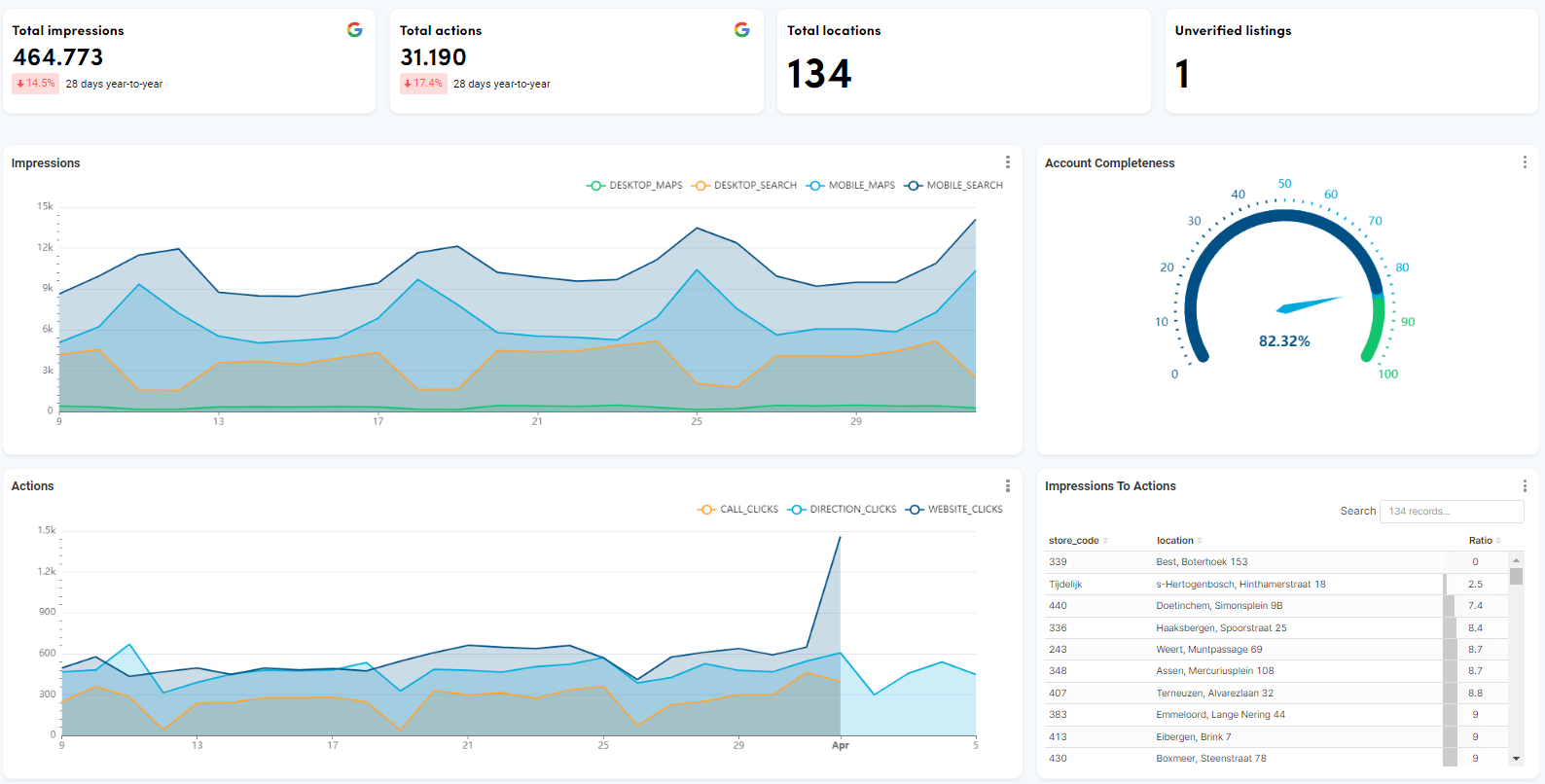
The right tool depends on your scale and budget. Smaller chains may only need GMB Everywhere for audits and a spreadsheet for scheduling, while enterprise brands often combine multiple platforms for end-to-end coverage.
Frequently Asked Questions
How often should I update each location's Google Business Profile?
At minimum, review each listing monthly for accuracy (hours, address, phone). Publish at least one Google Post per location per week to signal activity to Google. Seasonal updates — holiday hours, summer promotions — should go live at least two weeks in advance.
Can I use the same business description for every location?
It is not recommended. While your core brand message can stay consistent, each description should include location-specific details like the city name, neighborhood, nearby landmarks, and any services unique to that branch. This helps Google understand the relevance of each listing for local searches.
What is the fastest way to spot underperforming locations?
Use a multi-location dashboard that aggregates GBP performance metrics. Look for locations with significantly fewer impressions, lower click-through rates, or declining review counts compared to peer branches. These signals often point to incomplete profiles, stale content, or unaddressed negative reviews.
Conclusion
Managing multi-location Google Business Profile listings does not have to be chaotic. With a structured content strategy, data-driven keyword optimization, consistent reputation management, and the right tools, you can turn every branch listing into a local search asset that drives real foot traffic and phone calls.
Start by auditing your current listings with GMB Everywhere, identify the gaps, and build a repeatable process your team can follow across every location.