You don't need a long SEO course to improve your local ranking. This guide walks you through three tools inside GMB Everywhere—Teleport, Basic Audit, and Service Finder—that help you check where you rank, find what's missing on your profile, and add services that bring in more calls. The whole thing takes about 20 minutes.
Why This Works
- See what customers see. Teleport lets you pick any spot on the map and search a keyword, so you see results the way people in that area do.
- Get a quick health check. Basic Audit scores your profile on categories, services, photos, and more, so you know what to fix first.
- Add services people search for. Service Finder suggests services based on real search demand. These show up as tappable chips on mobile, which means more clicks and calls.
- Fits into a coffee break. The whole workflow takes about 20 minutes and gives you real improvements right away.
- Track results easily. The Google Business Profile Performance tab shows calls, views, and bookings, so you can measure progress without extra tools.
Teleport (≈5 minutes)
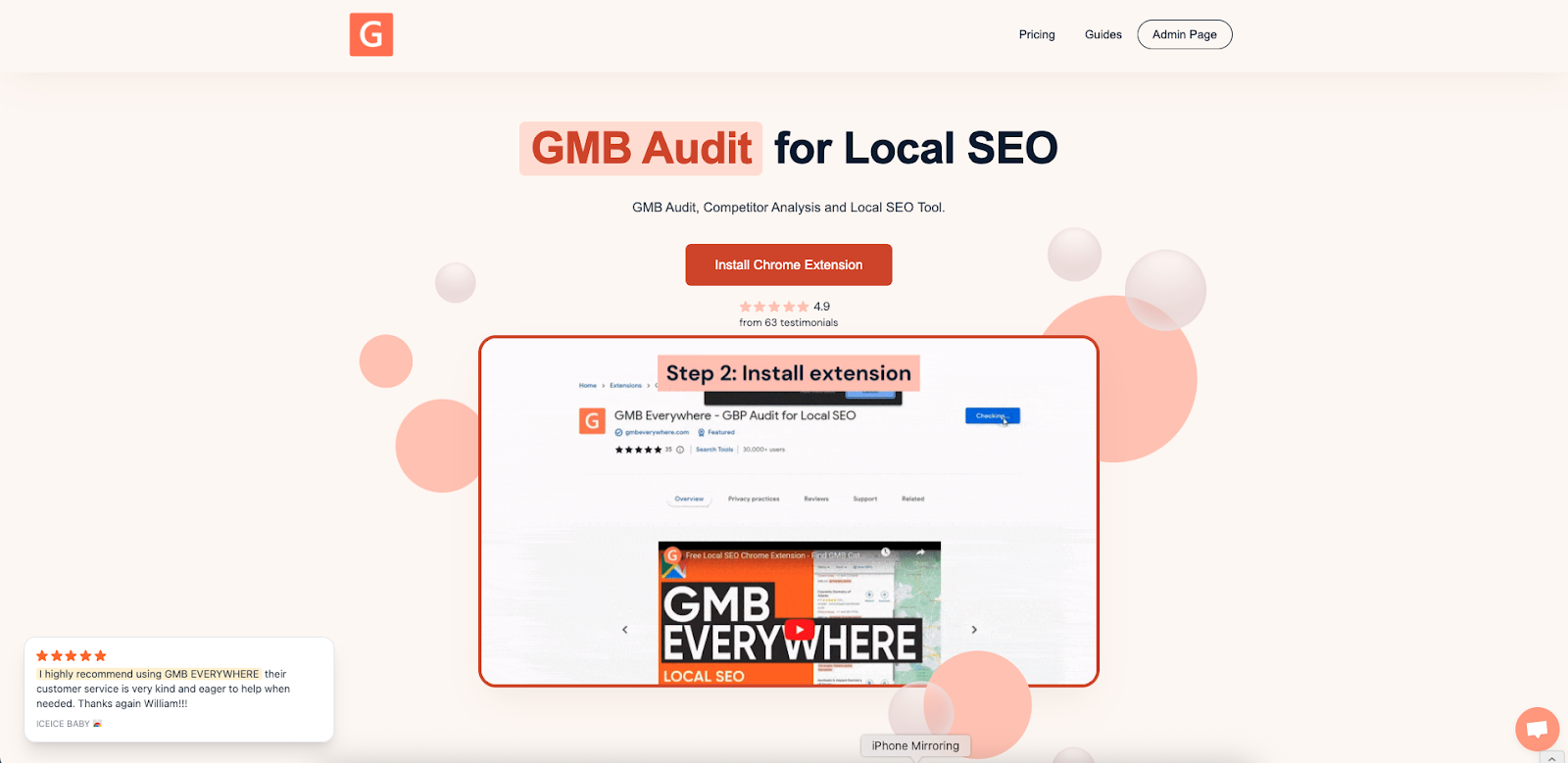
If you haven't already, install the extension from gmbeverywhere.com. Click Install Chrome Extension, then Add to Chrome, and pin the icon so it's easy to find.
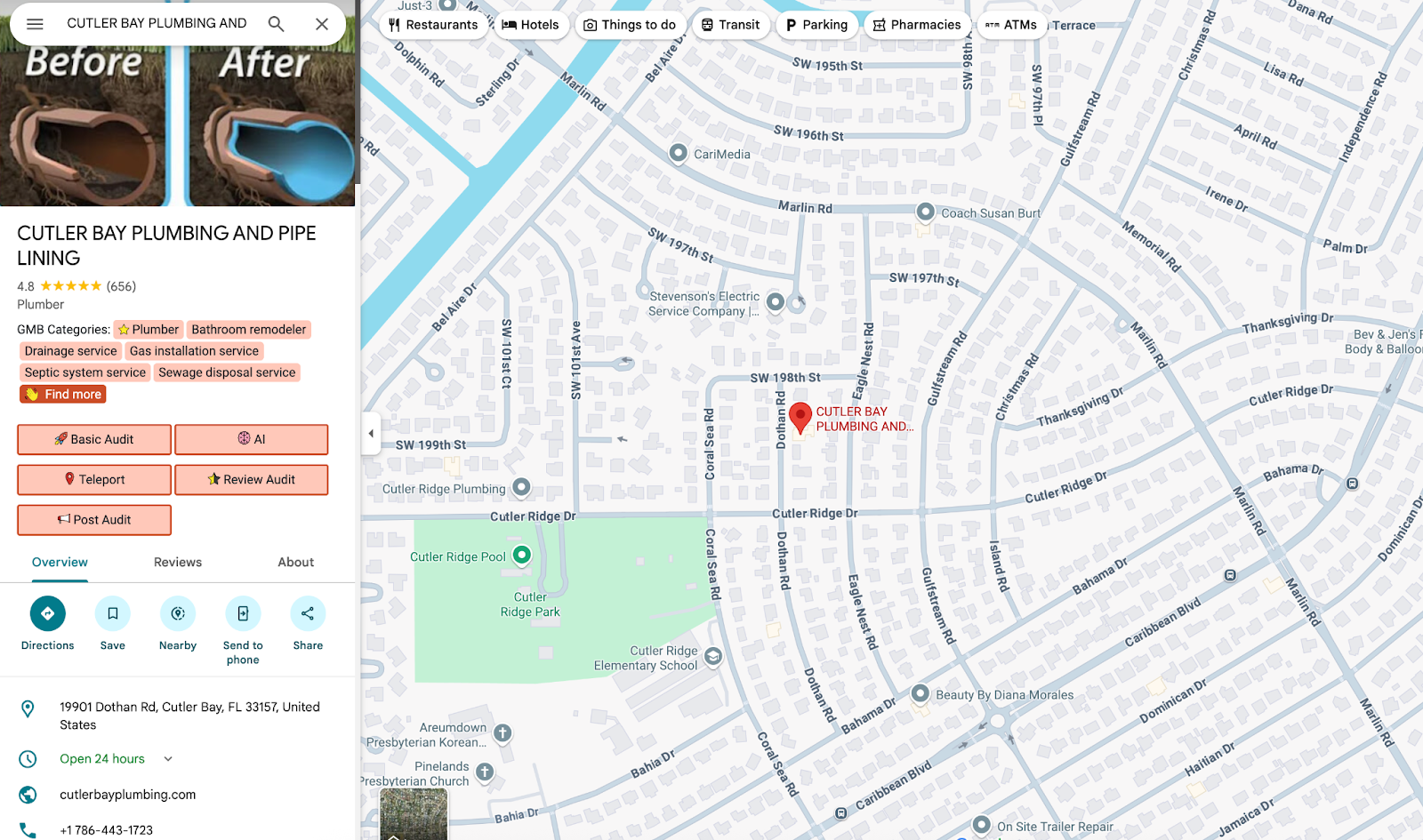
Search for a business in Google Maps, and click the Teleport button. Type your target keyword (example: “plumbing”) and pick the location by clicking on the map.
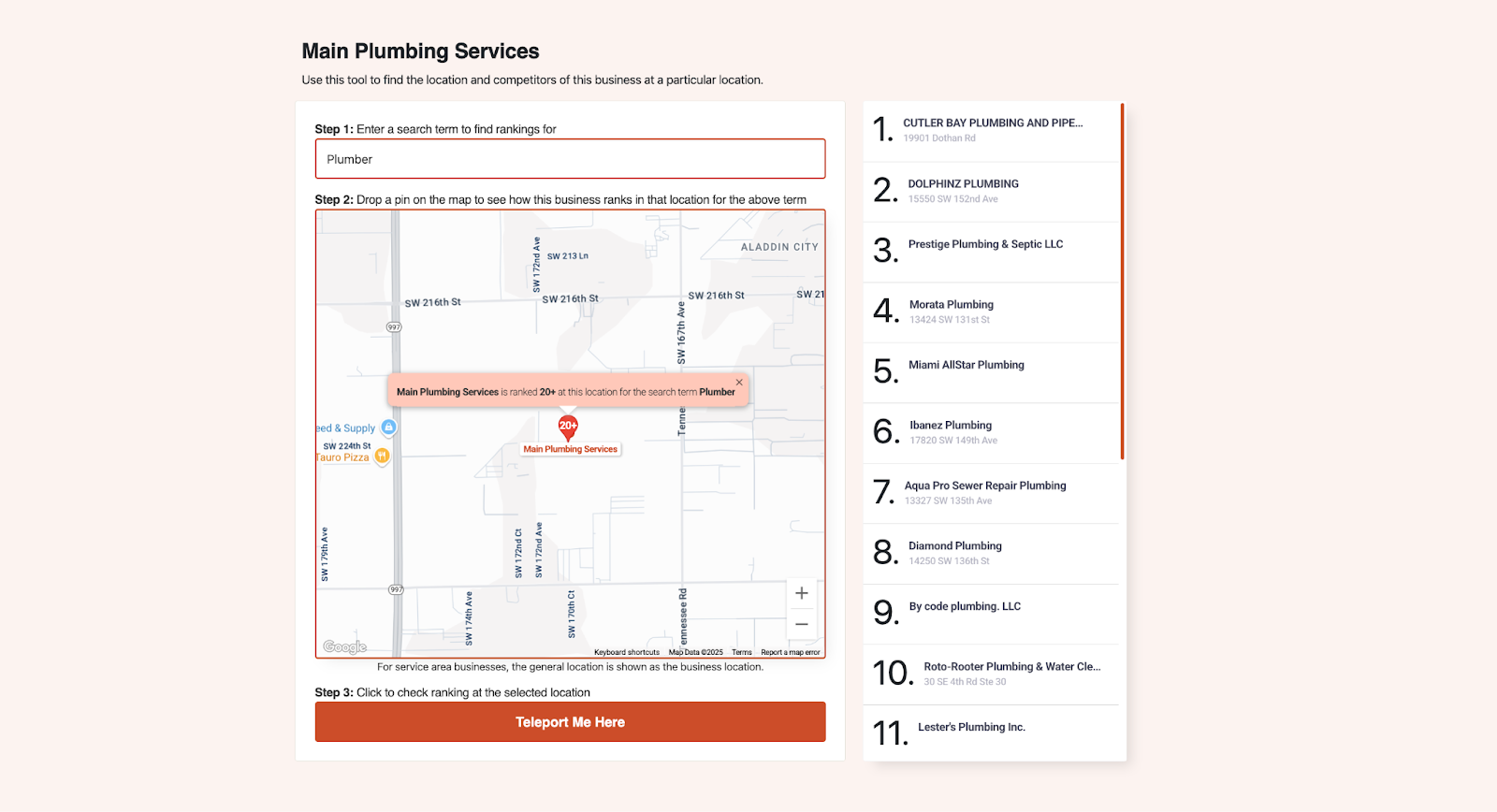
Write down your rank and check the top three competitors. Click on each one to see their primary and secondary categories. If two competitors both use something like “Drainage Service” and you offer that too, it's worth adding to your own profile.
Basic Audit (≈7 minutes)
Staying on the map view, click Basic Audit.
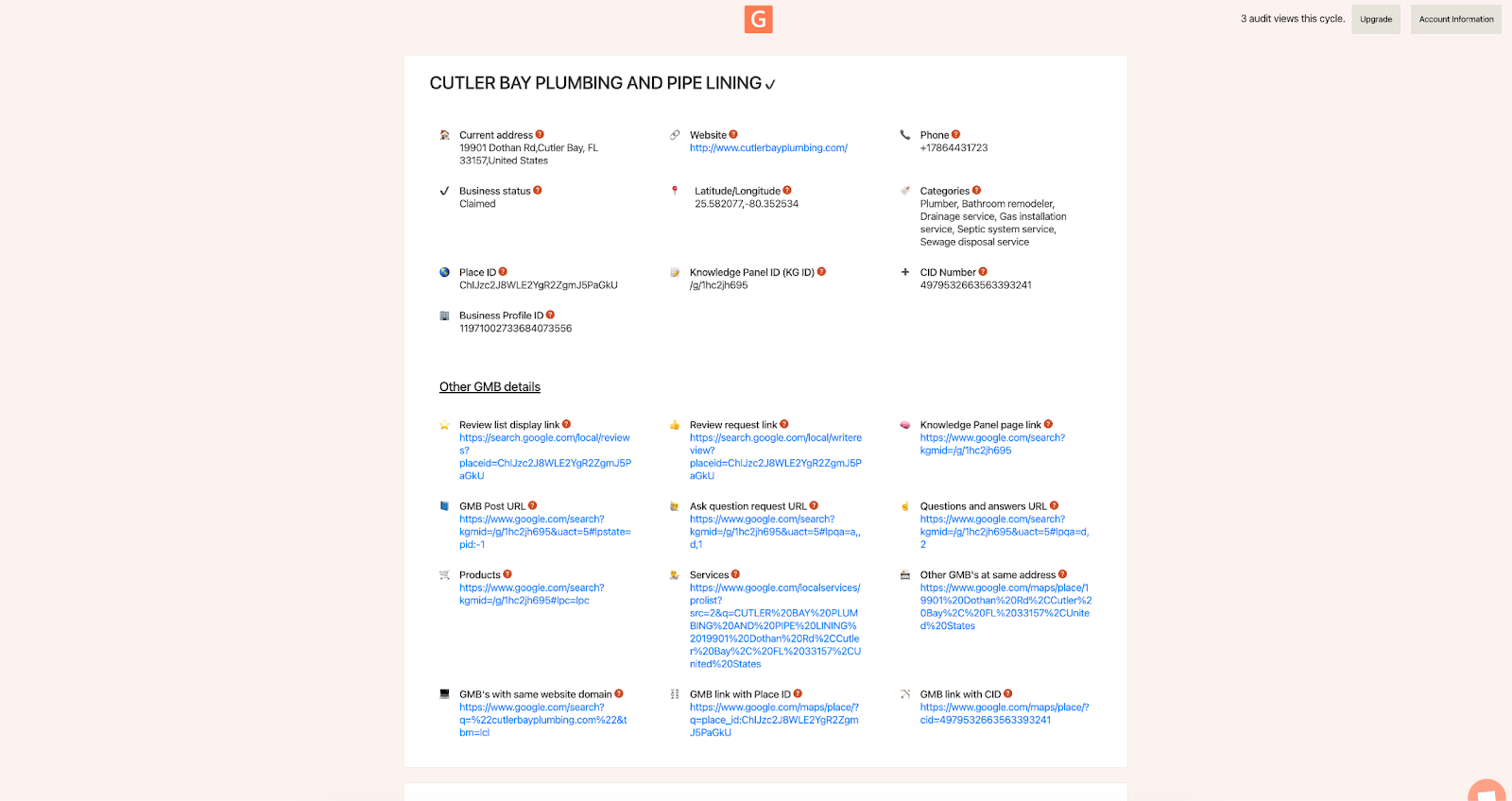
This gives you a quick score on the key parts of your profile: categories, business info, services, photos, reviews, and Posts. Google's own local ranking guide says that keeping your information fresh and accurate helps you rank better, so start with the lowest-scoring areas.
Category Finder (≈8 minutes)
Google shows small service chips under your business name on mobile. The more relevant services you list, the more chances people have to tap and call you. Open link.gmbeverywhere.com/ai-tools and choose Service Finder. Enter your primary category (for example, “Plumber”) and hit Generate.
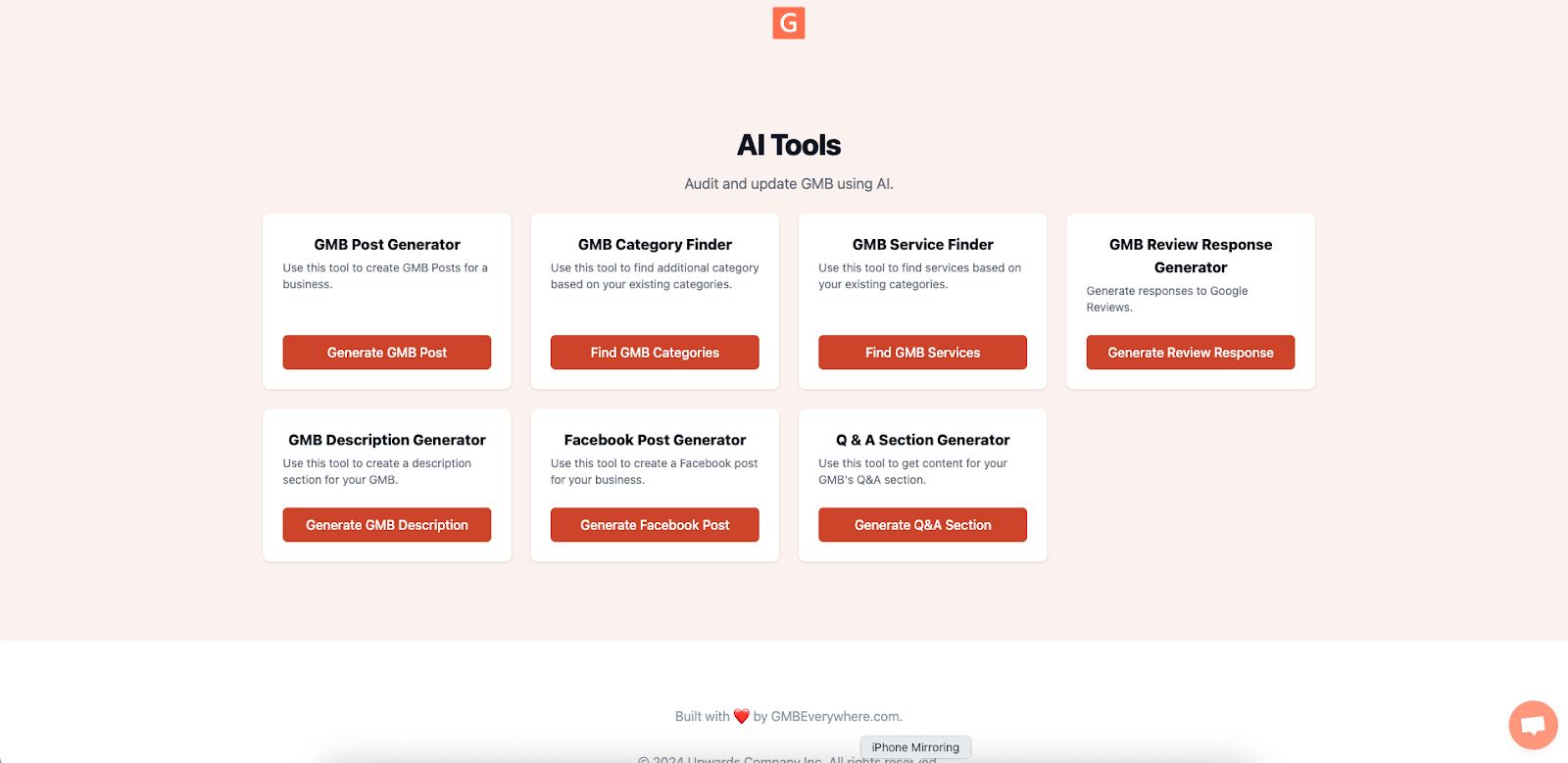
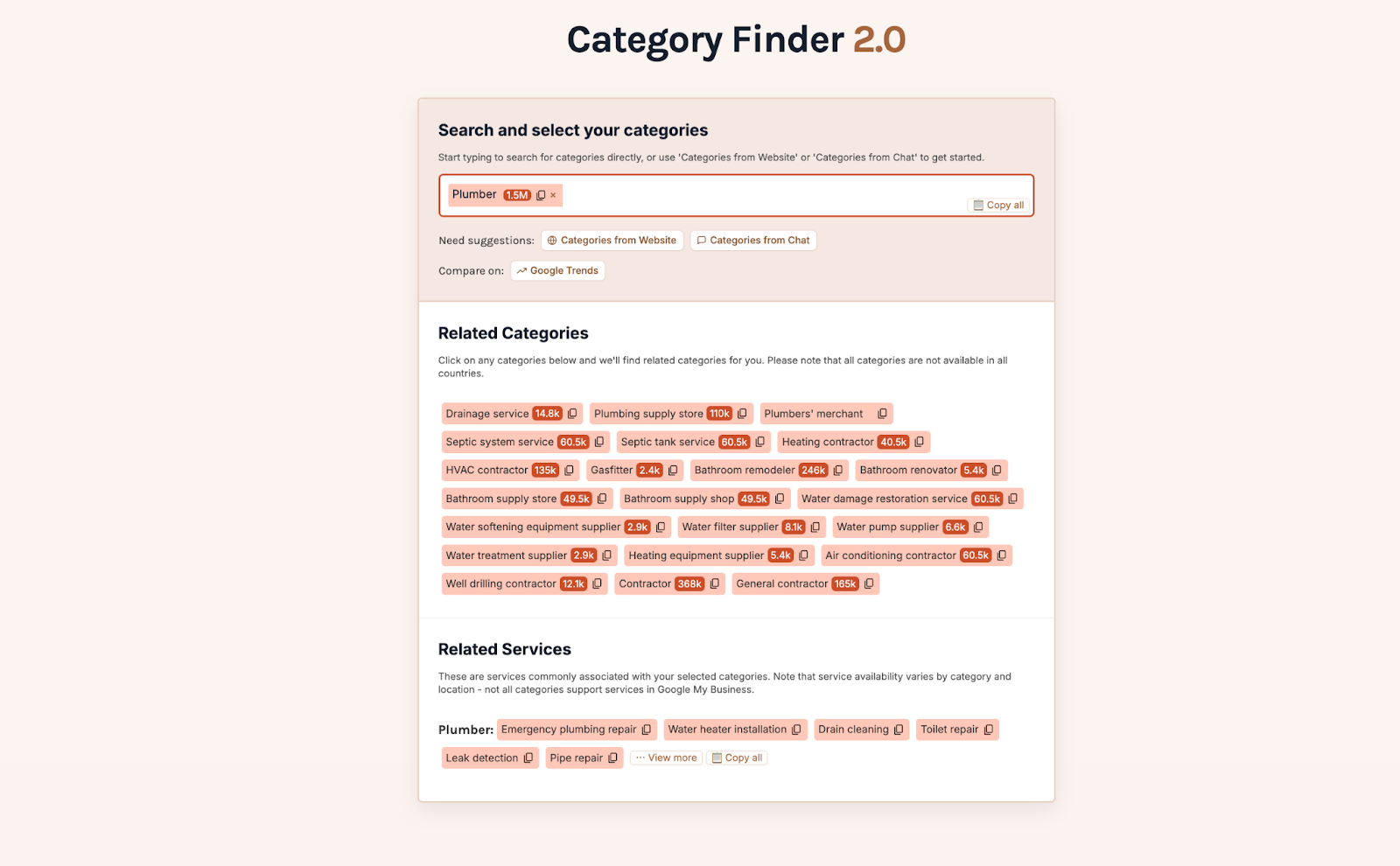
The tool returns a list of service ideas with local search estimates. Pick only the services you already provide.
Then go to your GBP dashboard and add each new service under Edit Services. Include a short description (80 characters max, e.g., “Pinpoint leaks with zero wall damage”) and a simple price like “From ₱2,000.” This follows Google's service guidelines and helps those chips get more clicks.
The 20-Minute Timeline
- 0–5 min: Use Teleport to check your rank and note what categories your top competitors use.
- 5–12 min: Run Basic Audit and write down what needs fixing (services, photos, posts, etc.).
- 12–20 min: Use Service Finder to add two or three services with short descriptions and prices.
By the end, you'll have new services live, a clearer picture of your profile's weak spots, and category ideas to test next time.
How to Tell It's Working
Check these in your GBP Performance tab:
- Calls from discovery searches: Look for a bump of around 10% within 2–4 weeks.
- Service clicks: Check the Service Interactions section and aim for about 5% of your total profile views.
Quick Tips
- Make one change every two weeks so you can tell which edit caused a bump (or dip) in your numbers.
- Only list services you actually offer. Honest info builds trust and keeps you in line with Google's rules.
- Add fresh photos at least once a month so customers can see you're active. Check Google's photo guidelines for size and quality tips.
Conclusion
That's the whole workflow. Use GMB Everywhere to check your ranking with Teleport, find what to fix with Basic Audit, and add high-demand services with Service Finder. Try it once this week, check your numbers in the Performance tab, and repeat next month. Small, regular improvements add up fast.