When potential patients search for “dentist near me” and filter by specific treatments—like “Invisalign,” “Root Canal Specialist,” or “Teeth Whitening”—they expect your profile to list exactly what they need. If your Google Business Profile omits even one in-demand service, it won't show up in those refined search results, sending patients straight to competitors whose listings appear more complete. Over time, these missing services can translate to dozens of lost calls each month, eroding your revenue and diminishing your clinic's visibility when it matters most.
Why Service Listings Matter
Service listings act like signposts on your profile, guiding patients straight to the treatments they're seeking. Google highlights profiles with detailed service menus in search results, knowing they match specific user intents. Missing a single service can translate to multiple lost calls each week from patients who assume you don't offer what they need.
Local Scan: Your Service Deep-Dive
Local Scan from GMB Everywhere audits every aspect of your Google Business Profile alongside competing dentists. When you switch to the Services tab, you'll see:
- Service insights: How many services top clinics list compared to you, average number of services around the area, etc.
- Service Count: How many businesses have a specific number of services
- Business Rank vs. Number of Services: How rank relates to number of services for a business profile.
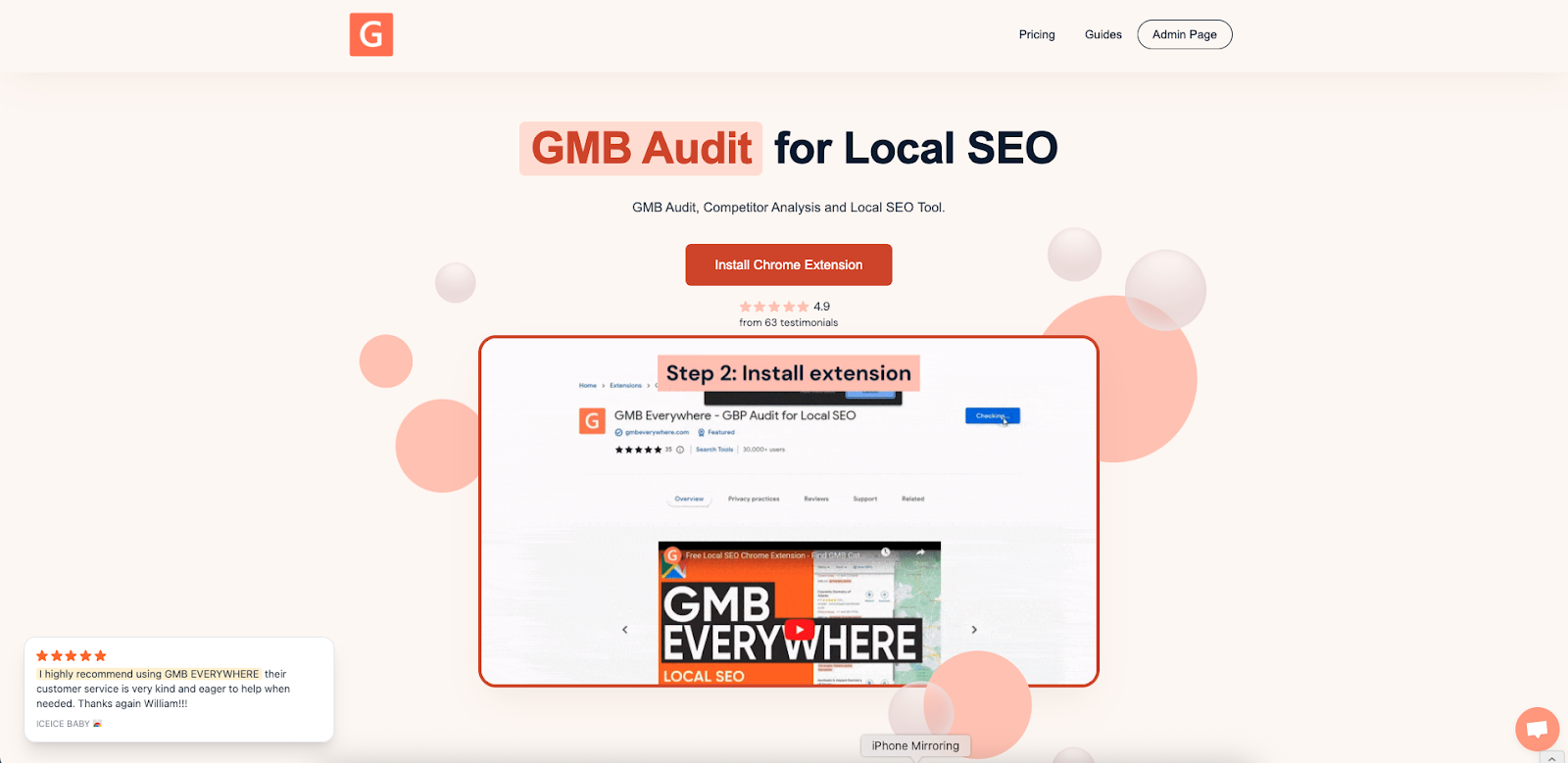
To get started, head to gmbeverywhere.com and add the extension to your Chrome browser.
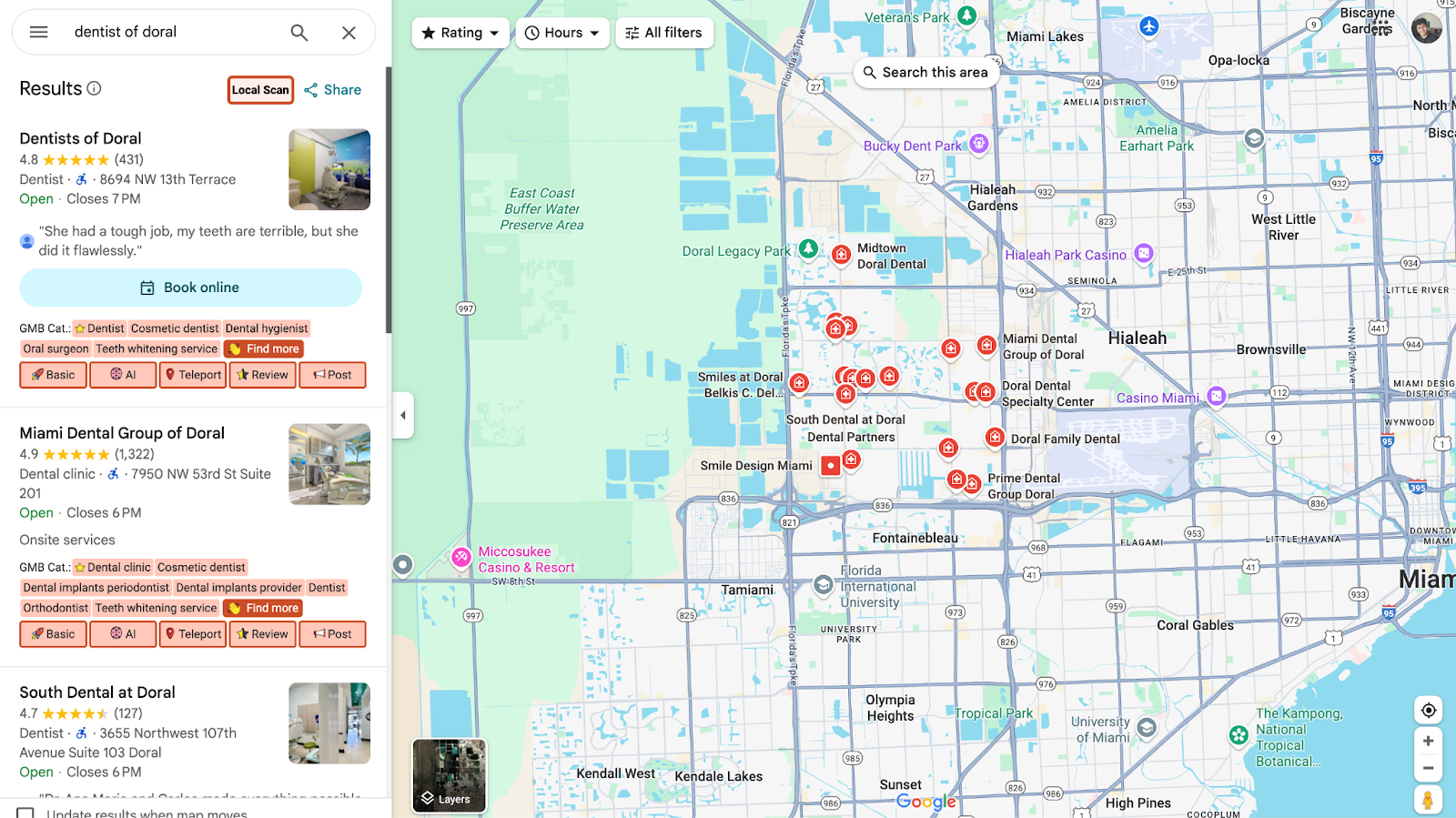
Then open Google Maps and search for your business name. Click Local Scan in the left panel.
A new tab will appear. In this new page, click the Services tab. You can see the sample link above.
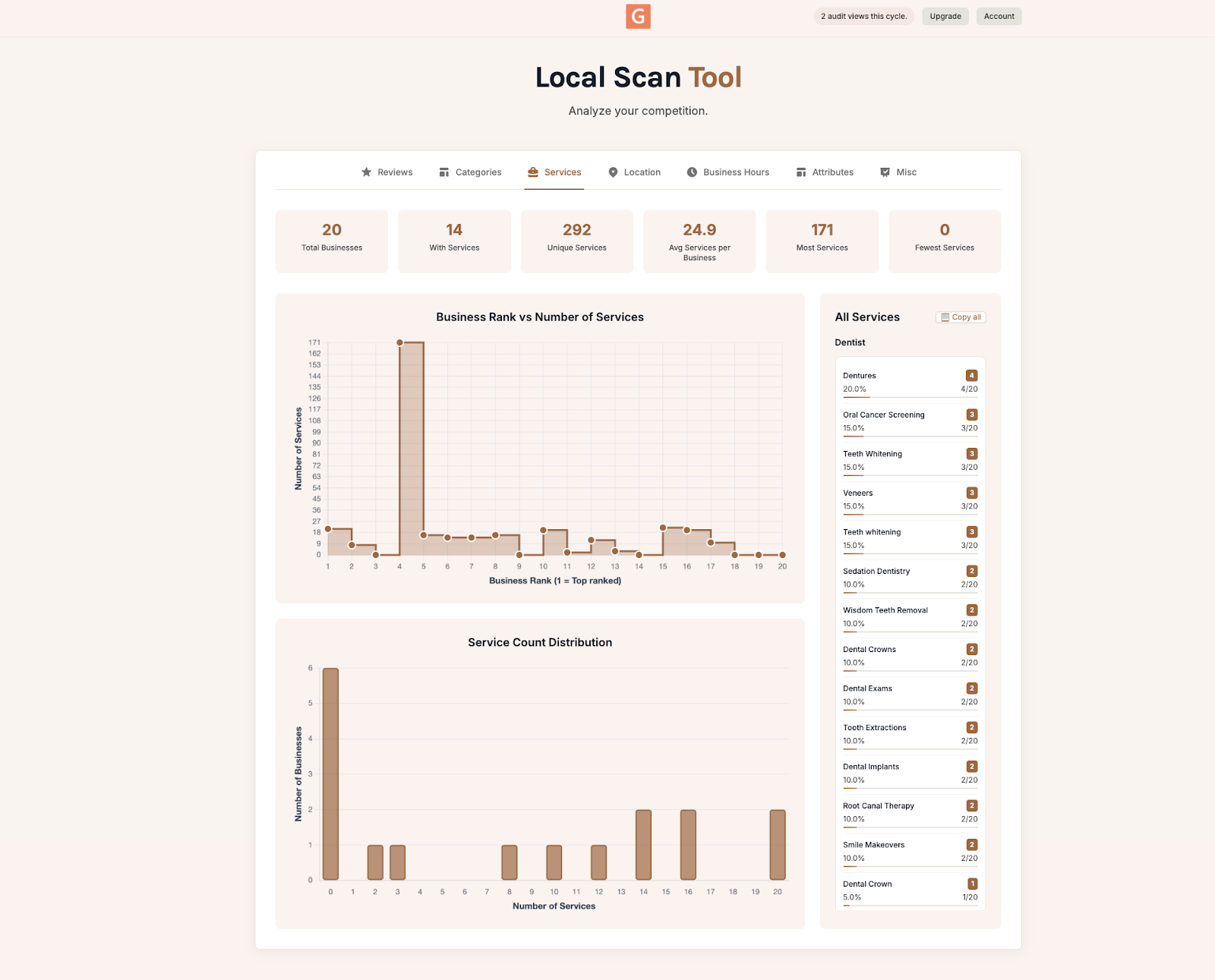
What to Look for in Your Results
Start by comparing your profile to the top three competitors in your area:
- Service count: Are they listing more treatments than you? Add anything that applies to your practice.
- Missing services: Look for popular treatments you offer but haven't listed yet, like emergency extractions or cosmetic bonding.
Go Beyond Services
Once your services are filled in, there are a couple more things worth checking:
- Categories: Make sure your profile categories match the services you offer.
- Business hours: If competitors are offering weekend or evening hours for popular treatments, consider doing the same. Check the Business Hours tab in your scan to compare.
Conclusion
A few missing services might not seem like a big deal, but they can quietly cost you calls every week. The good news is that it only takes a few minutes to fix.
Run a free Local Scan to see exactly what's missing from your profile compared to nearby competitors. From there, you'll know exactly what to add so more patients find you when they search.