When someone searches for "dentist near me" or looks for something specific like "Cosmetic Dentist" or "Emergency Dentist," Google uses your Google Business Profile categories to decide whether to show your listing. If you're missing the right categories, you won't show up in those results, and potential patients will end up at a competitor instead.
The good news is that this is one of the easiest things to fix. By making sure your profile includes every category that matches your services, you put your practice in front of more people who are already looking for exactly what you offer.
Why Categories Matter
Think of categories as search filters. They tell Google what services you offer before anyone even looks at your reviews or star rating. If you have the right categories set up, you'll show up when people search for things like routine cleanings, pediatric care, emergency visits, or cosmetic work.
Missing even one category means you're invisible for those searches. That can add up to dozens of missed appointment requests every month.
Local Scan: Your Category Checklist
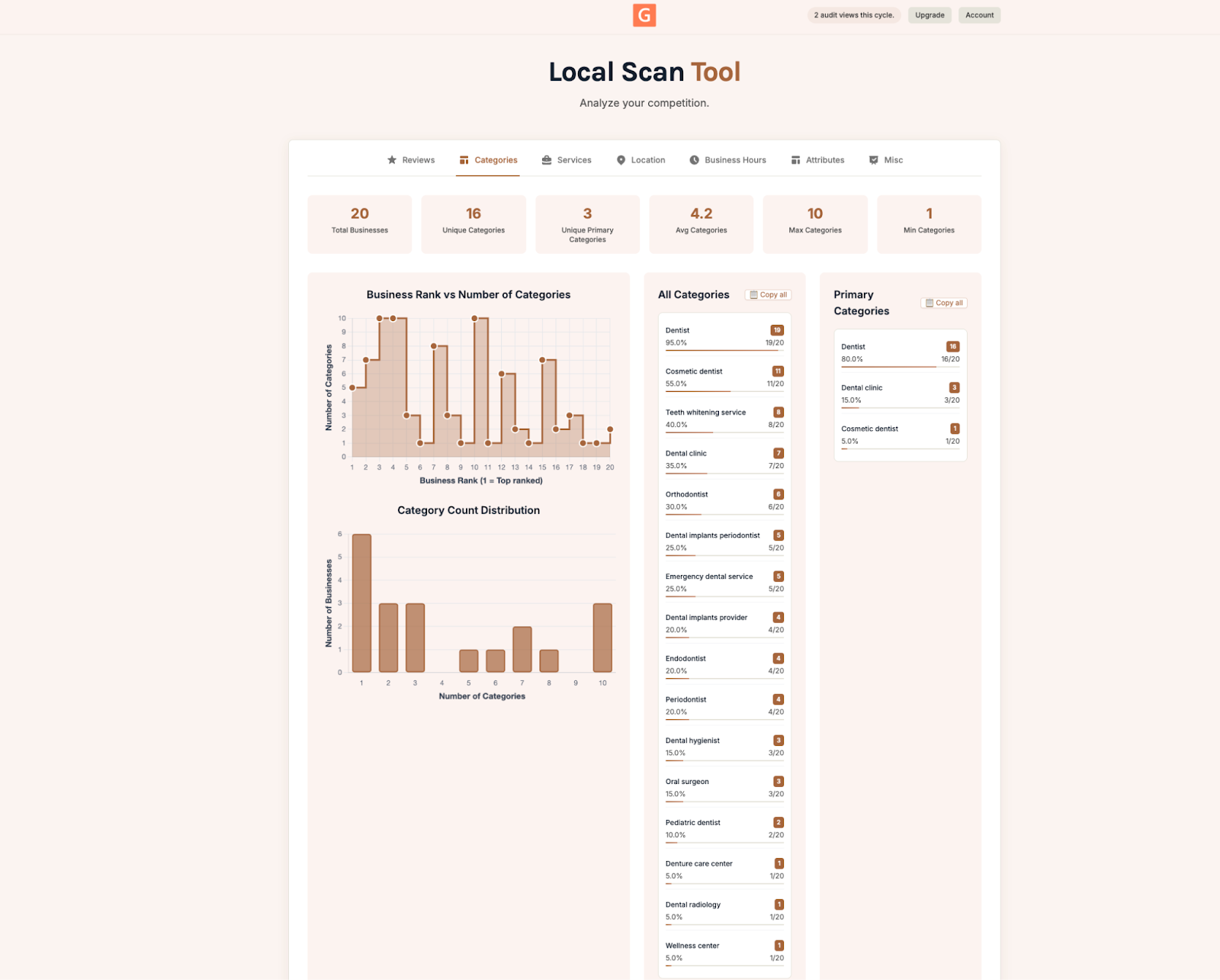
Local Scan from GMB Everywhere checks your Google Business Profile categories and compares them to every competing dentist near you. It shows you three things: which categories the top-ranked clinics are using, how many categories each practice has listed, and how a practice's rank lines up with the number of categories they use.
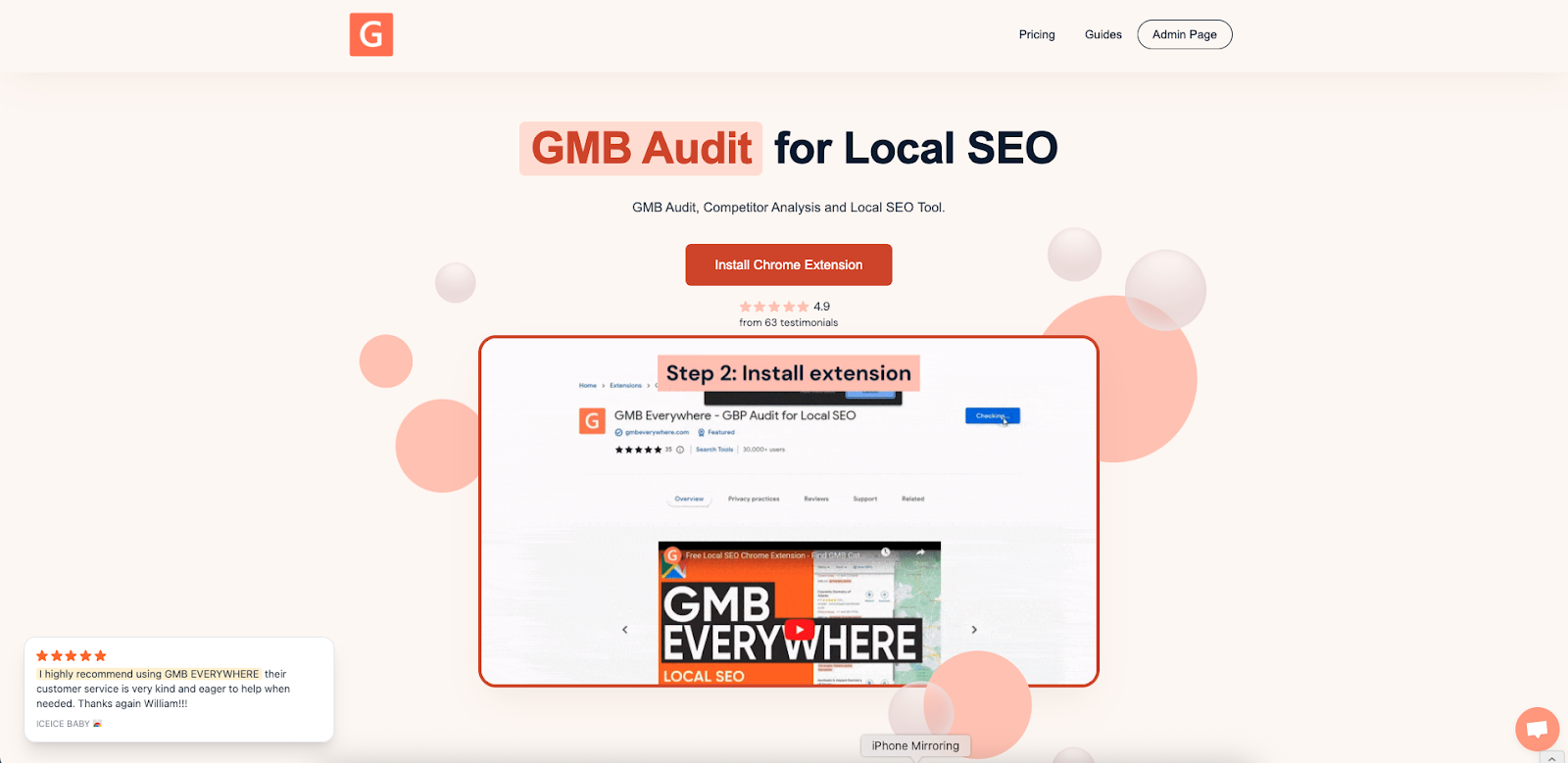
To get started, go to gmbeverywhere.com and add the free extension to your Chrome browser.
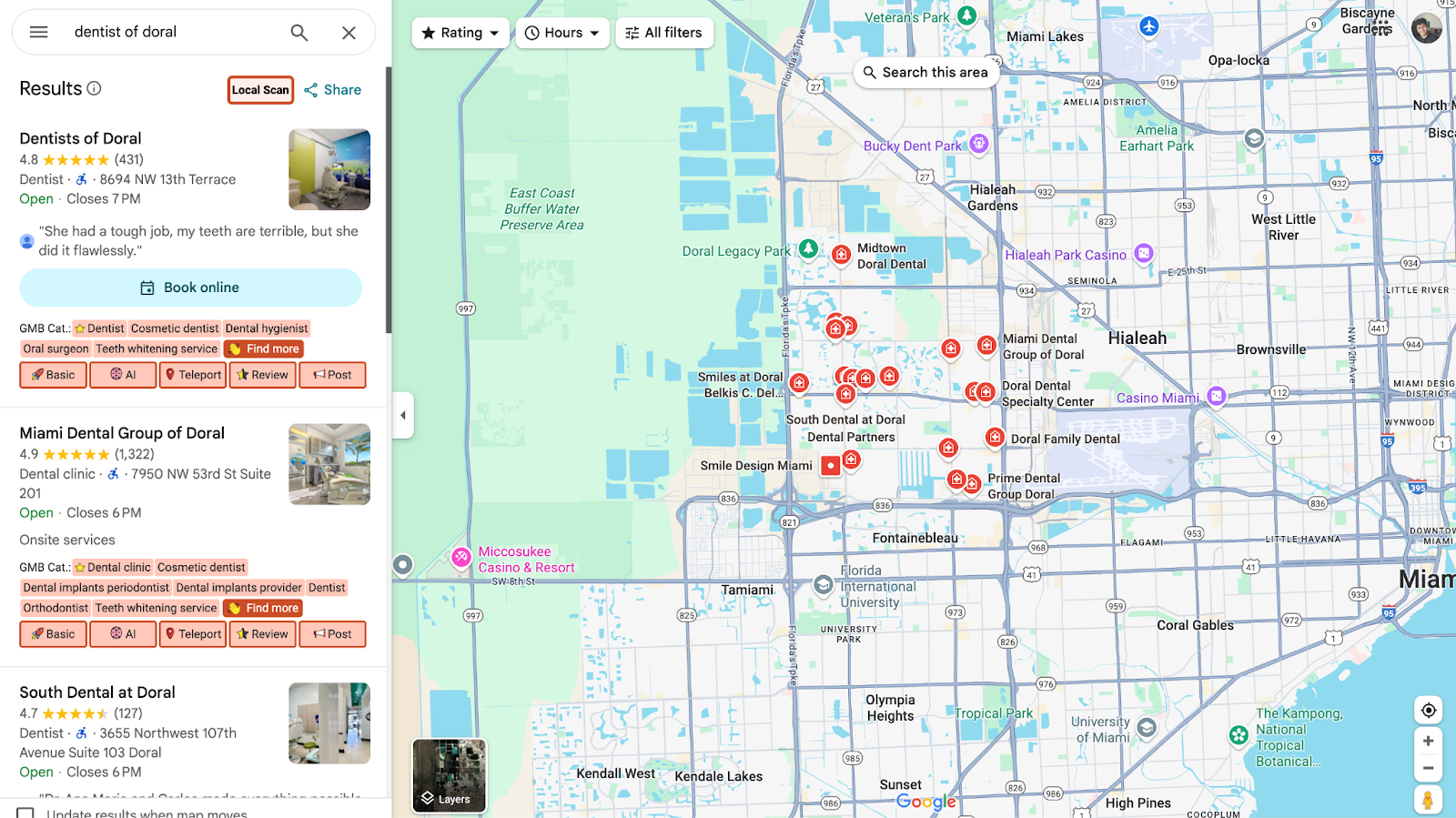
Then open Google Maps, search for your business name, and click the Local Scan button in the left panel.
Then click on the Categories tab to see how your profile compares. You can check out a sample report in the screenshot above.
Check Your Categories First
Before you worry about reviews, hours, or photos, start with your categories. Look at what the top-ranking dentists near you are using. If they have more categories than you, write down the ones you're missing, things like "Cosmetic Dentist" or "Endodontist," and add them to your profile.
Google lets you pick up to nine categories, so use every slot you can to cover the services you actually offer.
Amplify Your Profile Beyond Categories
Fixing your categories is a great start, but don't stop there. Fill out the rest of your profile too. Add a detailed list of services under each category, and make sure your hours are competitive. If other dentists near you offer evening or weekend hours, think about whether you should too.
Also check your Attributes section for things like accessibility features and payment options. And keep your profile fresh by uploading new photos and posting updates regularly. All of this helps reinforce those categories you just added.
Turn Category Gaps Into New Patients
- Use all nine category slots: Fill every spot with a category that matches a real service you offer. The more relevant categories you have, the more searches you can show up in.
- Check every month: Run a Local Scan once a month to see if new category opportunities come up or if competitors have changed their setup. Staying on top of this keeps you visible.
Conclusion
If you haven't checked your categories recently, now is a good time. Run a free Local Scan and you'll see in under a minute exactly which categories you're missing and what your competitors are using. From there, updating your profile only takes a few minutes, but it can make a real difference in how many new patients find you.