Responding to every Google review matters. A well-crafted reply shows future customers that you listen, care, and follow through. But writing dozens of replies each week takes real time, and a generic "Thanks for the review" rarely moves the needle.
AI review-response tools let you draft thoughtful, on-brand replies in seconds. This guide walks through how to use the GMB Everywhere Review Response Generator, along with practical tips for mixing AI speed with a personal touch.
How to Respond to a Review with AI
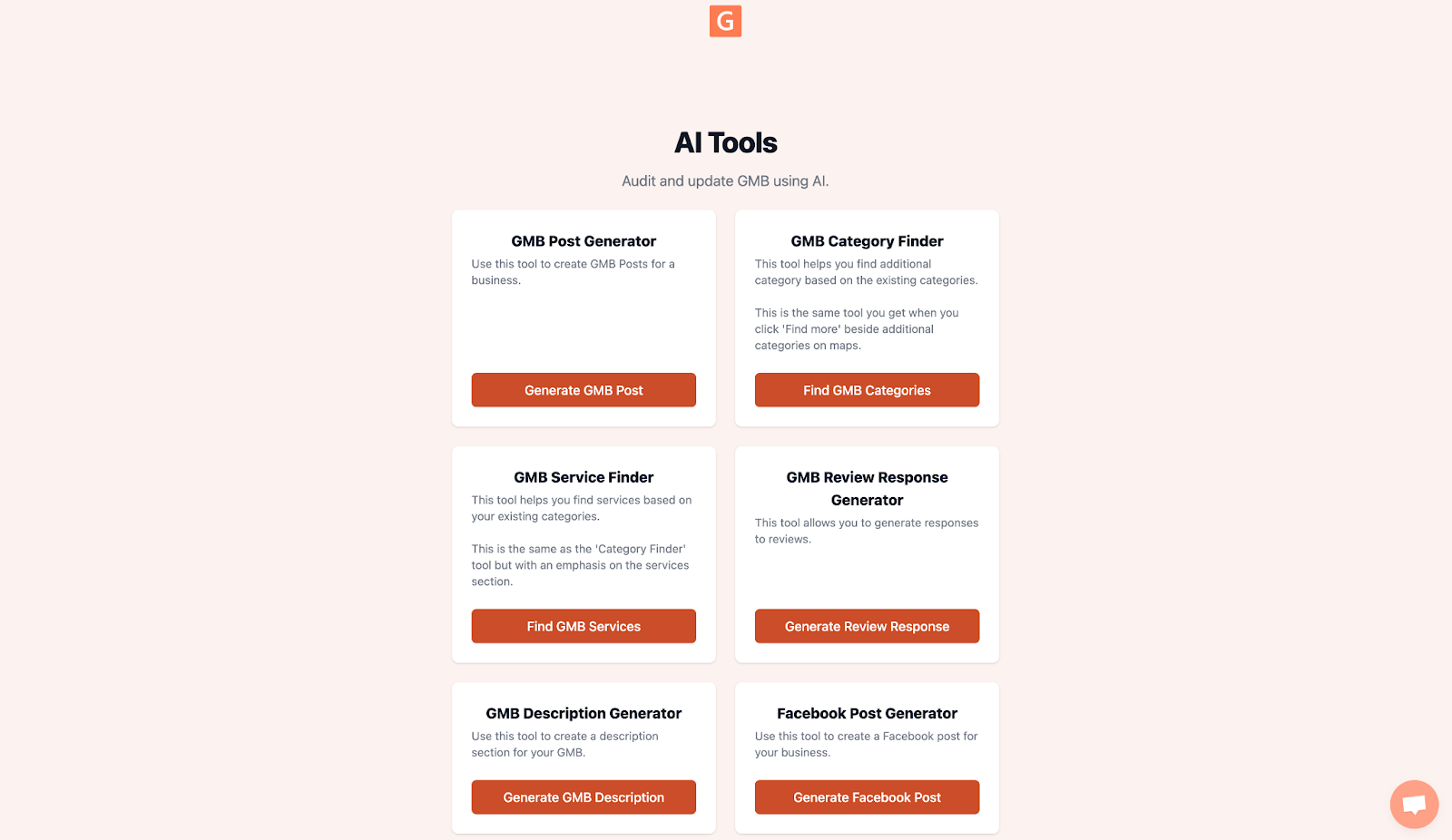
Step 1: Open the GMB Everywhere AI tools dashboard and select GMB Review Response Generator.
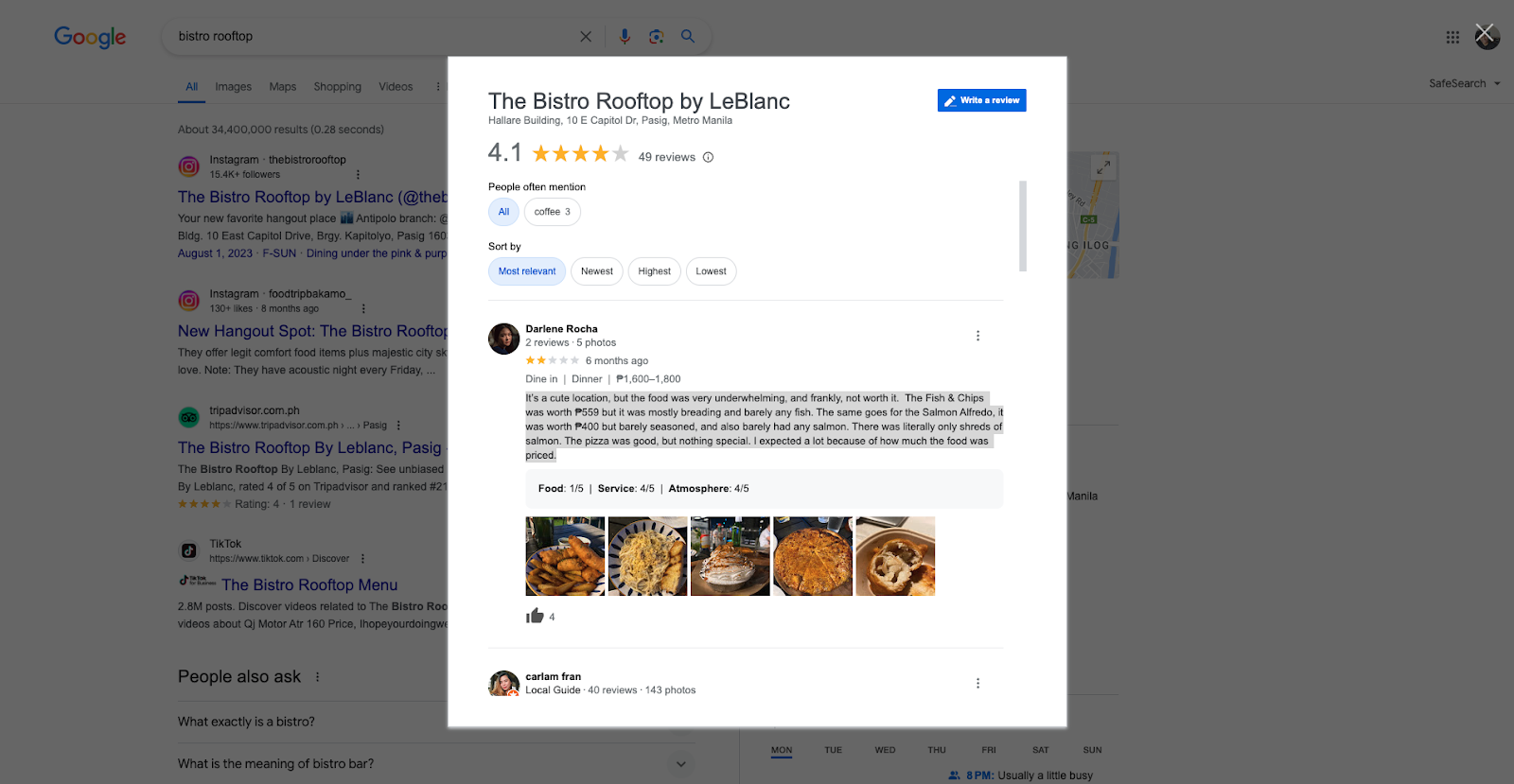
Step 2: Copy the review you want to reply to and paste it into the text box. Choose a tone that fits your brand — friendly, professional, empathetic, or even humorous — then click Generate Response.
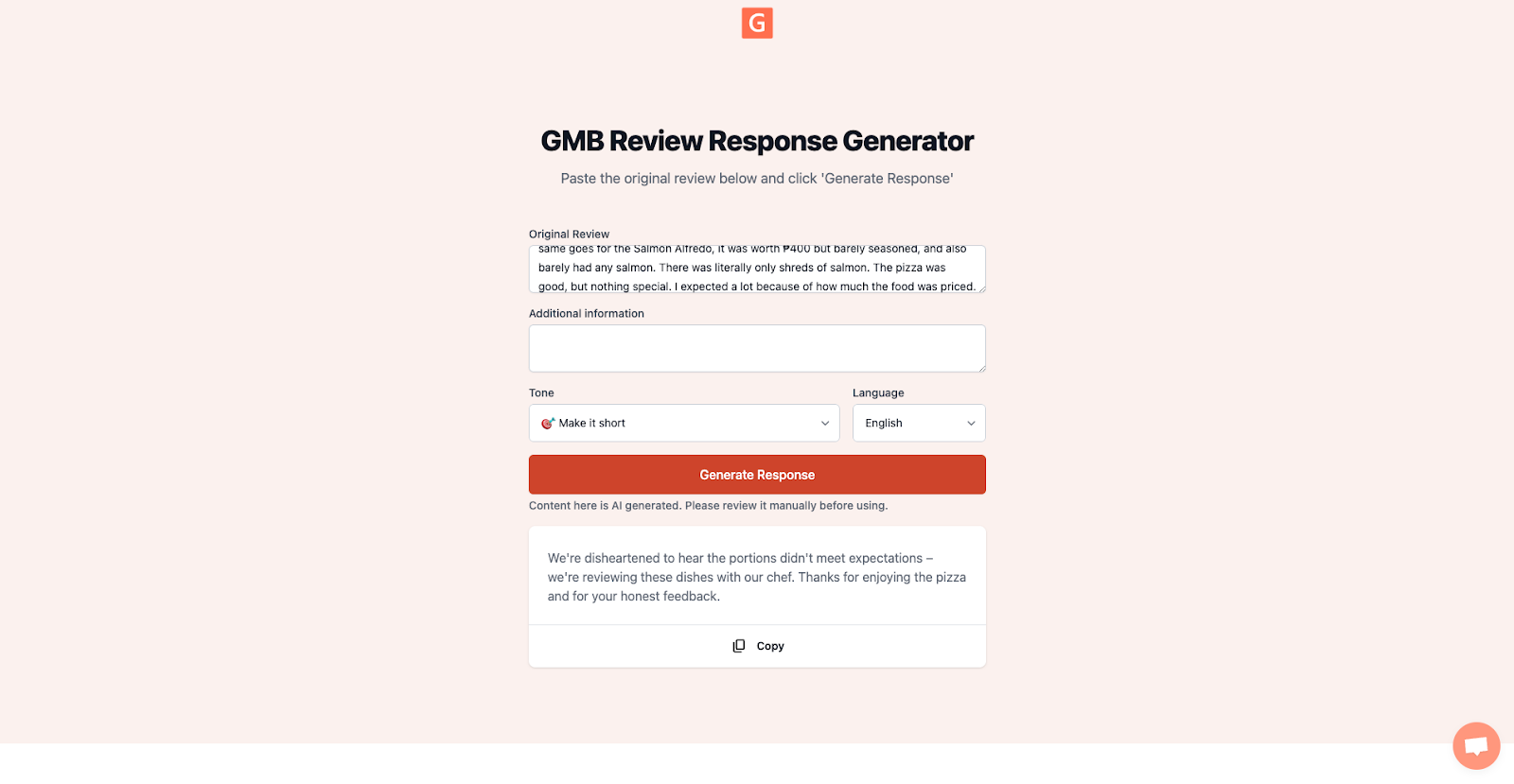
Step 3: Review the generated reply, tweak any details, then click Copy to save it to your clipboard. Head over to your Google Business Profile and paste the response under the original review.
Why Review Replies Still Matter in 2026
Reviews are often the first impression a potential customer forms about your business. According to multiple industry surveys, nearly 90% of consumers say they are more likely to choose a business that responds to all of its reviews. A timely, thoughtful reply can turn a neutral browser into a paying customer, and a polite response to a negative review can demonstrate accountability and professionalism.
Beyond reputation, Google factors review engagement into local ranking signals. Businesses that consistently respond tend to appear higher in the local pack, giving them an edge over competitors who stay silent.
Tips for Better AI-Assisted Replies
Add a Personal Touch
AI gives you a strong starting draft, but small personal details make it feel real. Mention the reviewer by name, reference a specific product or service they mentioned, and sign off with your own name or role. These tiny additions turn a good reply into a great one.
Reply Quickly
Speed signals attentiveness. With AI handling the first draft, you can respond within hours instead of days. Set up notifications for new reviews so you can approve or adjust replies while the feedback is still fresh.
Stay Positive, Even on Tough Reviews
AI tools can help maintain a calm, constructive tone when emotions run high. Use the "empathetic" or "professional" tone setting for negative reviews. Acknowledge the issue, explain what you are doing to address it, and invite the reviewer to reach out directly.
Keep Your Brand Voice Consistent
Whether you run a single location or fifty, AI-generated drafts keep your tone and style uniform across every reply. This consistency strengthens your brand image across all customer interactions, especially when multiple team members are handling responses.
Handling AI-Generated Content in Reviews
As AI becomes more widespread, you may occasionally see reviews that read as if they were written by a language model. Here are a few strategies:
- Look for patterns. Overly formal language, generic phrasing, or a lack of specific details can signal an AI-written review.
- Respond professionally regardless. Whether the review was written by a person or AI, a thoughtful reply still shapes the impression for everyone who reads it later.
- Be transparent. If you use AI to draft replies, that is perfectly fine, as long as you review each response before posting.
- Monitor regularly. Audit your responses monthly to make sure the AI output still aligns with your brand values and current policies.
Frequently Asked Questions
Can I use AI replies for all my reviews?
Yes, but always review and personalize the draft before posting. A quick edit — adding a name or specific detail — makes the reply feel genuine.
Does responding to reviews improve my ranking?
Google has confirmed that review activity, including replies, is one of the factors in local ranking. Consistent responses signal an active, engaged business.
How fast should I reply?
Within 24 to 48 hours is ideal. With AI-generated drafts, most businesses can hit that window easily.
Conclusion
AI review tools take the grind out of reputation management without sacrificing quality. By combining the speed of AI with your own personal knowledge of each customer interaction, you can keep every review answered, maintain a consistent brand voice, and free up time for the parts of your business that need hands-on attention.
Get started with the GMB Everywhere Review Response Generator and see how much faster your review workflow becomes.