The Q&A section on your Google Business Profile is one of the most overlooked opportunities for local visibility. Potential customers use it to ask about your hours, services, policies, and more — and the answers they find (or don't find) can shape whether they visit your business or move on to a competitor.
Instead of waiting for questions to appear and scrambling for replies, you can use AI to proactively build a rich Q&A section in minutes. This guide shows you how to use the GMB Everywhere Q&A Section Generator to create relevant, keyword-rich questions and answers for your profile, along with best practices for managing your Q&A section over time.
How to Generate Q&A Content with AI
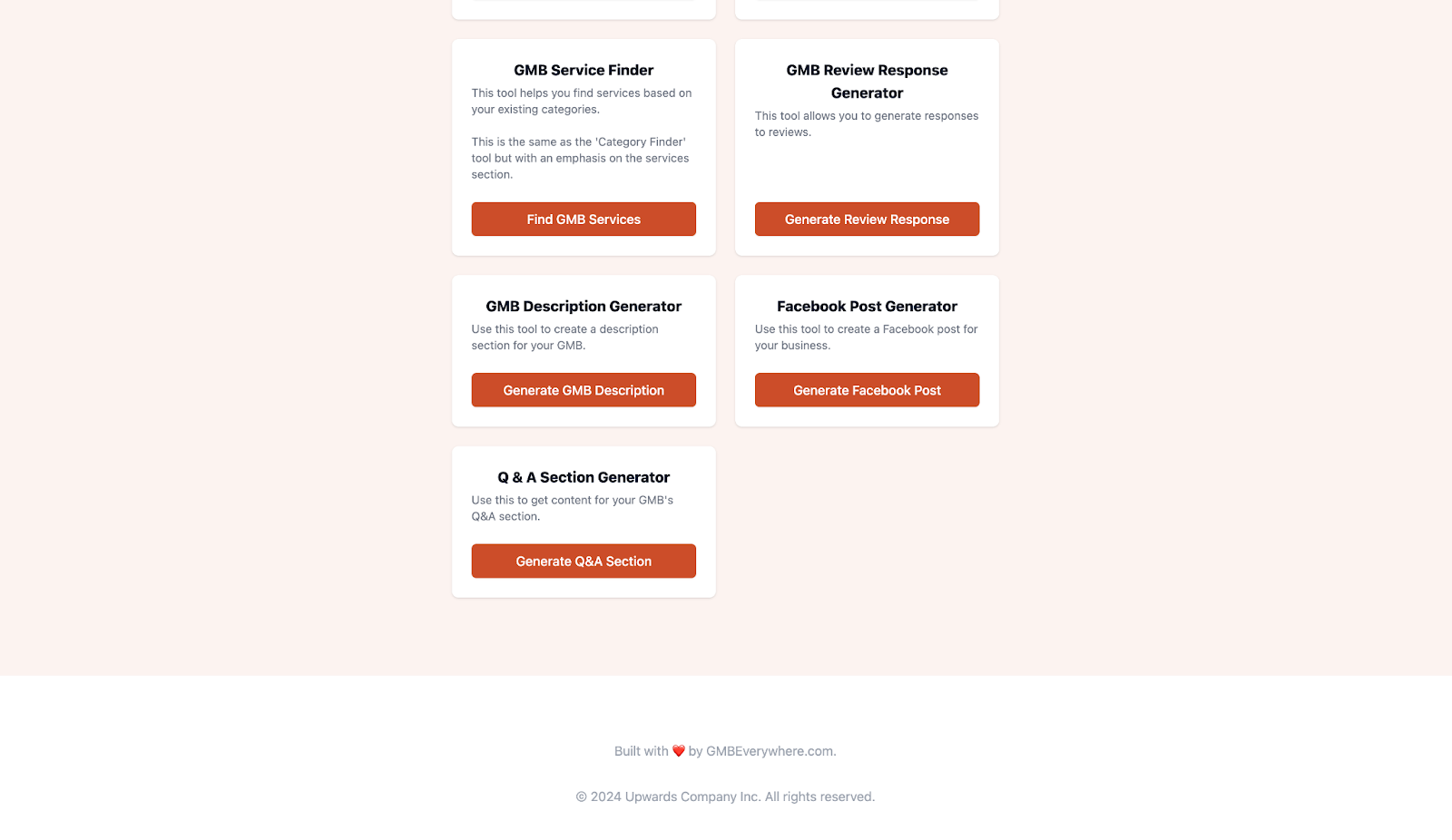
Step 1: Head over to the GMB Everywhere AI tools page. From the list of available generators, click Q & A Section Generator to open the tool.
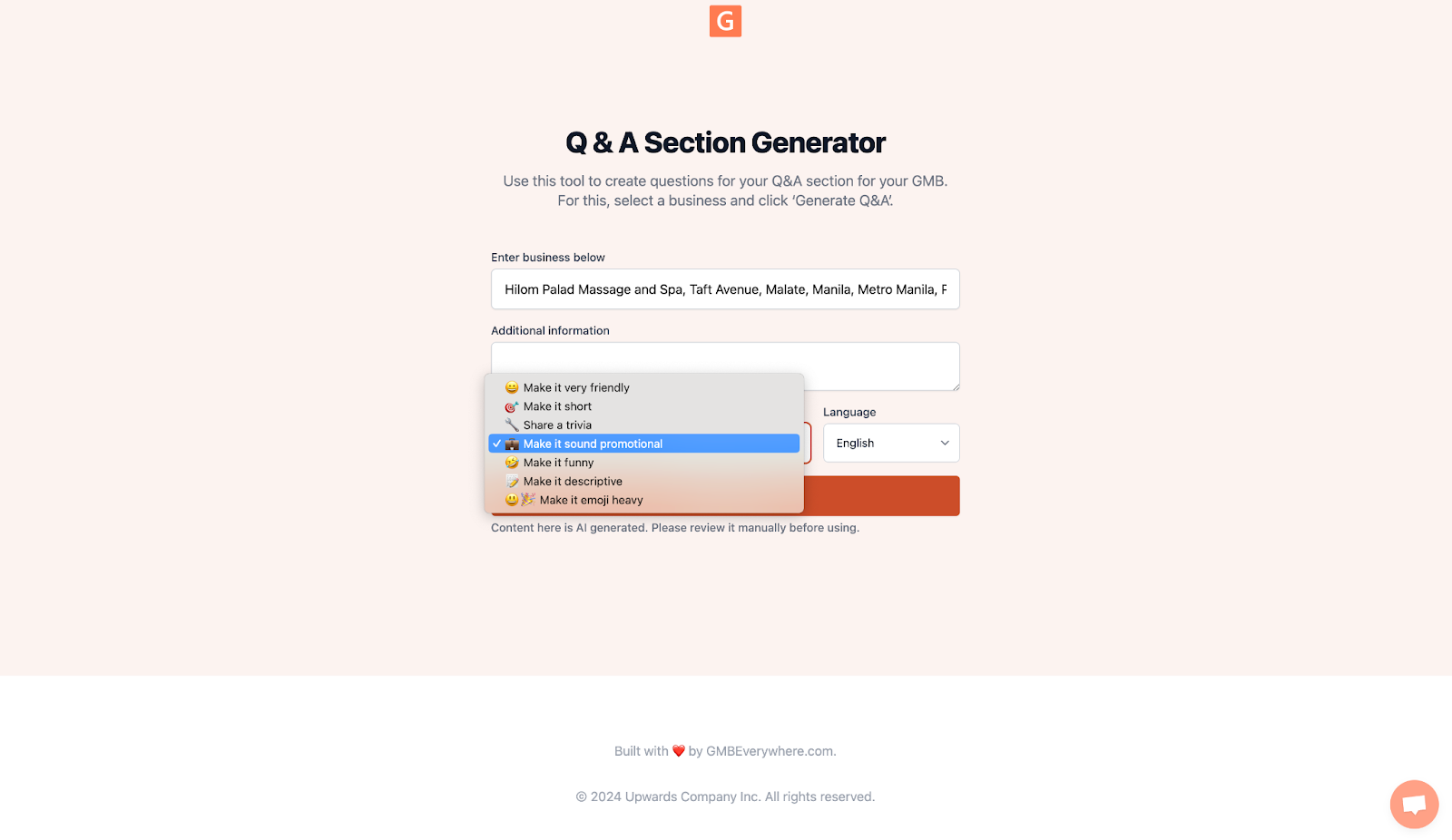
Step 2: Enter your business name and a short description of what you offer. Select a tone that matches your brand — options include professional, friendly, casual, and more. Once everything looks right, click Generate Q&A to produce a set of questions and answers tailored to your business.
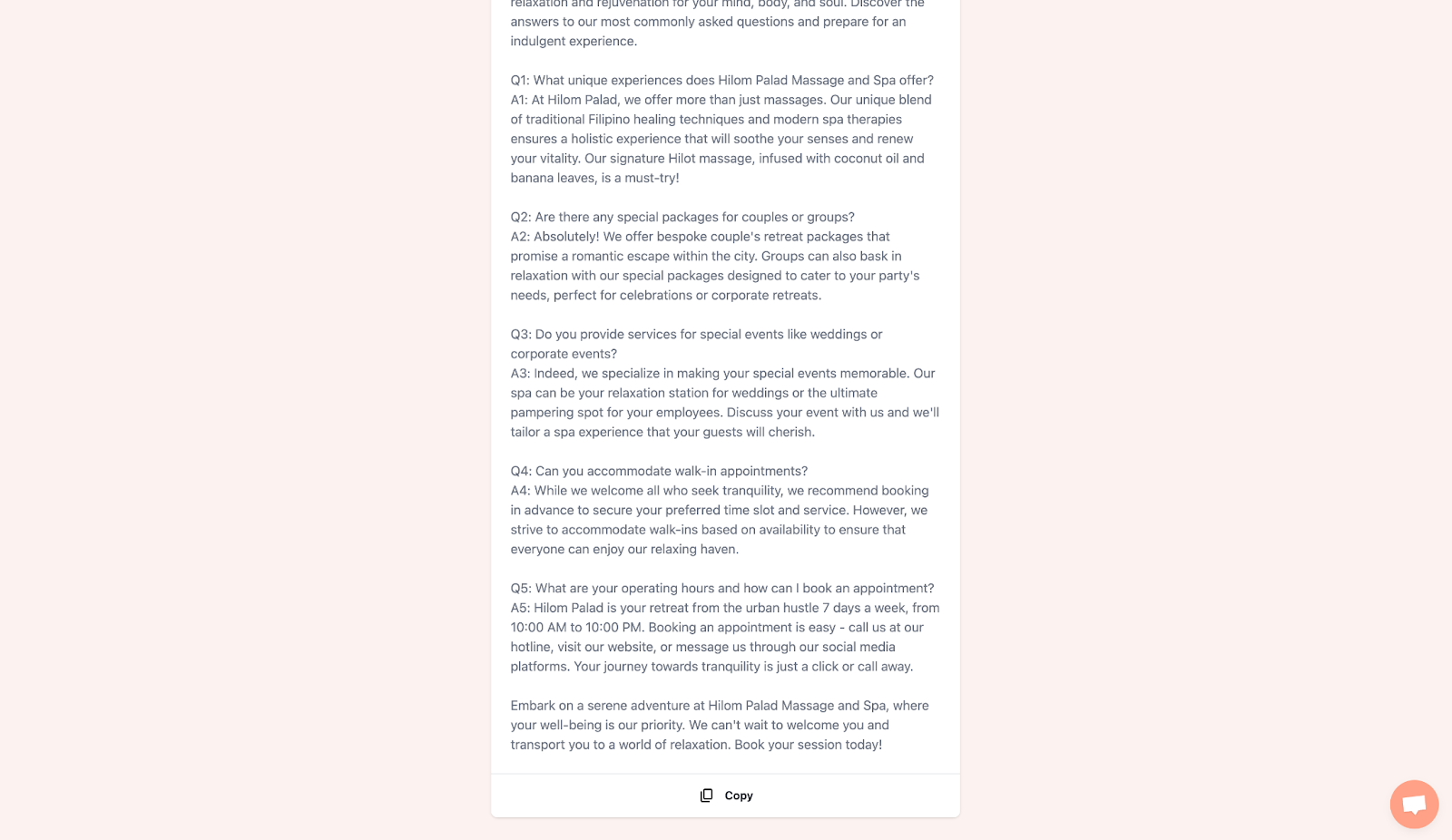
Step 3: Review the generated Q&A pairs, make any adjustments, and click Copy to save them to your clipboard. You can then post them directly to the Q&A section of your Google Business Profile or share them on your social channels to pre-empt common customer questions.
Why Your GBP Q&A Section Matters
Google treats Q&A content as part of your profile's overall relevance signal. When someone searches for a service you offer and the answer already exists in your Q&A section, Google can surface it directly in the knowledge panel. That means a well-maintained Q&A section can help you appear for long-tail queries you might otherwise miss.
Beyond search visibility, Q&A builds trust. A profile with detailed, accurate answers shows potential customers that the business is attentive and transparent. It also reduces repetitive phone calls and emails by addressing common questions before they are even asked.
Tips and Tricks for Managing Your GBP Q&A
Monitor Regularly
Anyone on the internet can post a question or answer on your profile, not just the business owner. Check your Q&A section at least once a week to make sure answers are accurate and no misleading information has been added by third parties. Quick monitoring prevents small issues from becoming lasting problems.
Provide Detailed and Accurate Answers
When responding to questions, be specific and include relevant keywords naturally. For example, instead of answering "Yes, we do" to a question about wheelchair accessibility, write something like "Yes, our downtown location has step-free access through the main entrance, accessible restrooms, and reserved parking." This kind of detail serves both the user and search engines.
Encourage Questions from Customers
Let your existing customers know the Q&A section exists. A simple prompt on a receipt, follow-up email, or in-store sign can encourage real questions from real people. Authentic customer questions add credibility and cover topics you may not have thought of yourself.
Preemptively Add Common Questions
You do not have to wait for customers to ask. Google allows business owners to seed their own Q&A section with frequently asked questions. Use the AI generator to create a batch of Q&As covering your most common inquiries — parking, hours, pricing, booking process, and anything else your front desk or support team hears daily.
Manage Inappropriate Content
Occasionally, spam or irrelevant content may appear in your Q&A section. Flag any entries that violate Google's content policies, including promotional posts from competitors or offensive language. Keeping the section clean protects your brand and maintains trust with potential customers.
Leverage Q&A for Insights
Pay attention to the kinds of questions people ask. Patterns in Q&A can reveal gaps in your website content, unclear policies, or services that customers want but you have not highlighted. Use these insights to improve your profile description, website copy, and even your service offerings.
Frequently Asked Questions
Can anyone add questions and answers to my Google Business Profile?
Yes. Any Google user can post a question or suggest an answer on your profile. That is why it is important to monitor your Q&A section regularly and provide official responses so customers see accurate information first.
How many Q&As should I add to my profile?
Start with five to ten of the most common questions your customers ask. Over time, expand the section as new topics come up. Quality matters more than quantity — each answer should be genuinely useful rather than stuffed with keywords.
Does the Q&A section affect my local search ranking?
Google uses Q&A content as part of its relevance assessment for local results. Profiles with well-written, keyword-relevant Q&As can appear for a wider range of search queries, giving you more visibility to potential customers in your area.
Conclusion
A well-maintained Q&A section turns your Google Business Profile into a self-service resource for potential customers. By using AI to generate relevant questions and answers, you save hours of manual work while still covering the topics that matter most to your audience.
Get started with the GMB Everywhere Q&A Section Generator and take control of how customers learn about your business before they ever walk through the door.