In this article, we’ll show you how to find the Q&A section of a business. You can find the link to the Q&A section of a Google Business Profile using GMB Everywhere. Below we show how you can find the Q&A section.
How to Find the Q&A Section
Step 1: Install the GMB Everywhere Chrome Extension on your Chrome browser. Visit gmbeverywhere.com and click on “Install Chrome Extension” to get started.
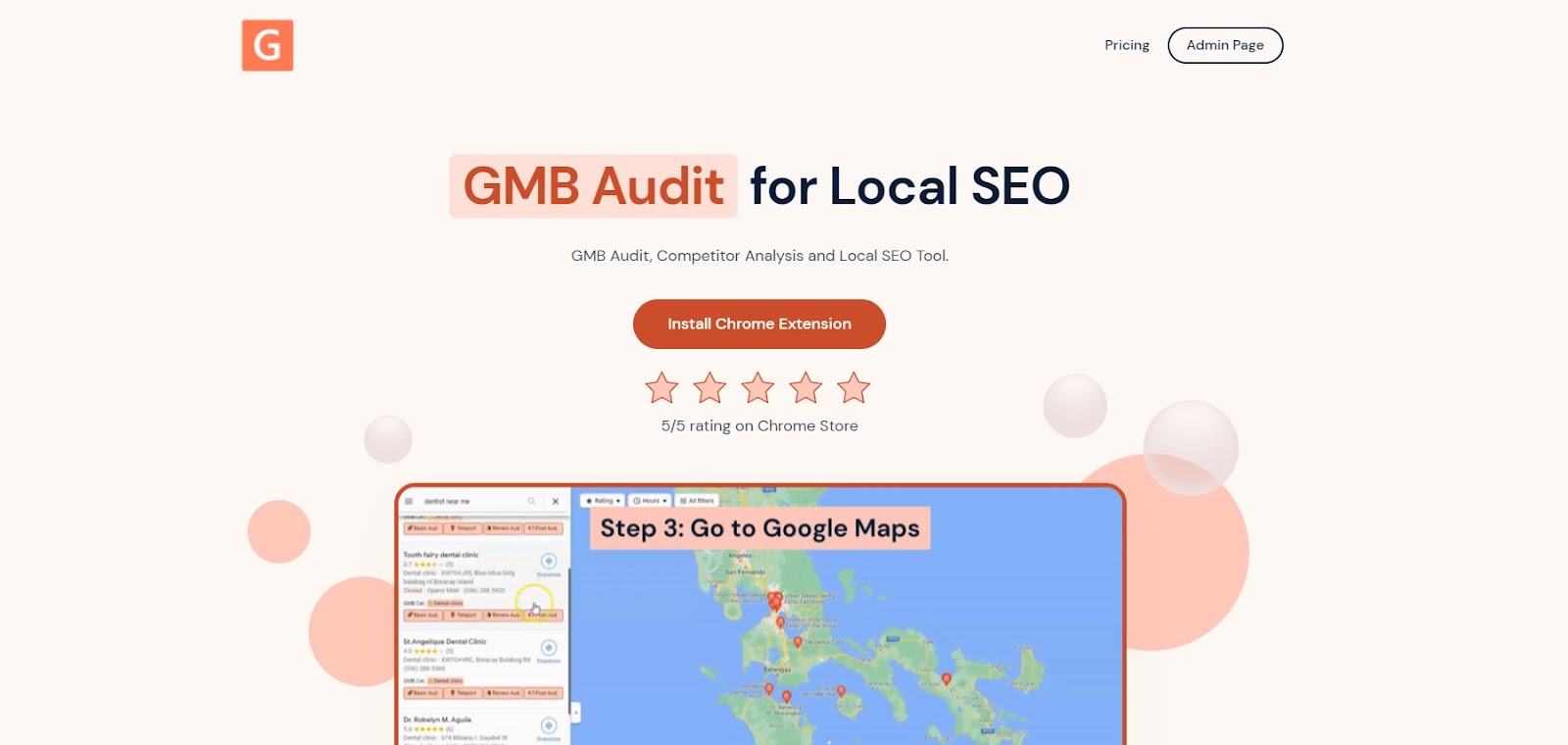
The screenshot shows homepage of GMB Everywhere, you can find link to download the extension from here.
A new tab will appear opening the Chrome Store page of GMB Everywhere Chrome Extension. Click Add To Chrome.
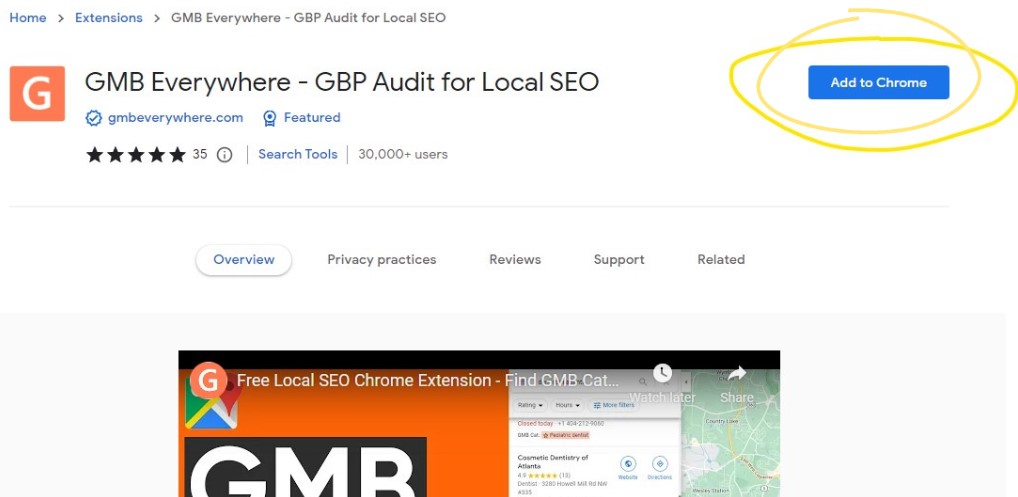
The screenshot shows the Chrome Extension page from where you can install the extension.
Step 2: After successful installation, go to maps.google.com and search for your business.
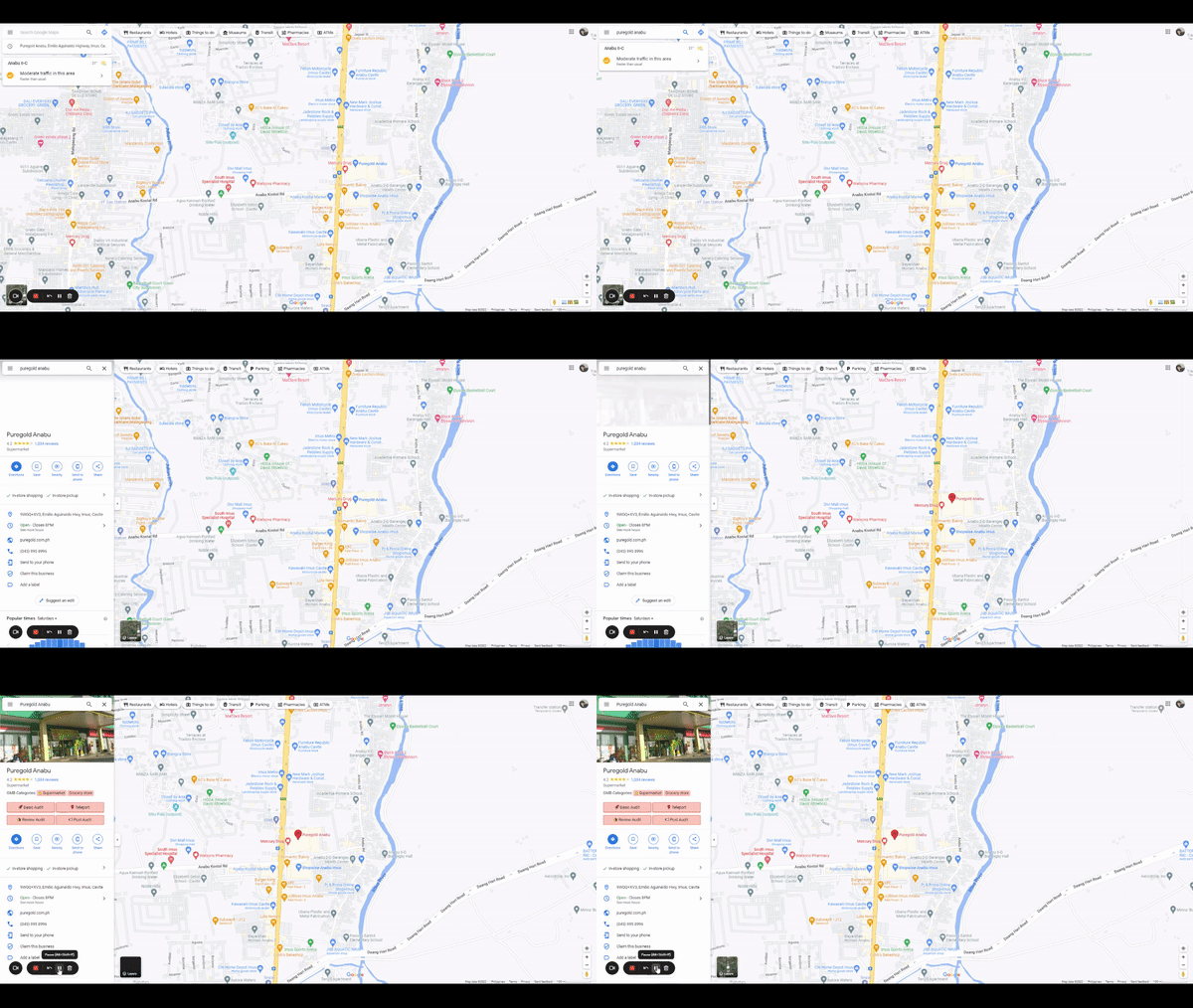
The screenshot shows how you can search for your business from Google Maps.
Step 3: On the left pane, you will see several GMB Everywhere buttons. Click the Basic Audit button.
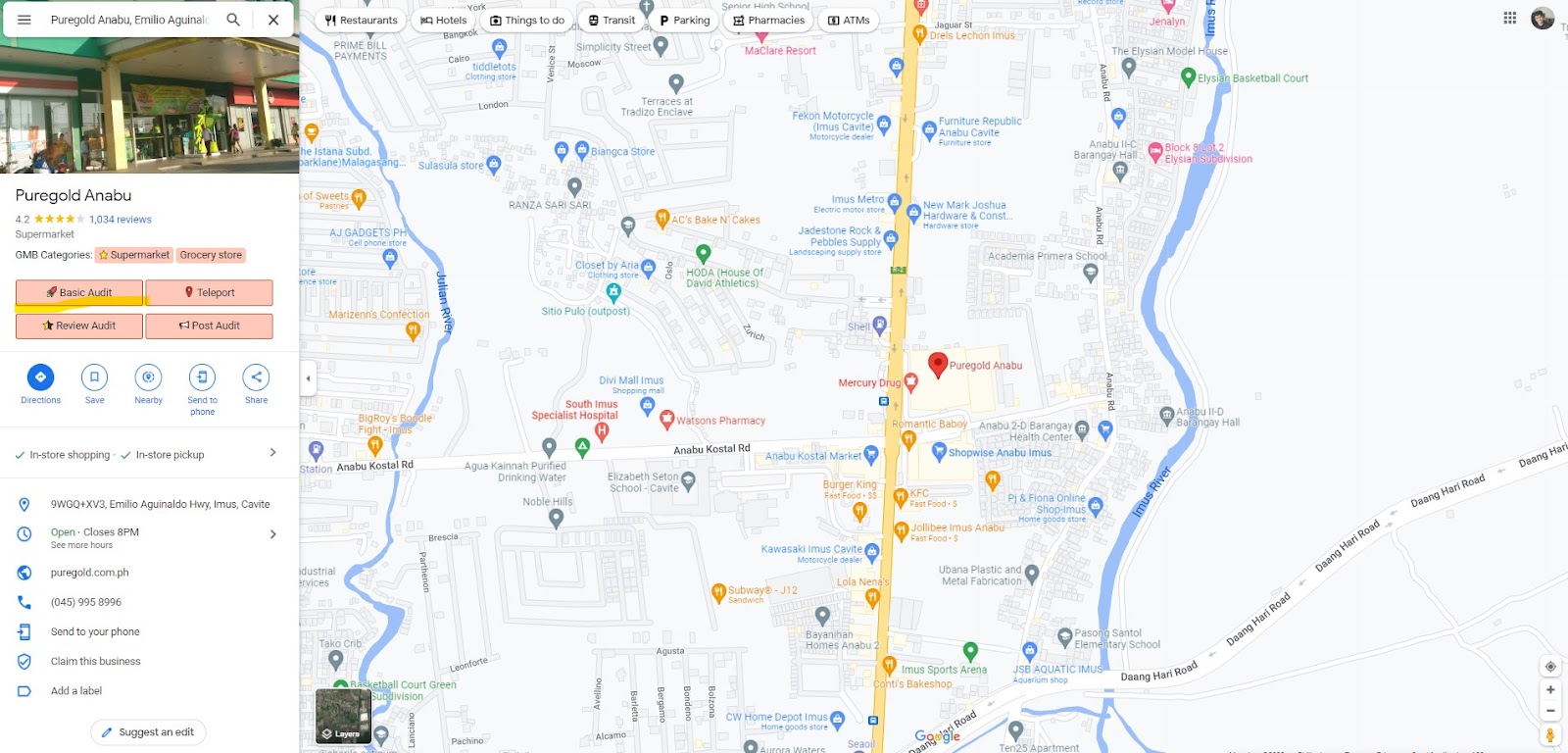
The screenshot shows the Basic Audit which you can click to show the results.
By clicking on this button, you will be directed to the GMB Everywhere audit page, where you can access your profile information, audit links, and additional relevant details.
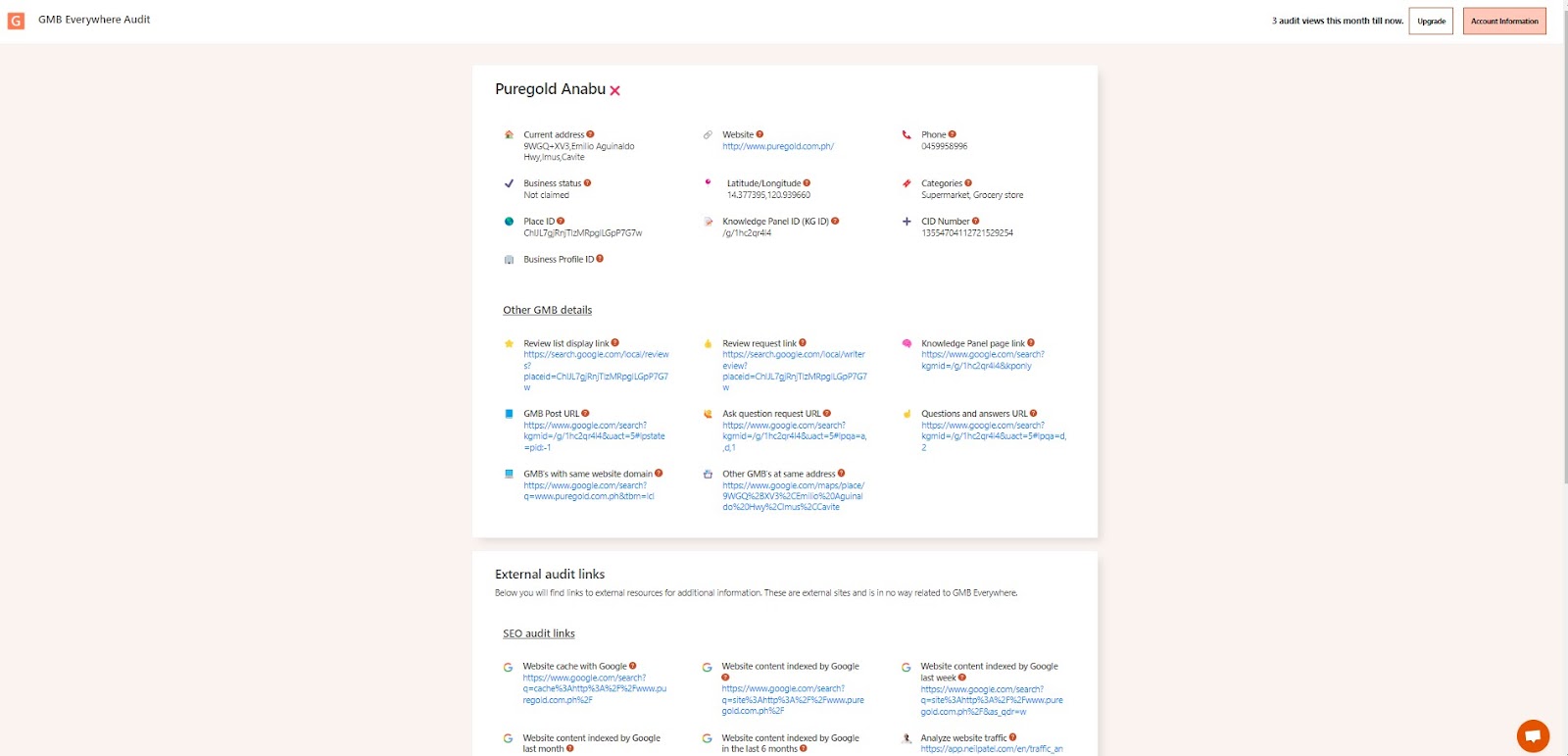
The screenshot shows the GMB audit result where you can find the link to Q&A section.
On the top section, you will see the important information about a Google Business Profile, and that includes a Question and Answer URL for the listing. You can also use GMB Everywhere to locate Q&A links for any listing directly.
Benefits of Answering Customer Queries
Improving Customer Experience
One of the primary benefits of actively participating in the Google Business Profile Q&A feature is the improvement it brings to the overall customer experience. By promptly answering customer queries, you demonstrate a commitment to customer satisfaction and show that you value their concerns. This level of responsiveness helps build trust and creates a positive impression of your business.
Building Trust and Credibility
When potential customers come across your Google Business Profile listing and see that you are actively engaged in answering customer queries, it instills a sense of trust and credibility. It reassures them that you are accessible and reliable, which can greatly influence their decision-making process. By addressing queries transparently and providing accurate information, you establish yourself as a trustworthy authority in your industry.
Boosting Local Search Visibility
Another significant advantage of engaging with the Google Business Profile Q&A feature is its impact on local search visibility. When customers ask questions related to your business, Google recognizes the relevance and displays your listing more prominently in local search results. This increased visibility can lead to higher website traffic, more footfall in physical stores, and ultimately, more conversions.
Conclusion
Answering customer queries via the Google Business Profile Q&A feature is an essential part of managing your online presence. By actively engaging with customers, you improve their experience, build trust, and enhance your local search visibility. You can also generate FAQs for your Q&A panel using GMB Everywhere’s AI tools to keep it stocked with helpful answers. Check out our guide articles section for more Google Business Profile tips.