Customer reviews do more than assign stars—they reveal real‑time insights into what’s working and what needs fixing. Small shifts in sentiment often signal bigger trends: a spike in praise highlights strengths you can promote, while rising complaints warn you to act fast. GMB Everywhere’s Review Audit lets you set up a daily Sentiment Watch in under two minutes—no exports, no spreadsheets. You’ll spot keyword frequency jumps, sentiment swings, and emerging themes instantly, so you can turn feedback into action every day.
Why Daily Sentiment Monitoring Pays Off
Google encourages timely owner replies to maintain trust and follow review guidelines. By catching negative words like “cold,” “delay,” or “rude” early, you fix problems before they spread. When you see positive terms like “friendly,” “fast,” or “clean” trending, you can amplify those wins in marketing or recognize top‑performing staff. A quick daily check keeps you proactive, not reactive.
Install and Access the Review Audit Overlay
Go to gmbeverywhere.com in Chrome. Click Install Chrome Extension, then Add to Chrome → Confirm. Pin the GMBE icon next to your address bar.

Search for your business in Google Maps. Click the GMBE icon and choose Review Audit.
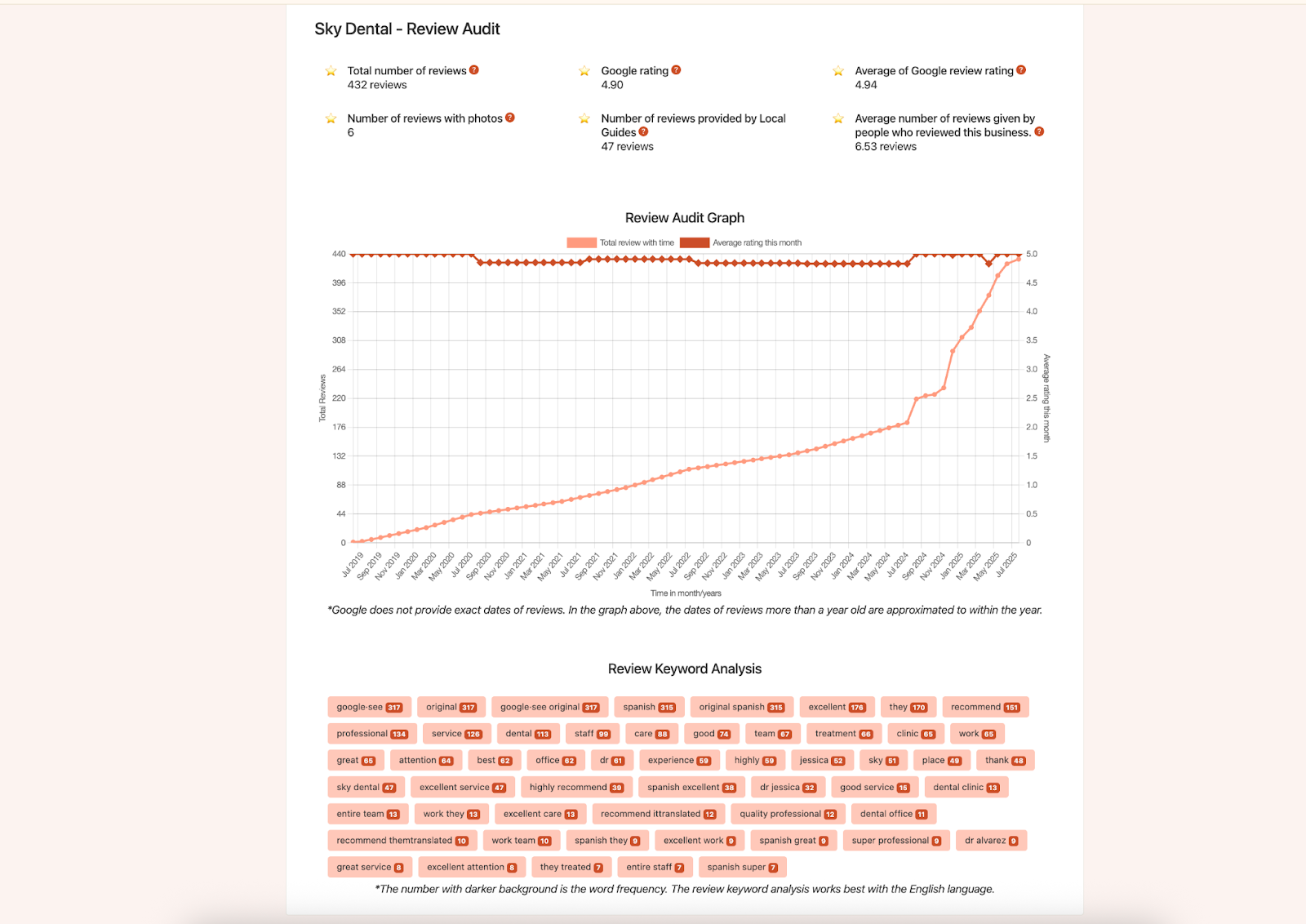
In seconds, a word cloud and a table of keywords (with frequency and sentiment polarity) pop up on your page.
Your Daily Sentiment Watch Routine
-
Scan Top Keywords
Focus on your five most frequent positive and negative terms. Spot any new or jumped entries (for example, “leak” today vs. “leak” yesterday). -
Take Action Immediately
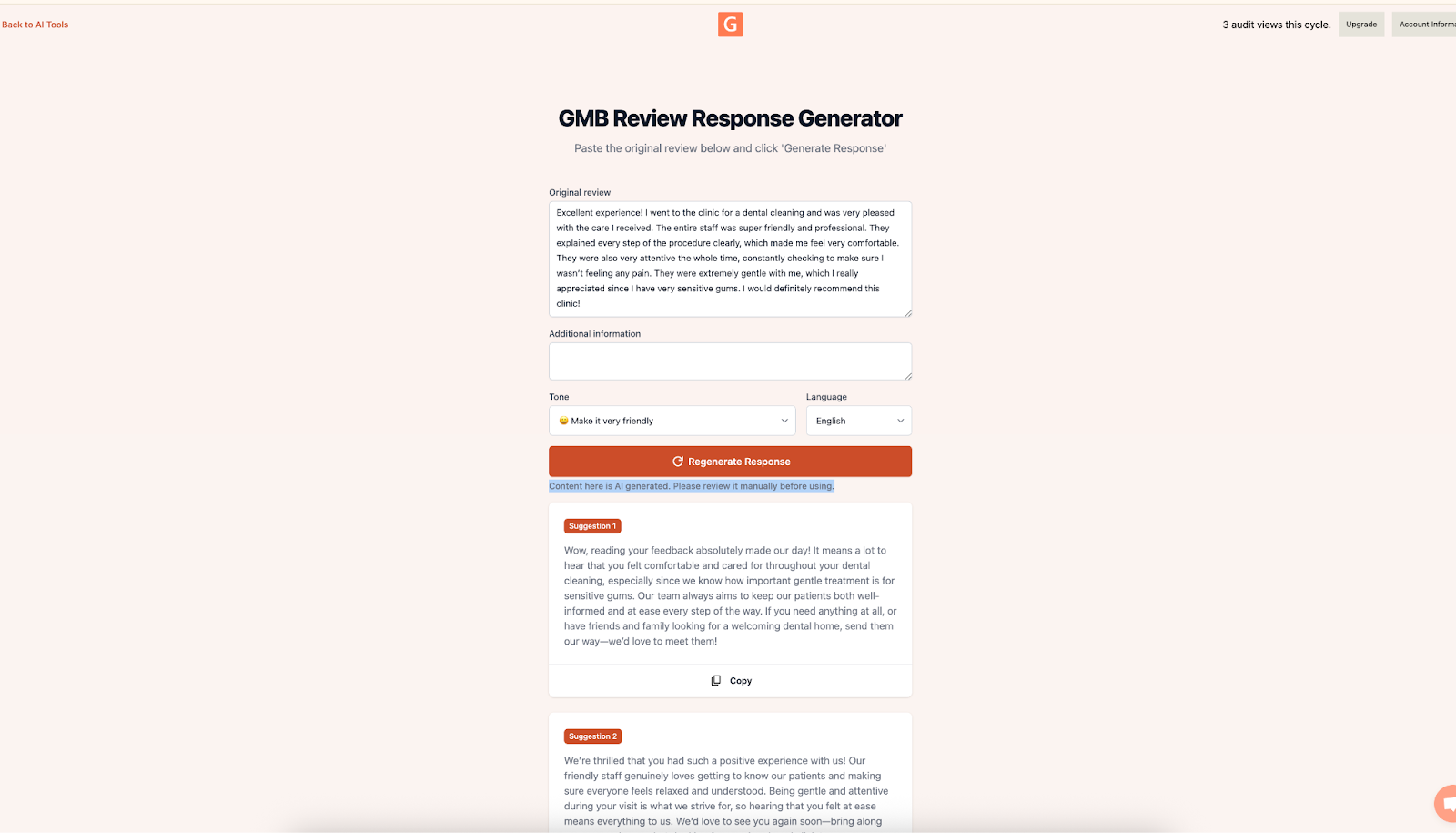
For negative trends, draft a response using the AI Review Response Generator overlay. For positive spikes, create a quick GBP Post celebrating praise (e.g., “Our team’s speedy service is getting rave reviews—thank you!”). Go to link.gmbeverywhere.com/ai‑tools and click Review Response Generator.
Turning Insights into Action
-
Weekend Staffing Fix
If “slow” jumps sharply on Mondays, you might be understaffed on weekends. Add extra weekend staff and post a reply offering a small discount to those affected. -
Promote New Menu Items
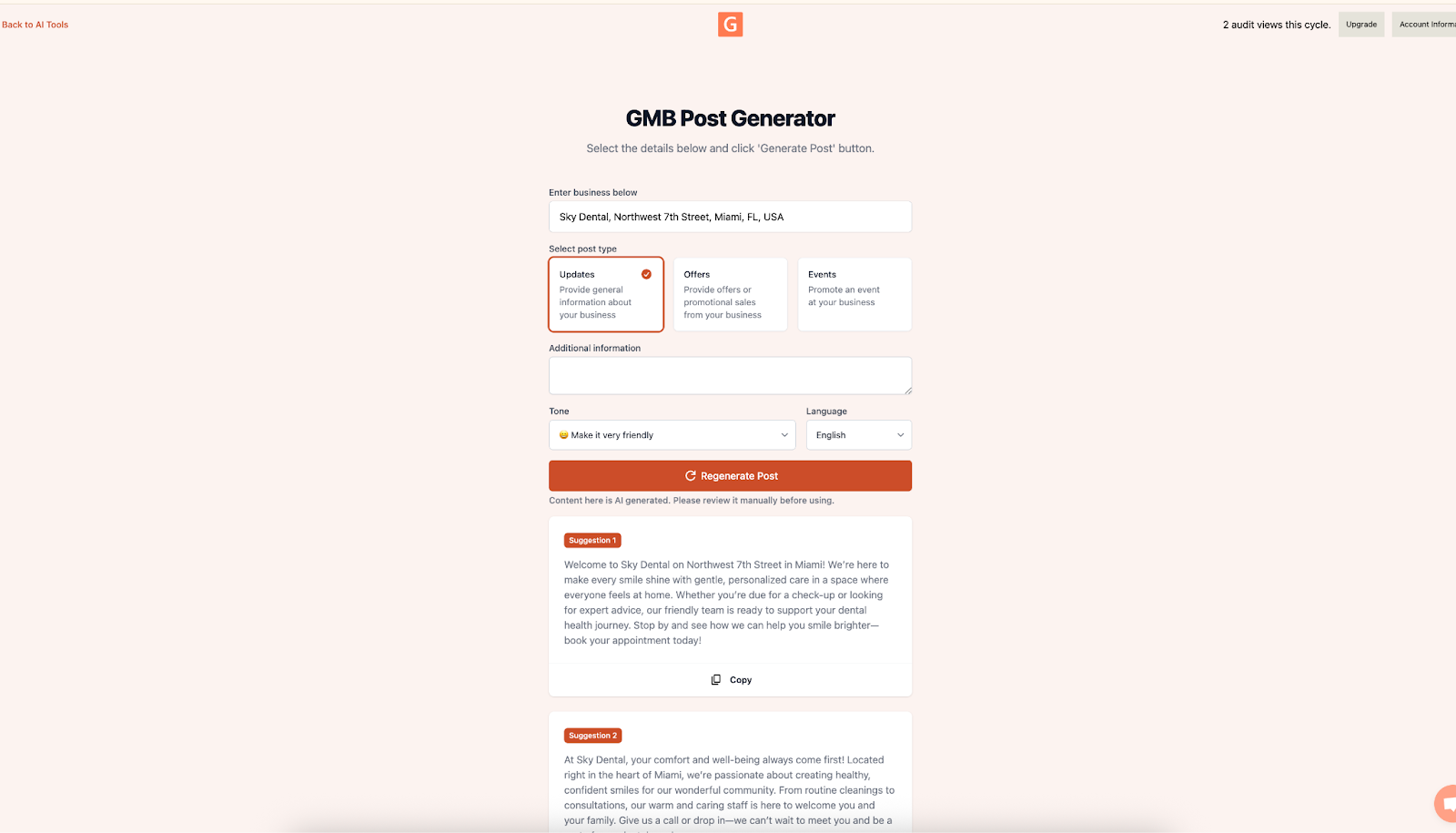
When “fresh” and “delicious” spike after a menu update, launch a GBP Offer Post with the AI Post Generator: “Try our new summer salad—15% off this week!” Go to link.gmbeverywhere.com/ai‑tools and click GMB Post Generator.
-
Streamline Peak Hours
Rising mentions of “queue” and “waiting” can lead you to adjust schedules or add a FAQ entry about best times to visit.
Best Practices
-
Balance Fixes with Celebrations
For every issue you address, share a quick shout‑out for something positive. -
Reply Quickly
Aim to respond to trending negatives within 24 hours to align with Google’s guidance on prompt engagement.
Conclusion
GMB Everywhere’s Review Audit turns feedback into foresight. By dedicating just two minutes each morning to a structured Sentiment Watch, you’ll catch small issues before they grow and amplify your brand’s strengths while they’re fresh. Install the extension now, set a daily reminder, and start transforming review insights into real‑world improvements today.