When you search on Google, have you noticed a special box that appears on the right side of the results page? This box is called the Google Knowledge Panel. It gives you a quick snapshot of useful information about a business, person, place, or topic. Google gathers this data from trusted sources like Wikipedia, Google Business Profiles, and official websites.
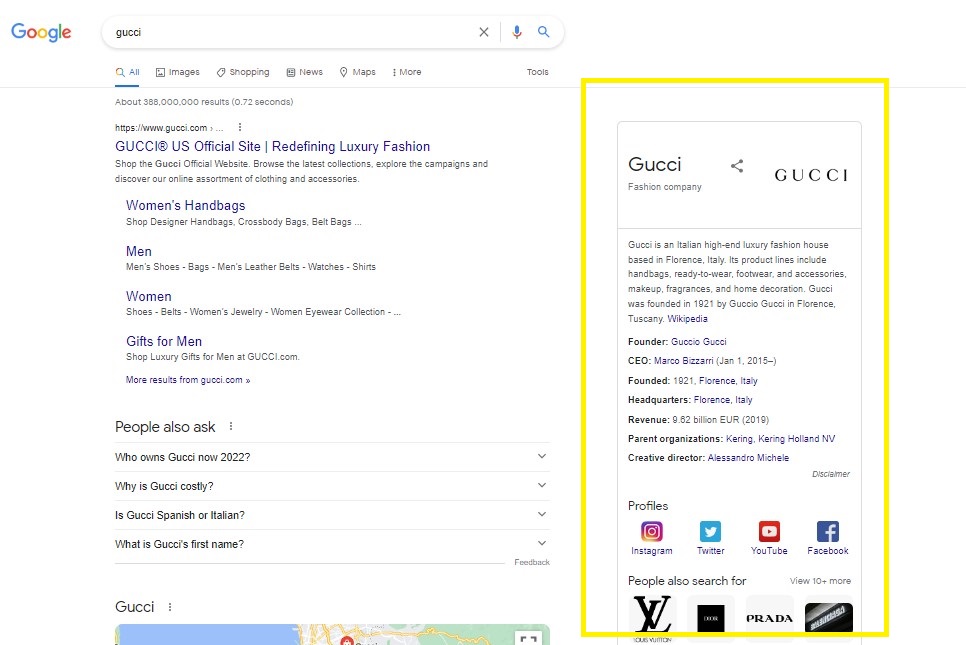
The Knowledge Panel is shown on the right side of Google search results.
In this guide, we will show you what a Knowledge Panel is, why it matters for your business, and how to find it using GMB Everywhere.
What Is a Knowledge Panel?
To understand what a Knowledge Panel is, it helps to know its foundation: the Knowledge Graph. The Knowledge Graph is Google's network of vast information resources, enabling Google to answer factual questions and surface information when someone searches online. Google's goal is to “discover and surface publicly known, factual information when it's determined to be useful.”
This is where the Knowledge Panel comes in. These automatically generated information boxes are curated by Google from the Knowledge Graph, drawing on multiple information sources and Google's understanding of web content. They give searchers a quick snapshot of the topic they're looking for.
Google also accepts factual information directly from content owners and user feedback, including those who have claimed their Knowledge Panel and can suggest changes. Verified updates can affect the information displayed or the image shown in the panel.
Why It Matters for Your Business
Knowledge Panels stand out in Google Search results. They occupy a dedicated section on the right side of the page, giving your business instant visibility without a user needing to click through to your website. This can increase brand authority and drive more engagement from search engine users.
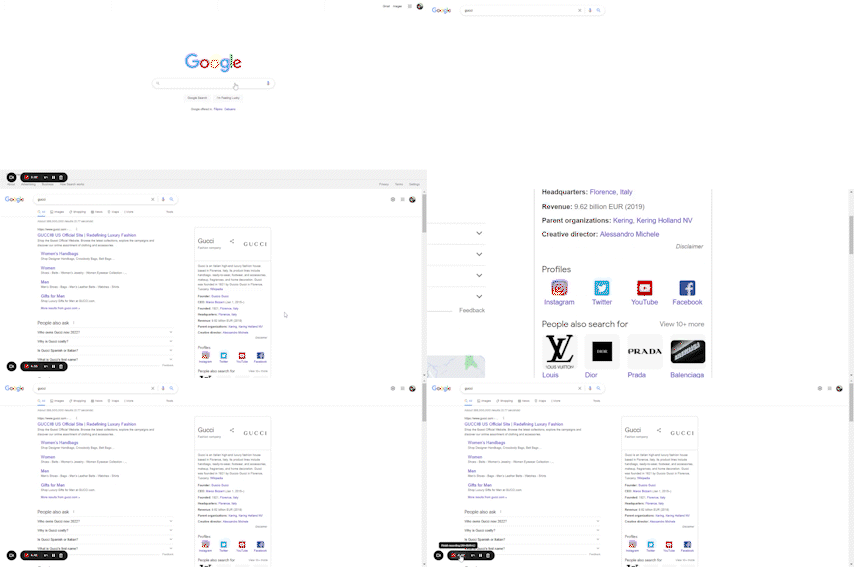
Knowledge Panels are also a useful way to surface key business details — your address, hours, website, and social media pages — directly in search. This strengthens your online presence and makes it easier for customers to find and connect with you. You can also pair this with a well-optimized Google Business Profile audit to ensure everything Google shows about your business is accurate.
How to Find Your Knowledge Panel
You can use the GMB Everywhere Chrome extension to find the Knowledge Panel for your business. Alongside audit insights, analytics, and competitor analysis, GMB Everywhere also surfaces the Knowledge Panel link so you can verify your business information and make any necessary changes.
Step 1: Install GMB Everywhere
Head to gmbeverywhere.com and click the Install Chrome Extension button. You'll be redirected to the Chrome Web Store.
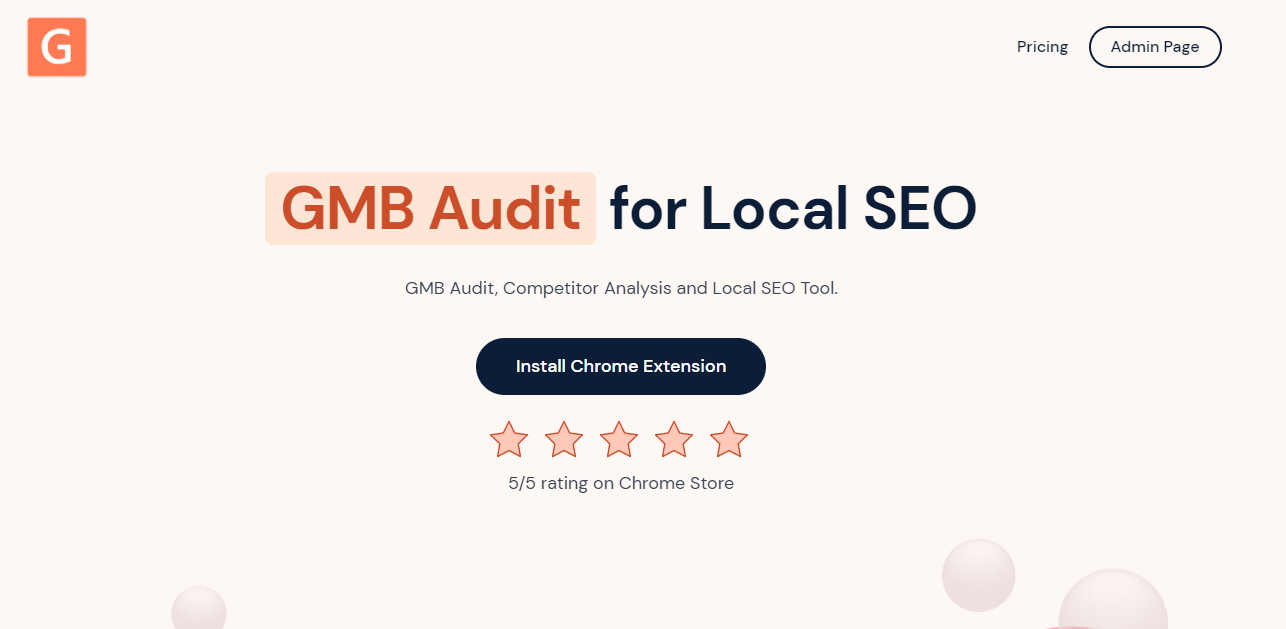
The GMB Everywhere website — click “Install Chrome Extension” to get started.
On the Chrome Web Store page, click Add to Chrome.
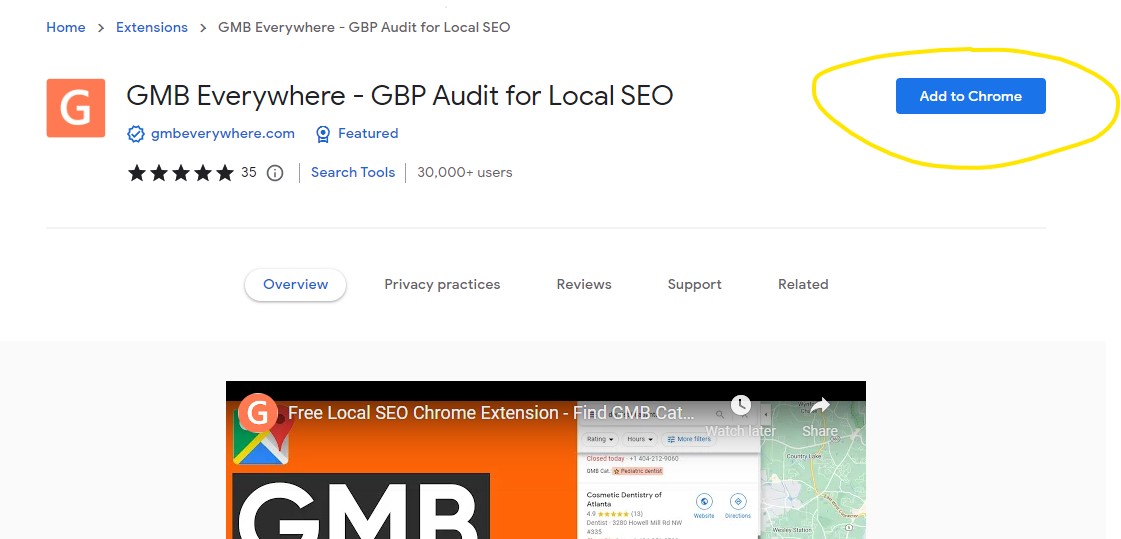
Click “Add to Chrome” on the Chrome Web Store to install.
Step 2: Search for Your Business on Google Maps
After installation, go to maps.google.com and search for your business. In the search results on the left side of the page, click the Basic Audit button.
Step 3: Find the Knowledge Panel Link
You'll be taken to the GMB Everywhere audit page, which shows your profile details, external links, and website audit data. At the top of the page, you'll see the Knowledge Panel page link, as shown below.
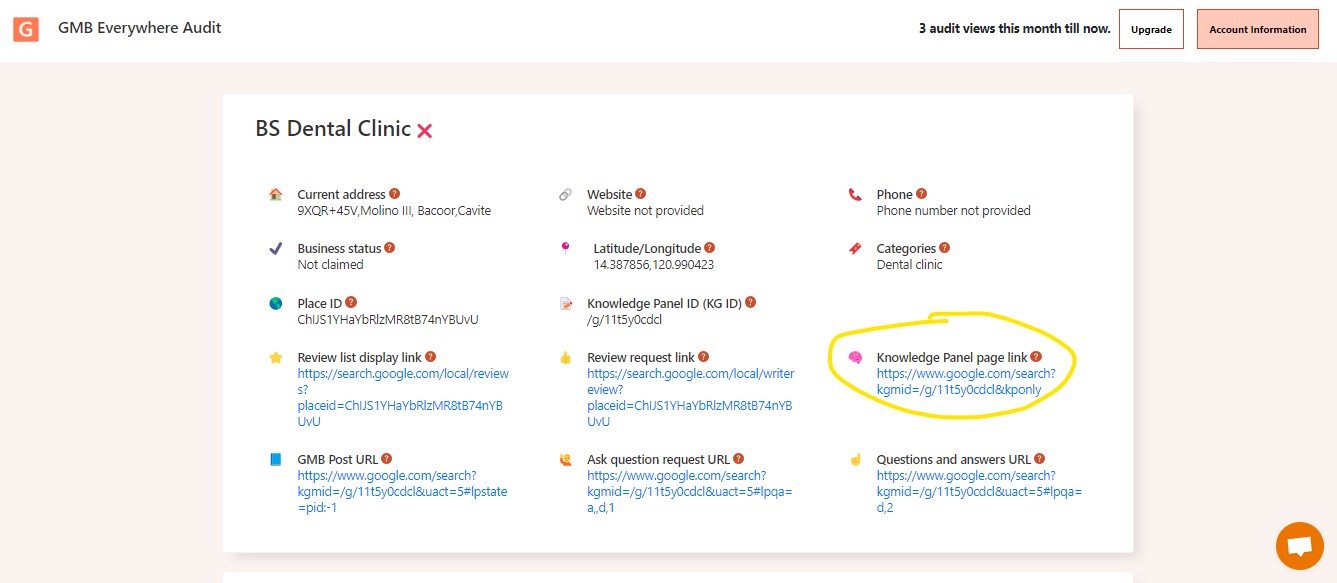
The Knowledge Panel link is highlighted at the top of the audit page.
Clicking this link opens a new tab showing your Knowledge Panel directly on Google. If you also need to find your Knowledge Panel ID, GMB Everywhere surfaces that from the same audit page.
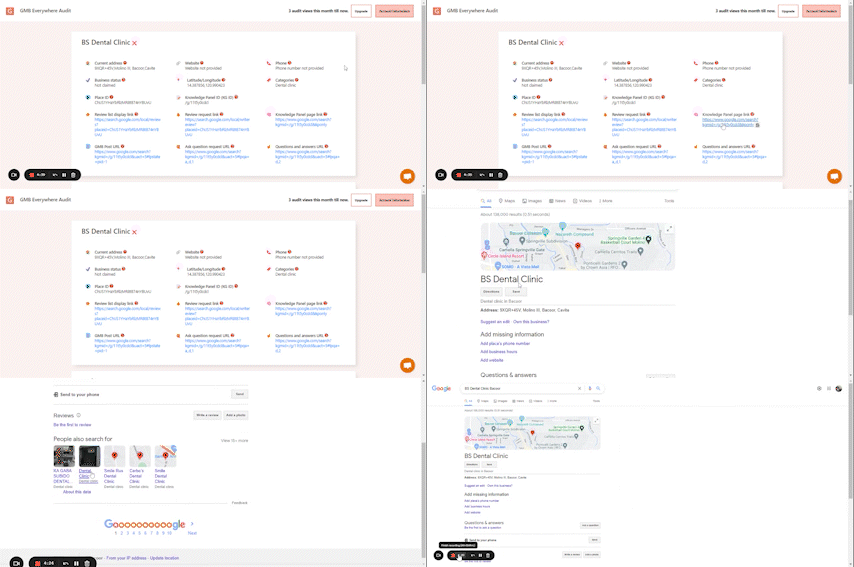
Video Tutorial
Conclusion
Knowing where to find your Knowledge Panel gives you a direct window into how Google presents your business to searchers. From there, you can verify the information, claim the panel if you haven't already, and make updates that strengthen your online presence.
Want to explore more ways GMB Everywhere can help your business? Browse our full guides section for more local SEO tips and tools.