In this guide, we'll show you how to find the Knowledge Panel ID for a Google Business Profile — a useful step in optimizing your online presence and understanding how Google identifies your business. If you also need your Place ID, CID, or Business Profile ID, see our guide on how to find all three GBP identifiers.
What Is a Knowledge Panel?
A Knowledge Panel is an information box that displays on the right-hand side of Google's search results when a user searches for a specific business or brand. It is designed to provide quick and comprehensive information about the business, making it easier for potential customers to learn about and engage with the company.
The Knowledge Panel is a powerful feature for businesses because it places essential details right where customers are looking. It shows your business name, address, phone number, website, operating hours, reviews, photos, and sometimes even directions or booking links. Having this information instantly available helps build trust and reduces friction for potential customers. Reviews and ratings displayed in the panel add credibility, helping customers decide faster. By standing out visually against competitors and offering convenience through features like opening hours and directions, the Knowledge Panel improves visibility and user experience.
The Knowledge Panel can also display photos and other media related to the business, giving users a more engaging experience. By showcasing relevant images, businesses can help potential customers get a better sense of what they offer.
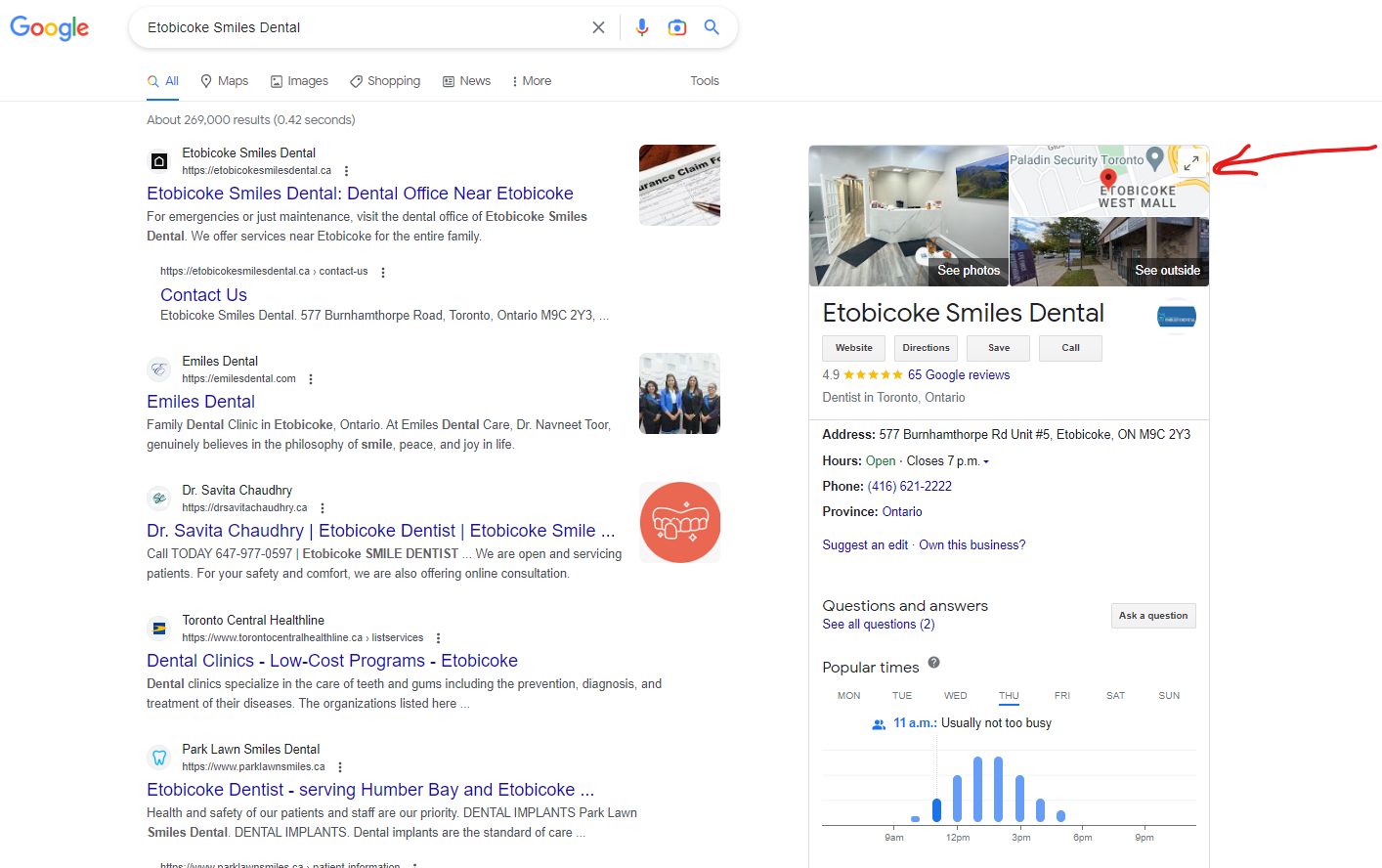
The Knowledge Panel is shown on the right side of Google search results.
What Is a Knowledge Panel ID?
A Knowledge Panel ID is a distinctive label that Google assigns to every business that has a Knowledge Panel. This identification code serves as a crucial link between the Knowledge Panel and its corresponding business.
With the Knowledge Panel ID, Google can easily recognize which business the panel corresponds to and display the correct information to users. Third-party services such as review websites, social media platforms, and directories also use the Knowledge Panel ID to retrieve accurate and up-to-date information about the business from Google's Knowledge Graph — a massive database that Google uses to store and organize information about people, places, and organizations.
How to Find the Knowledge Panel ID
The GMB Everywhere Chrome extension is a quick way to find the Knowledge Panel ID for any Google Business Profile. With it, you can view all key profile identifiers — Place ID, Customer ID, Business Profile ID, and Knowledge Panel ID — in one convenient location.
To find the Knowledge Panel ID, install the GMB Everywhere Chrome extension. Head to gmbeverywhere.com and click Install Chrome Extension.
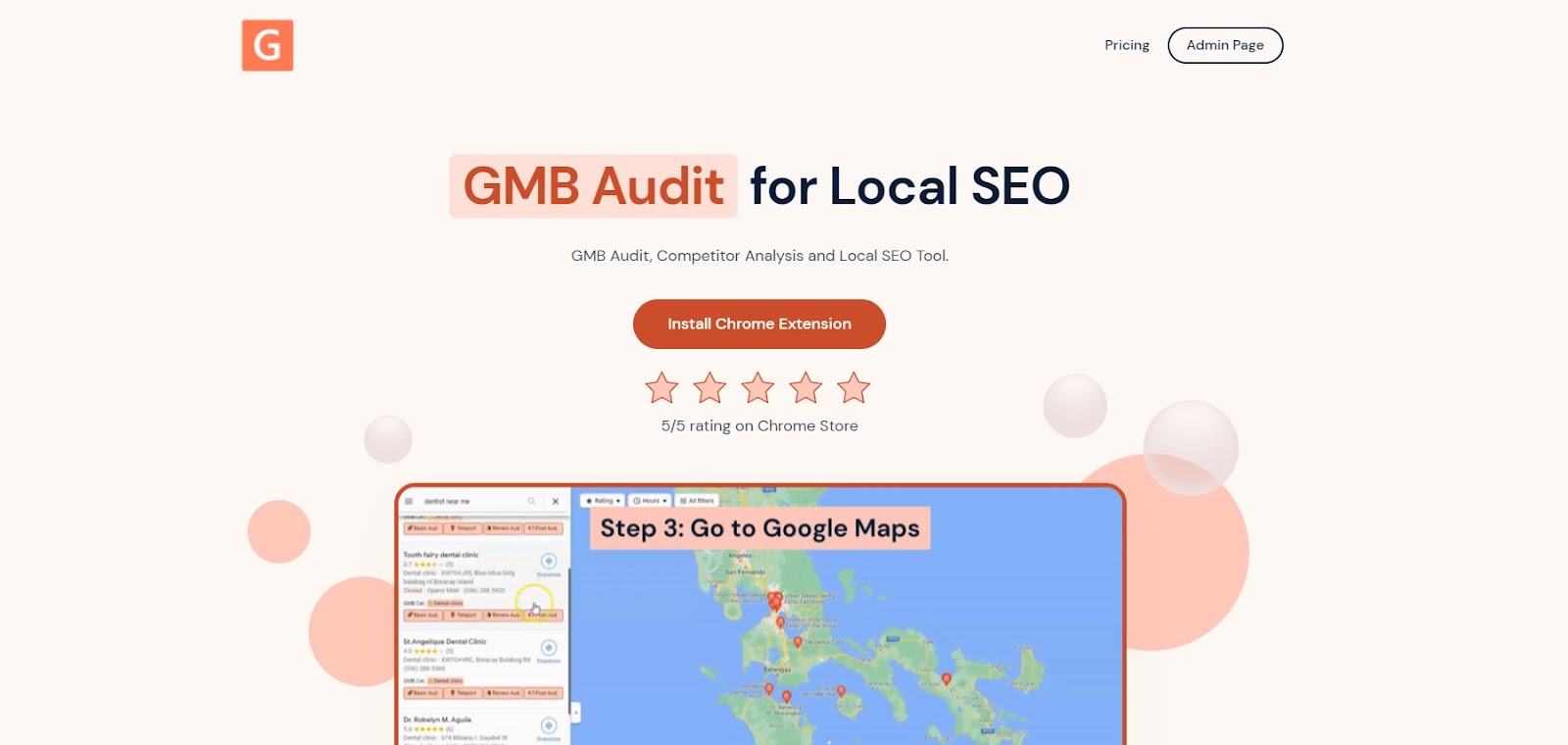
The screenshot shows the homepage of GMB Everywhere.
A new tab will open the Chrome Web Store page for the GMB Everywhere extension. Click Add To Chrome.
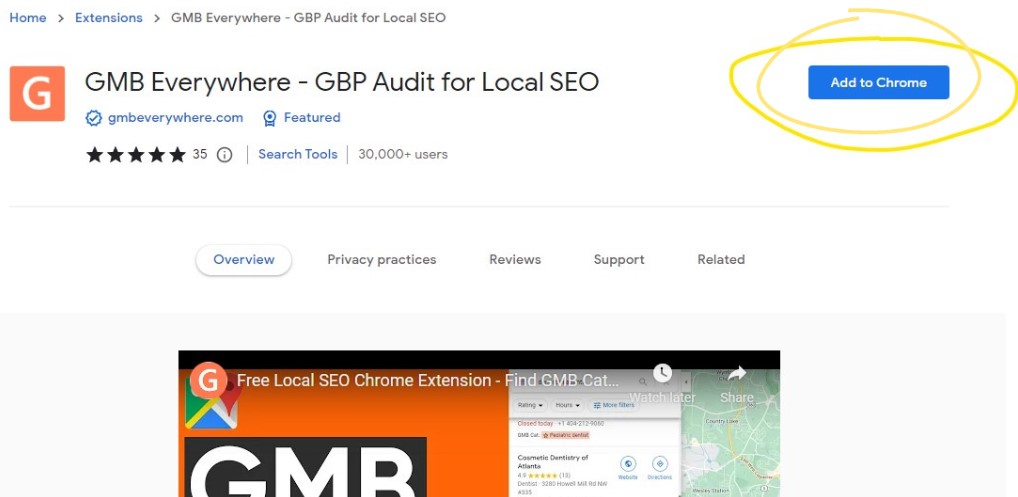
The screenshot shows where you can download the extension.
After successful installation, go to maps.google.com and search for your business. Once you find it, click the Basic Audit button in the left pane search results.
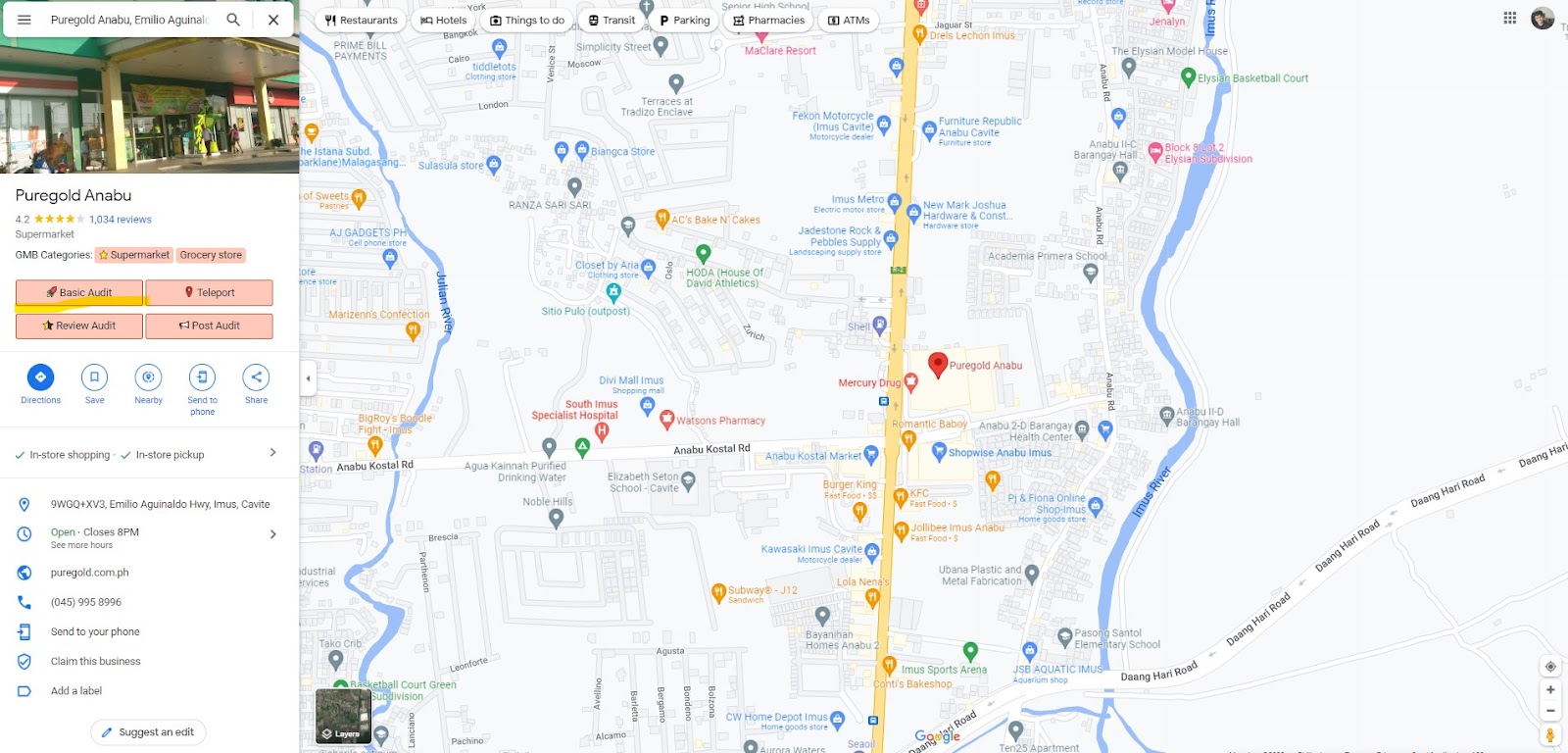
The screenshot shows where you can click the Basic Audit button.
This will open the audit page, which includes your profile information, audit links, and more. At the top of the page, you will see important profile details including the Knowledge Panel ID (also shown as KG ID).
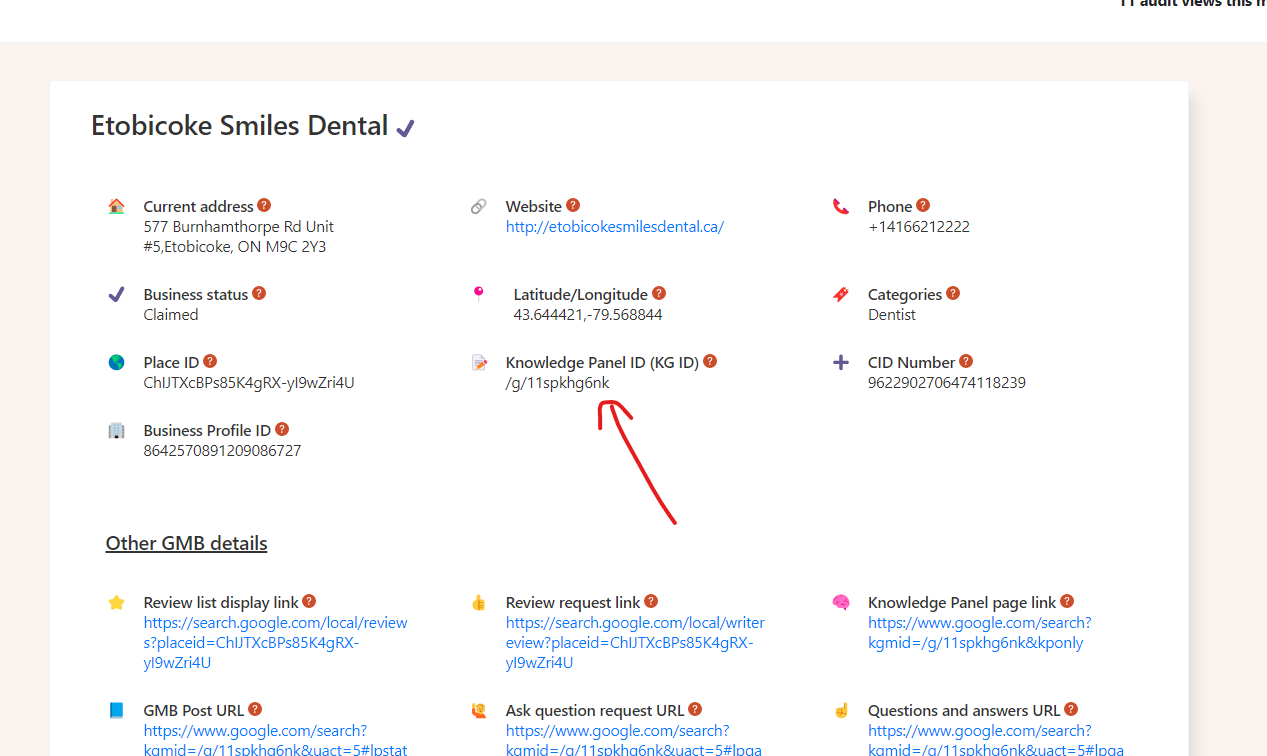
The Knowledge Panel ID (KG ID) is shown at the top of the audit page.
Using the Knowledge Panel ID to Improve Your Visibility
Now that you know how to find the Knowledge Panel ID, here are some tips for using it to optimize your online presence.
Claim and verify your Google Business Profile
This ensures that your business's information is accurate and up-to-date, which improves your chances of appearing in the Knowledge Panel. Optimize your profile with high-quality photos, accurate business information, and customer reviews to make your business more appealing to potential customers. You can also use schema markup to provide structured data to search engines, which helps Google understand your business information and can increase the chances of appearing in the Knowledge Panel.
Monitor your Knowledge Panel
Use the Knowledge Panel ID to track the performance of your panel and make necessary changes to improve your online presence. Keeping a regular eye on your listing helps you spot any inaccurate information quickly.
Respond to customer reviews
Responding to reviews on your profile can help improve your online reputation and increase the chances of appearing prominently in the Knowledge Panel. Google favors businesses that actively engage with their customers.
Conclusion
The Knowledge Panel ID is a useful piece of information for businesses that want to optimize their online presence and understand how Google identifies their listing. By finding your Knowledge Panel ID with the GMB Everywhere Chrome extension and keeping your profile up-to-date with high-quality photos and accurate information, you can boost your online visibility and attract more customers. Check our guide articles for more tips on getting the most from your Google Business Profile.