Where your business ranks on Google Maps changes depending on where the person searching is located. Someone a block away might see you at #1, while someone across town might not see you at all. This guide shows you how to check your exact ranking from any location using GMB Everywhere's Teleport feature.
How to Check Your Rank
First, install the GMB Everywhere Chrome extension. Go to gmbeverywhere.com and click the Install Chrome Extension button.
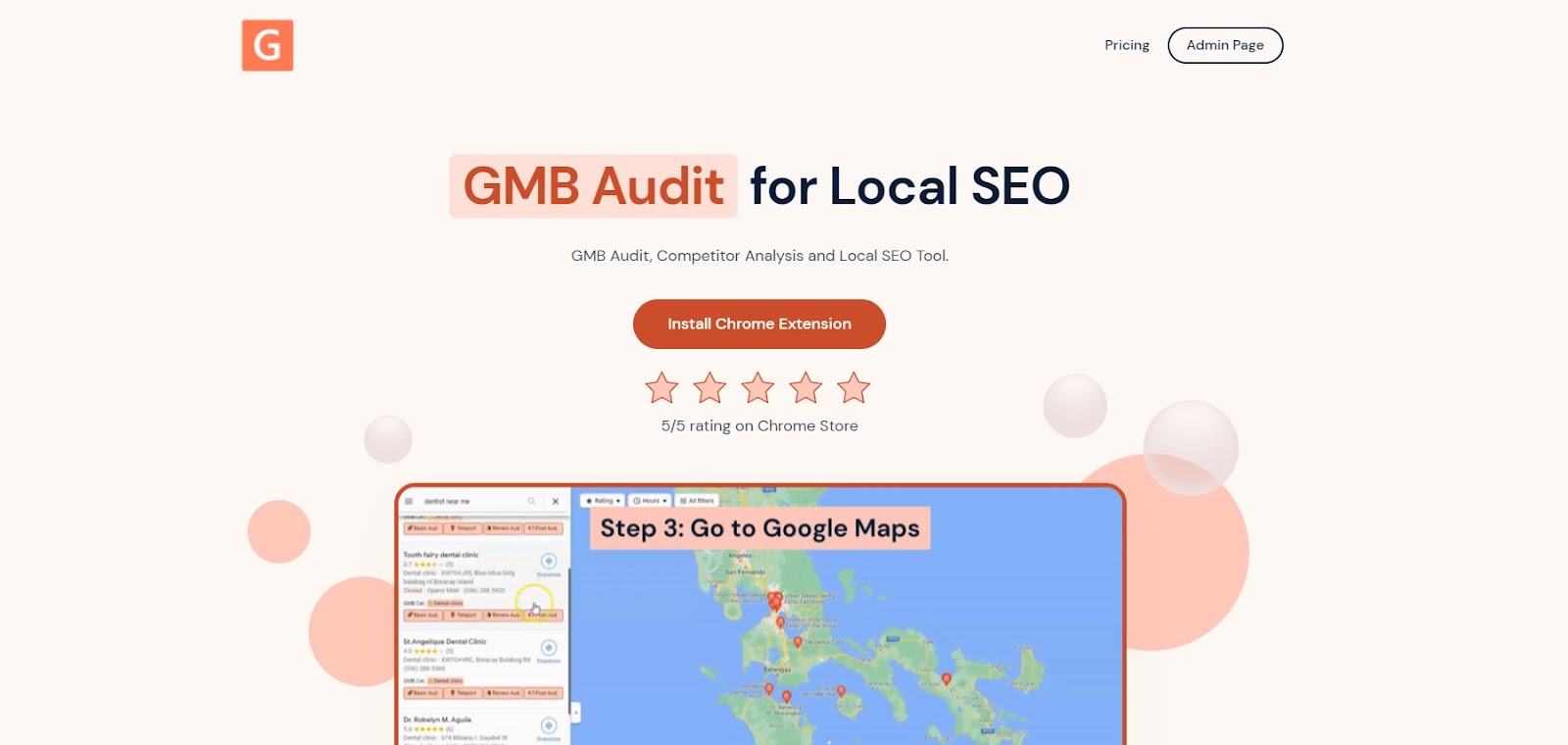
The GMB Everywhere homepage.
You'll land on the Chrome Web Store page. Click Add To Chrome to install.
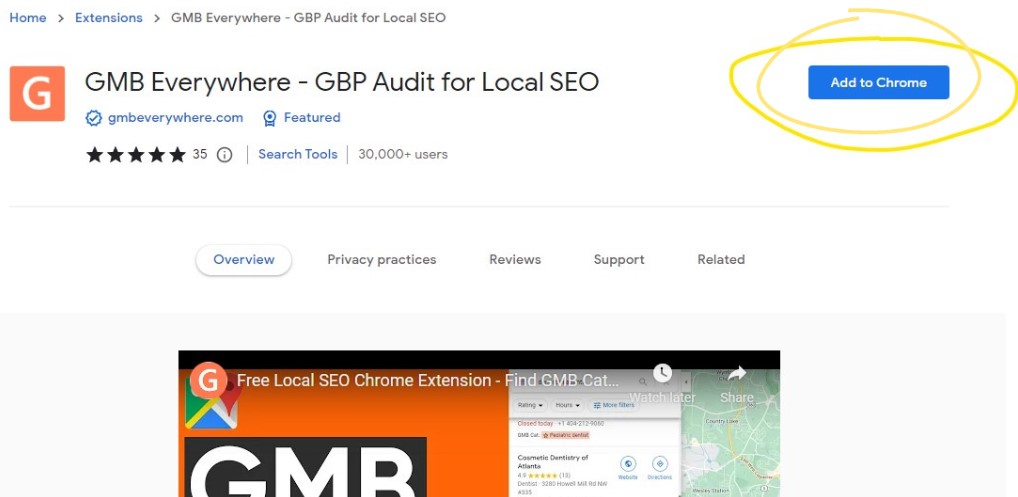
Click "Add to Chrome" to install the extension.
Once installed, go to maps.google.com and search for your business. In the results panel on the left, click the Teleport button.
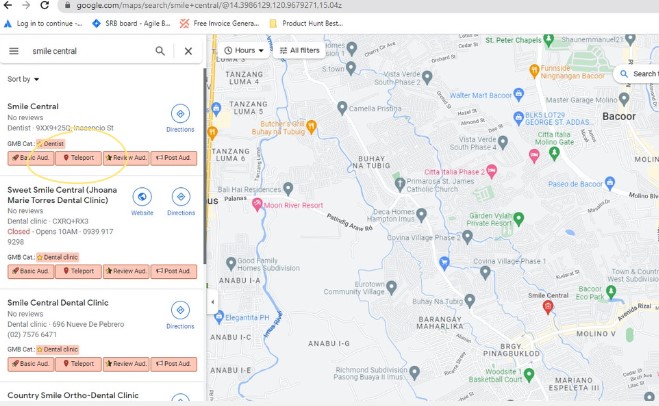
The Teleport button in the search results panel.
This opens the Teleport page in a new tab. Enter the search term your customers would use to find a business like yours on Google Maps.
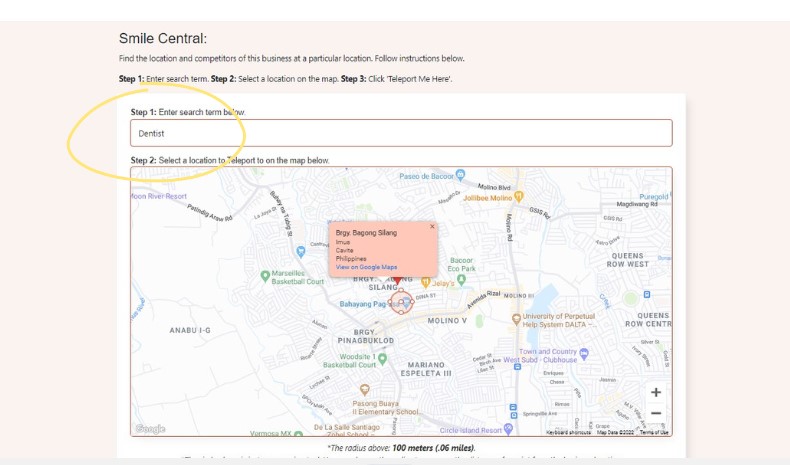
Type the keyword your customers would search for.
Next, drop a pin on the map at the location you want to search from. Think of it as pretending to be a customer standing in that spot.
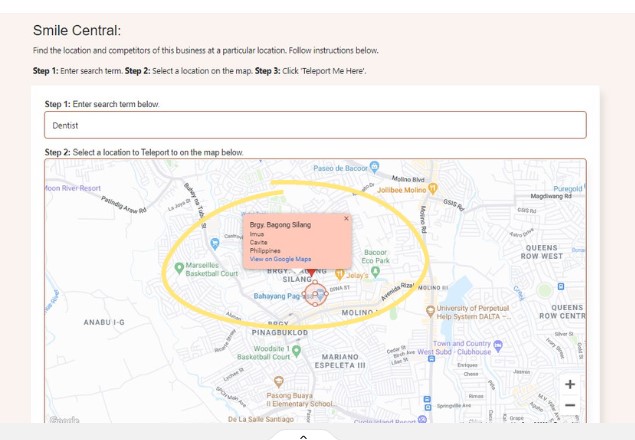
Click anywhere on the map to drop a pin at that location.
Once your pin is placed, click the Teleport Me Here button to run the search.
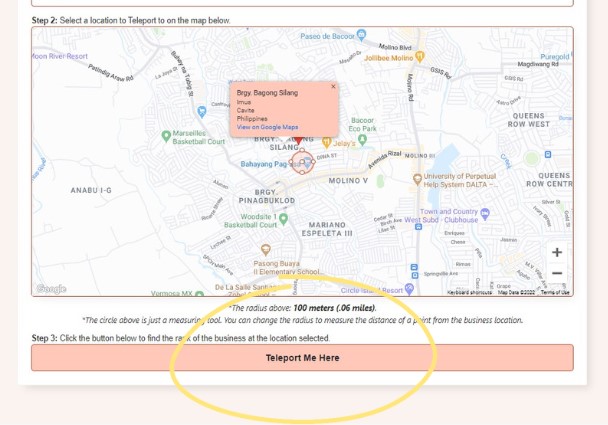
Click "Teleport Me Here" to run the search.
In the center of the screen, you'll see your rank number for that keyword at the location you chose. In this example, the business ranks #1.
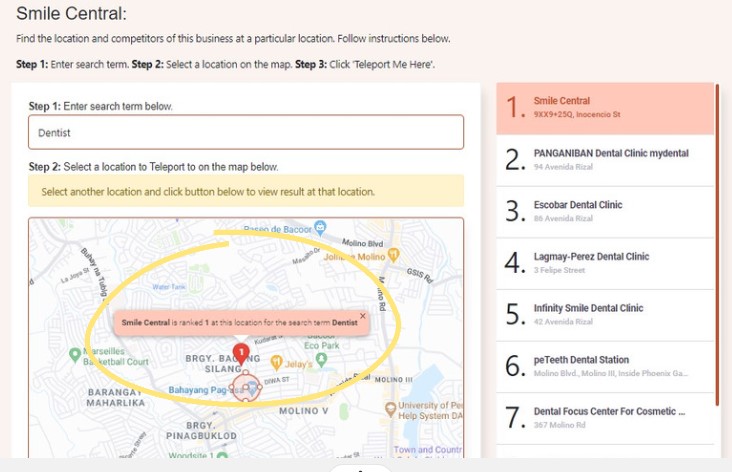
Your ranking for the keyword at the chosen location.
On the right side, you'll see a full list of all the businesses that showed up for that keyword at that location, ranked in order. This lets you see exactly who's ahead of you and who's behind.
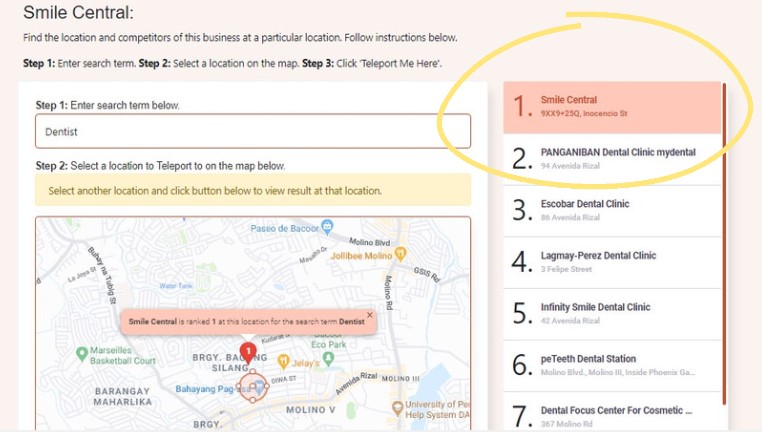
The full list of businesses ranked at that location.
That's it. You can repeat this for different locations to see how your ranking changes across your service area.
What Affects Your Ranking
Google uses three main factors to decide where your business shows up in local results:
- Relevance: How well your profile matches what someone is searching for. Keep your categories, services, and description accurate and up to date.
- Distance: How close your business is to the person searching. Make sure your address is correct so Google places you in the right spot.
- Prominence: How well-known your business is online. Reviews, ratings, and mentions on other websites all help. Ask happy customers to leave a review.
Conclusion
Check your ranking from different locations regularly to see where you're strong and where you need to improve. For more tips, visit our guides section.