If you are not sure you are using local keywords on your website for near me searches, the quickest test is whether your city and neighborhoods show up in your content and headings. Google places pages by the real local language they use, not by how often you repeat “near me”. GMB Everywhere’s Website Audit checks for those local terms in the parts of the page that count. Here is how to read it and fix the gaps.
When someone searches for a service near me, Google looks for pages that clearly belong to that place. Local keywords, your city, neighborhood, and service terms in your content and headings, are how your page says it serves that area. Google’s guidance on describing your business favors pages that are specific and genuine.
You do not win near me searches by repeating “near me” everywhere; you win by naming real places and services naturally. The Website Audit in GMB Everywhere’s Google Business Profile audit tool checks whether those local terms appear in your content and your headings.
The audit checks that your page reads like it belongs to your area.
Content
Local terms in the copy
It looks for your city and neighborhood terms in the body content, not just the footer address.
Headings
Local terms in headings
It checks your headings too, since they carry extra weight for what a page is about.
Natural
Real places, real services
The aim is genuine local language, not a wall of repeated phrases.
Read the check, add real local language, then sanity-check the tone.
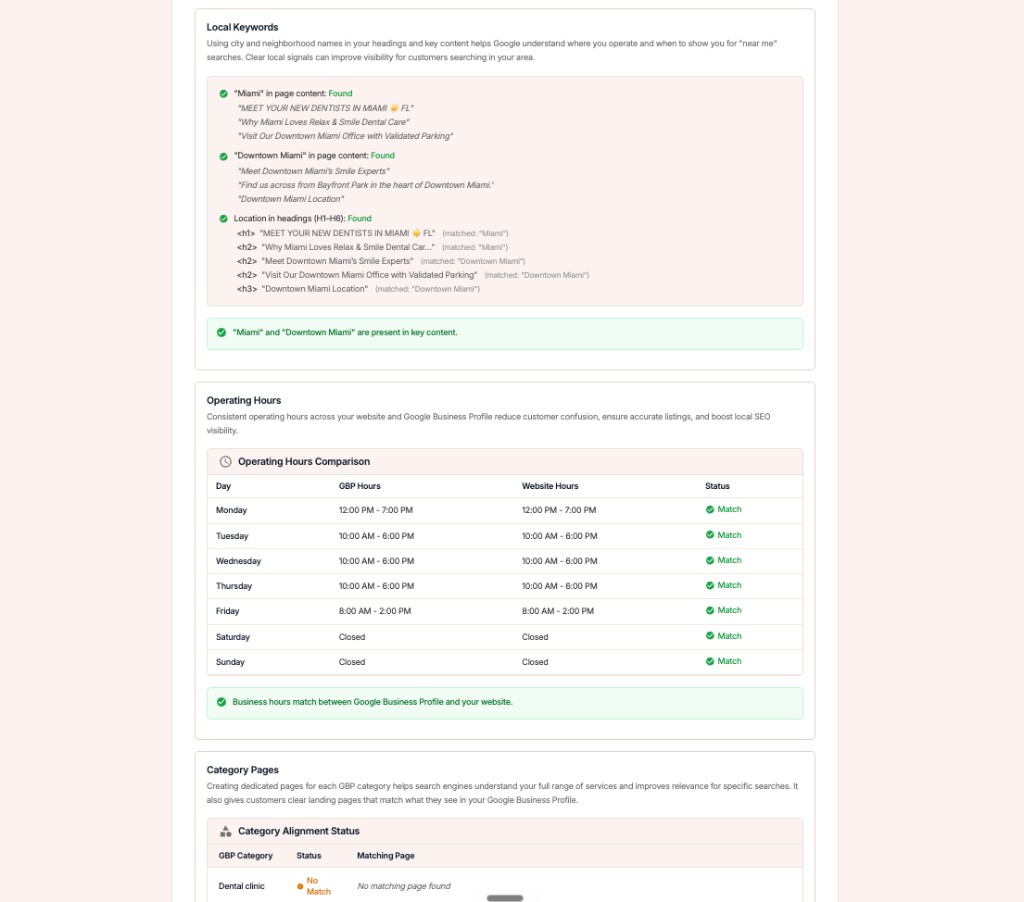
Run the Website Audit and open the Local Keywords section under GBP & Website Match. It reports whether your city and neighborhood terms appear in your content and headings.
Fix
If the check is light, your page may describe your service well but never tie it to the place you serve.
Weave your city, neighborhoods, and service-area towns into the parts of the page that matter. Headings and the opening paragraphs carry more weight than a buried mention.
Good places for local terms
Where to find it
Add the names of the areas you actually serve, written the way locals say them, and skip the “near me” stuffing.
Read it back out loud. If it sounds like a person describing a local business, you are done; if it sounds like a keyword list, trim it.
Fix
See which local terms competitors lean on by comparing pages with the competitor website analysis approach.
See whether your city and neighborhood terms appear in content and headings.
Work the terms in naturally, then run the audit again to confirm.
Generic page
Locally specific page
Should I just write 'near me' everywhere?
No. Google understands intent from real local language. Name your city, neighborhoods, and service areas naturally instead of repeating “near me”.
Where do local keywords matter most?
Headings and the opening of your page carry the most weight, followed by service descriptions and FAQs. A single footer mention is not enough on its own.
How many times should I mention my city?
Enough to read naturally and no more. A mention in your main heading and a few times in the body usually covers it without sounding forced.
What about neighborhoods I serve?
Name the specific neighborhoods and towns in your service area where it is true. That specificity is exactly what near me searches reward.
How is this different from the title check?
The title and meta check covers your two visible search lines; this covers the body and headings. Pair it with the title and meta fix for a complete page.
Complete suite of professional tools for Google Business Profile management
How to use:
Open any business on Google Maps - primary and secondary categories display automatically beside the profile
Features:
How to use:
Search for any term on Google Maps - click the Local Scan button to compare all GBPs
Features:
How to use:
Open any business on Google Maps - click the 'AI' button beside the GBP to use AI features
Features:
How to use:
Open any business on Google Maps - click the 'Find more' button beside categories
Features:
How to use:
Open any business on Google Maps - click the 'Basic Audit' button beside the GBP
Features:
How to use:
Open any business on Google Maps - click the 'Review Audit' button beside the GBP
Features:
How to use:
Open any business on Google Maps - click the 'Teleport' button beside the GBP
Features:
How to use:
Open any business on Google Maps - click the 'Post Audit' button beside the GBP
Features:
Join thousands of agencies and businesses using GMB Everywhere daily
Join 250,000+ users who use GMB Everywhere to analyze competitors and optimize their Google Business Profiles
Install GMB Everywhere - It’s FreeFebruary 20, 2026
GuidesFebruary 20, 2026