If ChatGPT does not mention your local business, run the GBP AI Visibility Checker. You will see which engine skipped you, who got named, and what topic was tested, so you can decide what to fix next.
A blank ChatGPT answer is not always a broken profile. The model may name a better-known competitor, skip local shops, or answer a different service than the one you sell. Google Search Central also notes that AI Mode and AI Overviews can return different links, so one chat on your laptop is a thin sample.
Here’s how to read that gap: pick your listing, run the search, and see which engine left you out. Read the Searched for line so you know what was tested. Also see how to check if ChatGPT mentions your business. If the name on your site and Maps do not match, start with a website NAP check before you rewrite anything.
A no-mention result is information, not a verdict on your whole business.
Search topic
The tool picked a different job
If Searched for is a service you do not offer, ChatGPT may answer the wrong question.
Competitors
Someone else got named
You can see other businesses in the answer, so you know who took the recommendation.
Engines
Only one engine skipped you
You might be missing on ChatGPT and present in Google AI Mode, which is a different problem than missing on both.
Here’s how to use it.
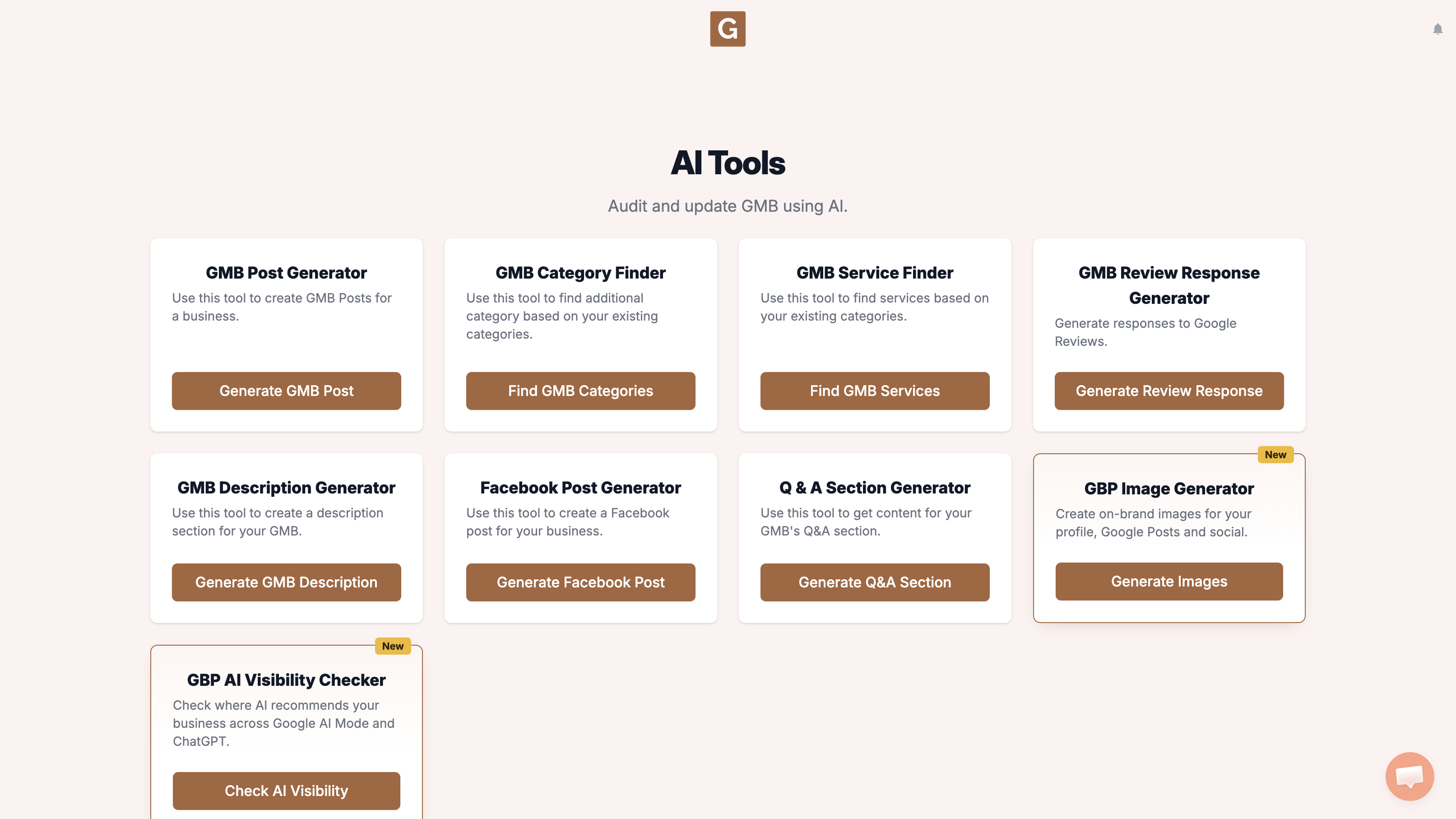
Open GMB Everywhere AI Tools and find the card titled GBP AI Visibility Checker. It says it checks where AI recommends your business across Google AI Mode and ChatGPT. Click Check AI Visibility.
Type your business name and click the right listing. There is no topic field. The tool chooses the search topic when you click Run visibility search.
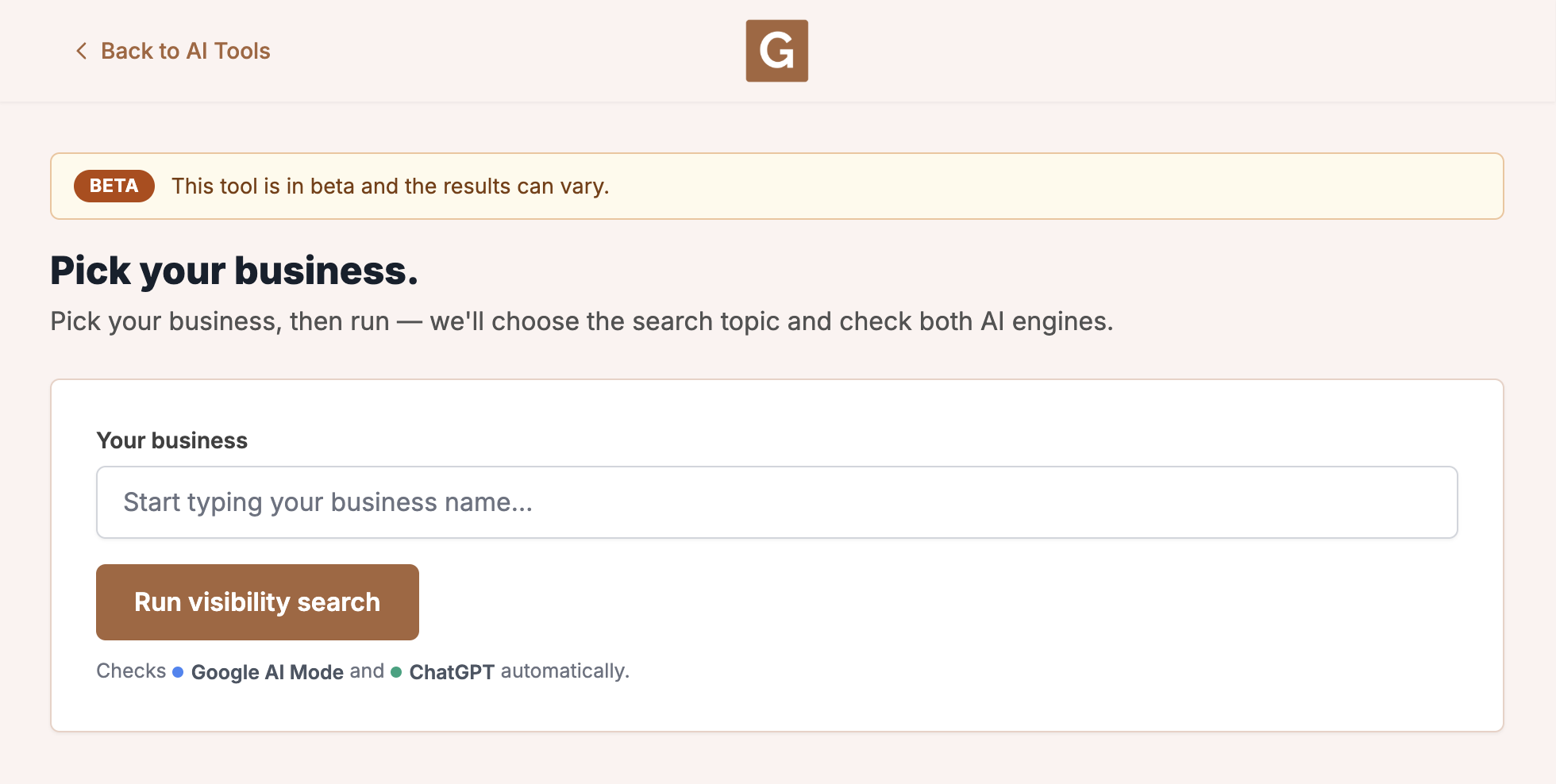
Click Run visibility search. The tool chooses the topic, then checks Google AI Mode and ChatGPT. Stay on the page until it finishes. The report shows that topic as Searched for.
What you’re looking at
This run checks Google AI Mode and ChatGPT. It is not your Maps rank, and it does not check AI Overviews, Gemini, or other chat tools.
If another shop shows up, this look at why a competitor ranks higher on Google Maps can help you see what they are doing. A Google Business Profile audit is a useful next step if the listing itself looks thin.
What people try first
What actually helps
Can the checker explain ChatGPT’s reasoning?
No. It shows where you are missing: which engine skipped you, who was named, and what topic was tested. Use that to check categories, NAP, and competitors.
Should I rerun immediately?
You can, though two runs can look different because AI answers change. Use the first check as a baseline.
Does a claimed listing guarantee a mention?
No. Claiming and filling a profile helps customers and Search, but it does not force ChatGPT to name you.
Complete suite of professional tools for Google Business Profile management
How to use:
Open any business on Google Maps - primary and secondary categories display automatically beside the profile
Features:
How to use:
Search for any term on Google Maps - click the Local Scan button to compare all GBPs
Features:
How to use:
Open any business on Google Maps - click the 'AI' button beside the GBP to use AI features
Features:
How to use:
Open any business on Google Maps - click the 'Find more' button beside categories
Features:
How to use:
Open any business on Google Maps - click the 'Basic Audit' button beside the GBP
Features:
How to use:
Open any business on Google Maps - click the 'Review Audit' button beside the GBP
Features:
How to use:
Open any business on Google Maps - click the 'Teleport' button beside the GBP
Features:
How to use:
Open any business on Google Maps - click the 'Post Audit' button beside the GBP
Features:
How to use:
Open any business on Google Maps - click the 'Website Audit' button beside the GBP
Features:
Join thousands of agencies and businesses using GMB Everywhere daily
Join 250,000+ users who use GMB Everywhere to analyze competitors and optimize their Google Business Profiles
Install GMB Everywhere - It’s Free