Getting ChatGPT to recommend a local business starts with a baseline, not a prompt trick. Click GBP AI Visibility Checker to see if ChatGPT already names you for the kind of search a customer would make.
No listing tool can make ChatGPT name you on demand, and that is okay. What you can do is keep a complete Google Business Profile, match the site, and measure the mention. Google still lists an up-to-date Business Profile among the practices that support AI features.
See whether ChatGPT already recommends you, and whether Google AI Mode agrees. After that, keep categories, hours, and a matching website accurate, then run the same listing again. Also see how to check if ChatGPT mentions your business. If the name, address, or phone disagree with the site, a website NAP check is usually more useful than rewriting offers.
Focus on facts customers and engines can verify, and skip shortcuts that promise a guaranteed mention.
Baseline
Measure first
If ChatGPT already names you, your job is to keep the listing accurate, not to invent a new tactic.
Facts
Make the listing trustworthy
Categories, hours, and a matching website give both people and AI the same business identity.
Scope
Stay inside the two engines
Work on the listing and website facts this check can see. A Gemini or Perplexity chat will not change this result.
Here’s how to use it.
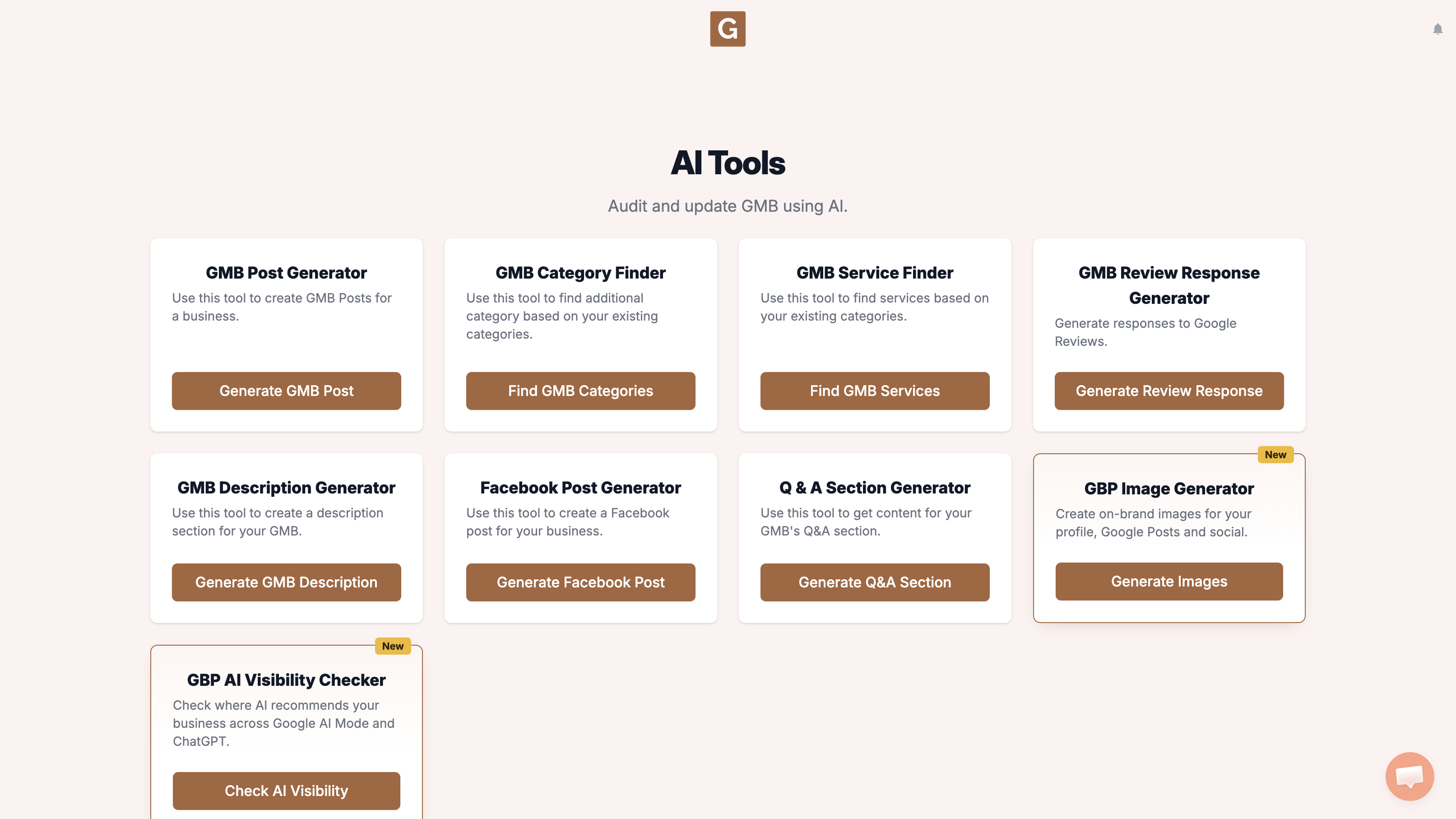
Open GMB Everywhere AI Tools and find the card titled GBP AI Visibility Checker. It says it checks where AI recommends your business across Google AI Mode and ChatGPT. Click Check AI Visibility.
Type your business name and click the right listing. There is no topic field. The tool chooses the search topic when you click Run visibility search.
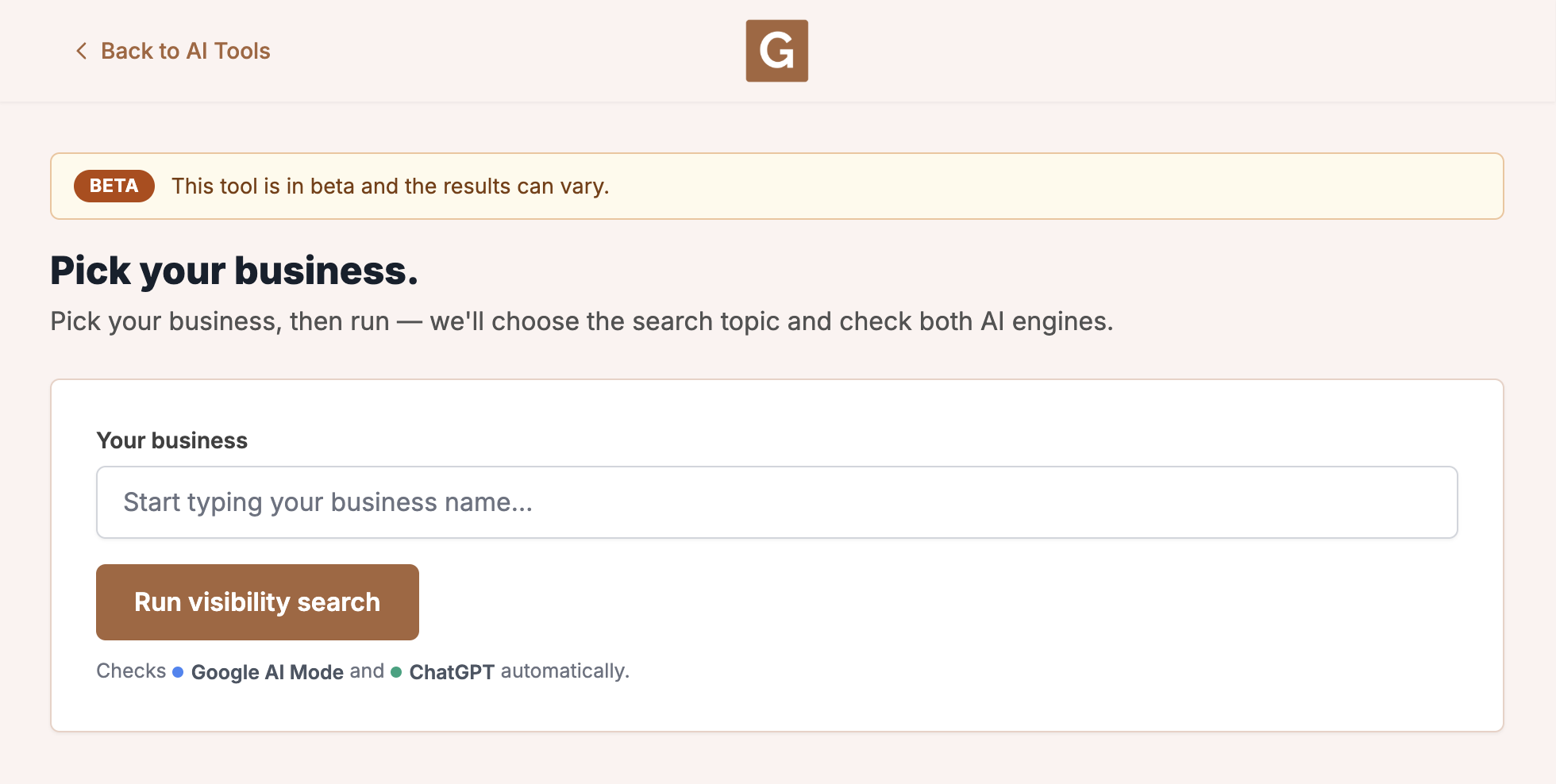
Click Run visibility search. The tool chooses the topic, then checks Google AI Mode and ChatGPT. Stay on the page until it finishes. The report shows that topic as Searched for.
What you’re looking at
This run checks Google AI Mode and ChatGPT. It is not your Maps rank, and it does not check AI Overviews, Gemini, or other chat tools.
If you want to use ChatGPT for profile copy after the check, there is a guide on ChatGPT for Google Business Profile. You can also create a GMB post with AI once the listing facts are clean.
What people try first
What actually helps
Will the checker submit my business to ChatGPT?
No. It queries the engines and reports whether you were mentioned.
How long until a mention appears?
There is no published timeline, and two runs can look different because AI answers change.
Should I add more GBP posts?
Posts help Maps visitors, and they are optional after you have a clean baseline. See how to create a GMB post.
Complete suite of professional tools for Google Business Profile management
How to use:
Open any business on Google Maps - primary and secondary categories display automatically beside the profile
Features:
How to use:
Search for any term on Google Maps - click the Local Scan button to compare all GBPs
Features:
How to use:
Open any business on Google Maps - click the 'AI' button beside the GBP to use AI features
Features:
How to use:
Open any business on Google Maps - click the 'Find more' button beside categories
Features:
How to use:
Open any business on Google Maps - click the 'Basic Audit' button beside the GBP
Features:
How to use:
Open any business on Google Maps - click the 'Review Audit' button beside the GBP
Features:
How to use:
Open any business on Google Maps - click the 'Teleport' button beside the GBP
Features:
How to use:
Open any business on Google Maps - click the 'Post Audit' button beside the GBP
Features:
How to use:
Open any business on Google Maps - click the 'Website Audit' button beside the GBP
Features:
Join thousands of agencies and businesses using GMB Everywhere daily
Join 250,000+ users who use GMB Everywhere to analyze competitors and optimize their Google Business Profiles
Install GMB Everywhere - It’s Free