Google AI Mode and AI Overviews are different Search AI features. They can show different answers, and they do not always trigger. The GBP AI Visibility Checker measures Google AI Mode and ChatGPT, and it does not measure AI Overviews.
Google Search Central says AI Overviews help people get the gist of a topic, and they often do not trigger. AI Mode is for longer exploration, reasoning, or comparison. The models and links can differ.
If you need a local mention check, use the checker for AI Mode plus ChatGPT. An Overviews screenshot is a different surface. For a Google-assistant workflow in the browser, see Gemini in Chrome for local SEO.
The checker only covers one of the two Google AI surfaces. Keep the names straight so you know what you measured.
AI Overviews
Sometimes on classic Search
Google says Overviews appear when they add something beyond regular results, and the checker does not query them.
AI Mode
Exploration in Search
This is the Google engine the checker runs. Use the GBP AI Visibility Checker for it.
ChatGPT
A second, non-Google engine
It is included in the same check so a local business is not judged on Google alone.
Here’s how to use it.
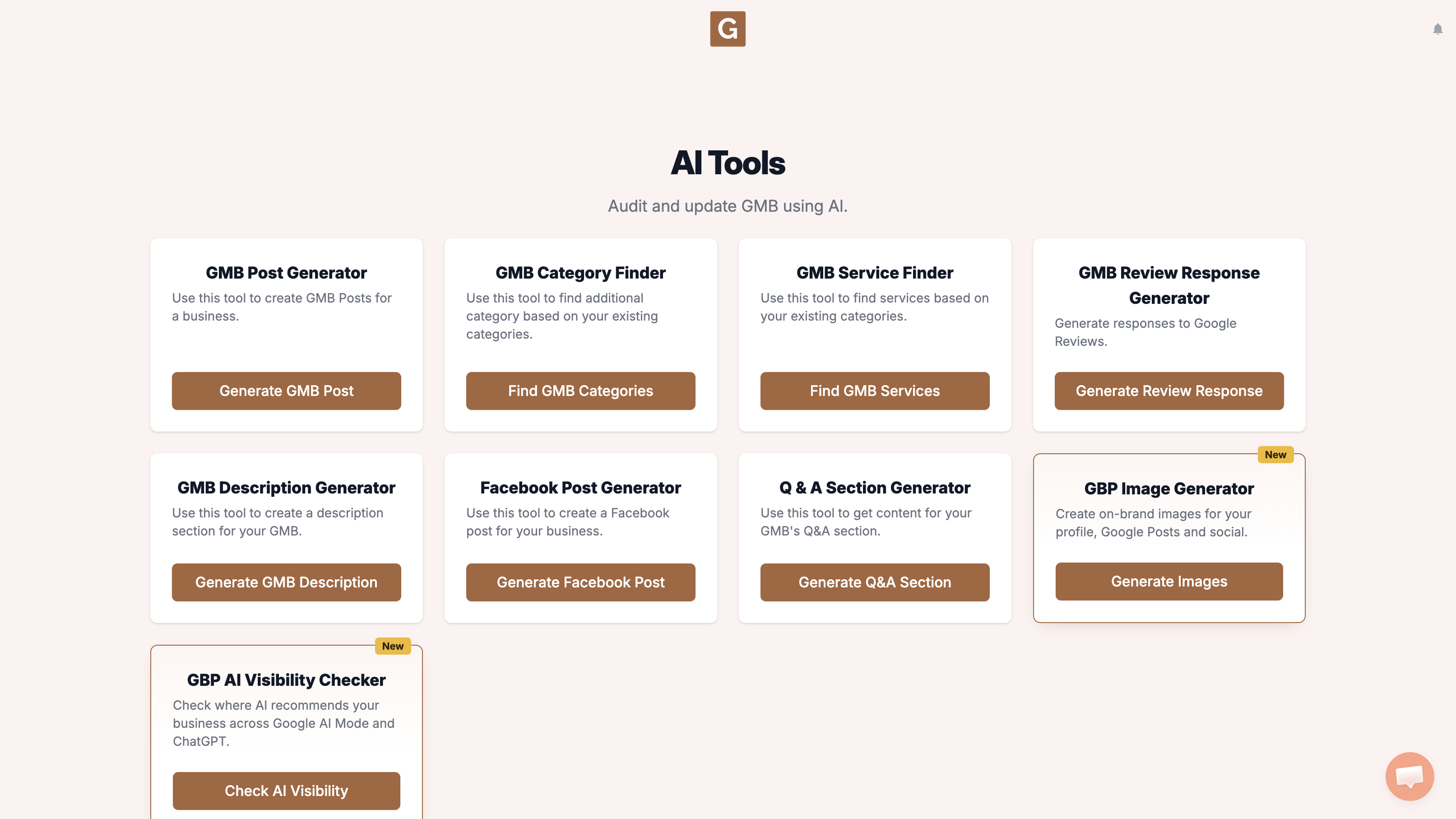
Open GMB Everywhere AI Tools and find the card titled GBP AI Visibility Checker. It says it checks where AI recommends your business across Google AI Mode and ChatGPT. Click Check AI Visibility.
Type your business name and click the right listing. There is no topic field. The tool chooses the search topic when you click Run visibility search.
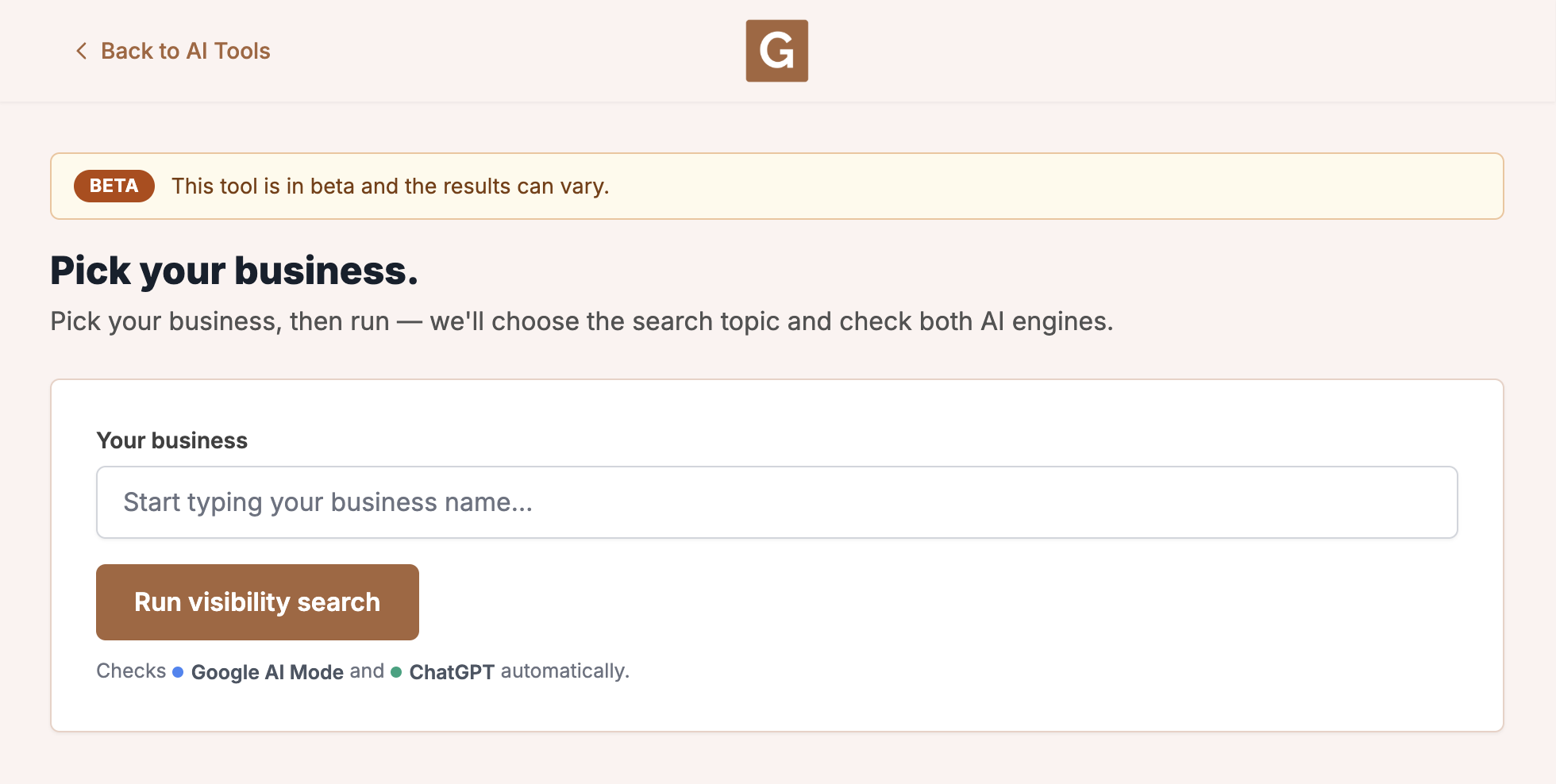
Click Run visibility search. The tool chooses the topic, then checks Google AI Mode and ChatGPT. Stay on the page until it finishes. The report shows that topic as Searched for.
What you’re looking at
This run checks Google AI Mode and ChatGPT. It is not your Maps rank, and it does not check AI Overviews, Gemini, or other chat tools.
Be clear about what you measured. If ChatGPT was in the same check, ChatGPT for Google Business Profile can help with the copy work after. A Google Business Profile audit still covers the Maps side.
What people try first
What actually helps
The GBP AI Visibility Checker does not query AI Overviews. Google Search Central says Overviews appear on classic Search when they add something beyond regular results, and they often do not trigger.
To compare them by hand: search Google for the same kind of local question a customer would type. If an AI Overview appears, read whether your business is named. Then run the checker for Google AI Mode and ChatGPT, and keep the two results separate.
Why does the tool skip AI Overviews?
The checker only runs Google AI Mode and ChatGPT. Check Overviews yourself in Google Search when they appear.
Can Overviews and AI Mode disagree?
Yes. Google says they may use different models and techniques.
Where do I start if I only have time for one check?
Open the checker, pick the listing, and read Google AI Mode next to ChatGPT.
Complete suite of professional tools for Google Business Profile management
How to use:
Open any business on Google Maps - primary and secondary categories display automatically beside the profile
Features:
How to use:
Search for any term on Google Maps - click the Local Scan button to compare all GBPs
Features:
How to use:
Open any business on Google Maps - click the 'AI' button beside the GBP to use AI features
Features:
How to use:
Open any business on Google Maps - click the 'Find more' button beside categories
Features:
How to use:
Open any business on Google Maps - click the 'Basic Audit' button beside the GBP
Features:
How to use:
Open any business on Google Maps - click the 'Review Audit' button beside the GBP
Features:
How to use:
Open any business on Google Maps - click the 'Teleport' button beside the GBP
Features:
How to use:
Open any business on Google Maps - click the 'Post Audit' button beside the GBP
Features:
How to use:
Open any business on Google Maps - click the 'Website Audit' button beside the GBP
Features:
Join thousands of agencies and businesses using GMB Everywhere daily
Join 250,000+ users who use GMB Everywhere to analyze competitors and optimize their Google Business Profiles
Install GMB Everywhere - It’s Free