AI Visibility

How to Compare ChatGPT vs Google AI Mode for Local Businesses

ChatGPT and Google AI Mode can recommend different local businesses for the same search. One run in the GBP AI Visibility Checker lets you read both answers without copying prompts between tabs.

Compare Both AI Engines
Free to Start 250,000+ Users

September 22, 2026

Why the two engines can disagree

Google says AI Mode and AI Overviews may use different models and techniques, so answers and links vary. ChatGPT is a separate product entirely, so a local business can show in one and not the other, and that is normal.

If you also work with Google’s assistant in the browser, Gemini in Chrome for local SEO is a different workflow. After this run, a matching name and address on the site still helps both engines you are comparing here.

What to compare in the check

Do not average the two engines into one score. Read each answer.

Same topic

One customer search

Both engines are asked the same Searched for topic in one run.

Named or missing

Your brand in the answer

Look for a mention on ChatGPT and a mention on Google AI Mode separately.

Who else

Other businesses named

If a competitor appears on only one engine, that is still useful.

How to Use the GBP AI Visibility Checker

Here’s how to use it.

1

Open GBP AI Visibility Checker

Open GMB Everywhere AI Tools and find the card titled GBP AI Visibility Checker. It says it checks where AI recommends your business across Google AI Mode and ChatGPT. Click Check AI Visibility.
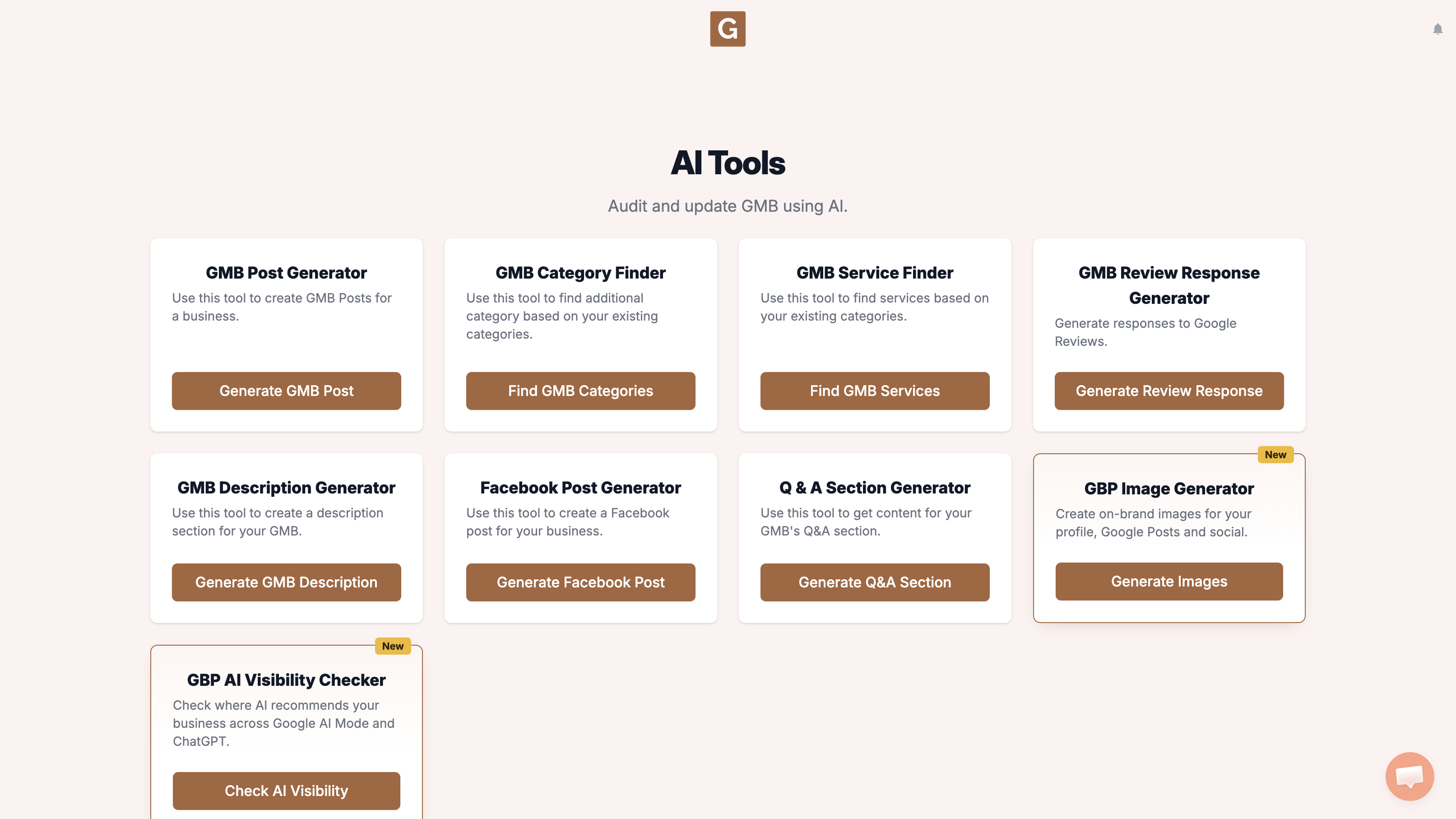
GMB Everywhere AI Tools page showing the GBP AI Visibility Checker card and the Check AI Visibility button
2

Pick your business

Type your business name and click the right listing. There is no topic field. The tool chooses the search topic when you click Run visibility search.
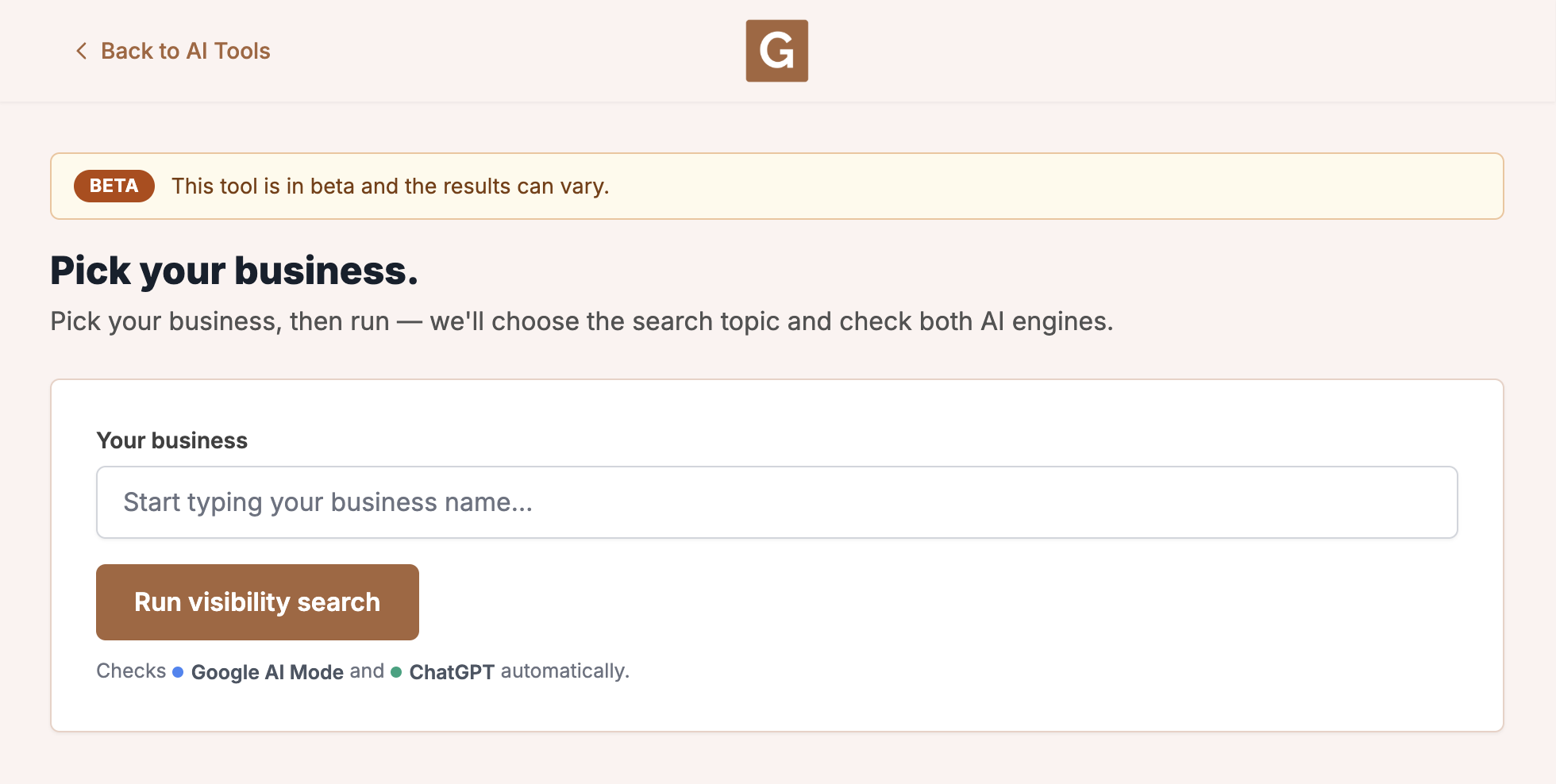
GBP AI Visibility Checker with Your business and Run visibility search. The tool chooses the topic when you run.
3

Run visibility search

Click Run visibility search. The tool chooses the topic, then checks Google AI Mode and ChatGPT. Stay on the page until it finishes. The report shows that topic as Searched for.

What you’re looking at

This run checks Google AI Mode and ChatGPT. It is not your Maps rank, and it does not check AI Overviews, Gemini, or other chat tools.

What to do next

Read each engine on its own. If a competitor is named, this look at why a competitor ranks higher on Google Maps can help. For profile copy after the check, see ChatGPT for Google Business Profile.

What not to do, and what to do instead

What people try first

  • Using a different prompt in each product
  • Forgetting the city or category on one side
  • Calling the Google side AI Overviews when you meant AI Mode

What actually helps

  • Pick the same business once
  • Both engines use the topic chosen for that run
  • Read Google AI Mode and ChatGPT in the same checker

Quick FAQs

Is Google AI Mode the same as AI Overviews?

No. Google documents them as different Search AI features, and this tool checks AI Mode, not Overviews.

Which engine should I trust?

Read them as a pair. Fix the listing for customers first, then rerun both.

Can I export a comparison?

No download button is shown. Stay on the page and read both answers when the run finishes.

Features

Complete suite of professional tools for Google Business Profile management

View Competitor Category

How to use:

Open any business on Google Maps - primary and secondary categories display automatically beside the profile

Features:

  • Always Free to Use
  • Find Primary Category
  • Find All Secondary Categories
  • Direct Link to Category Finder
  • Always Displayed on Google Maps

Local Scan

How to use:

Search for any term on Google Maps - click the Local Scan button to compare all GBPs

Features:

  • Compare Multiple Competitors in One Click
  • Compare Competitors Categories & Services
  • Compare Competitor Reviews Across GBPs
  • Compare Competitor Location Advantage
  • Compare Attributes & Other Data

AI Tools

How to use:

Open any business on Google Maps - click the 'AI' button beside the GBP to use AI features

Features:

  • AI GBP Post Generator
  • AI Review Response Generator
  • AI GBP Description Generator
  • AI Q&A Section Generator
  • AI Facebook Post Generator

Category Finder

How to use:

Open any business on Google Maps - click the 'Find more' button beside categories

Features:

  • Find Related Categories Based on Real Data
  • Get Service Suggestions for Each Category
  • Analyze Traffic Potential per Category
  • Extract Category Suggestions from Website URL
  • Category Suggestions from AI Chat

Basic Audit

How to use:

Open any business on Google Maps - click the 'Basic Audit' button beside the GBP

Features:

  • GBP Info like Place ID, Knowledge ID, CID & More
  • Find Services, Attributes, Categories & More
  • GBP Links like Review Request, Service/Product & More
  • Compare on External Maps Outside Google Maps
  • 40+ Additional Data Points & Tools

Review Audit

How to use:

Open any business on Google Maps - click the 'Review Audit' button beside the GBP

Features:

  • Track Review & Rating Trends Over Time
  • Detailed Review Analysis for GBP
  • Discover Common Keywords in Reviews
  • Custom Review Filtering for Analysis
  • Other Review Features

Teleport

How to use:

Open any business on Google Maps - click the 'Teleport' button beside the GBP

Features:

  • Find GBP Rank at Any Location
  • Find GBP Rank for Any Search Term
  • Find GBP Competitors at Any Location
  • Customizable Location Settings
  • Can Run for Any Location Worldwide

Post Audit

How to use:

Open any business on Google Maps - click the 'Post Audit' button beside the GBP

Features:

  • GBP Posts Timeline Visualization
  • Track Total GBP Posts & Post Frequency
  • Analyze GBP Post Content & Character Count
  • Monitor GBP Posts with Links & Media
  • GBP Post Performance Insights

Website Audit

How to use:

Open any business on Google Maps - click the 'Website Audit' button beside the GBP

Features:

  • Compare NAP against the GBP
  • Check hours, categories, and meta tags
  • Review local keywords and category pages
  • Score content depth, spelling, and headers
  • Check mobile click-to-call

Loved by Local SEO Experts

Join thousands of agencies and businesses using GMB Everywhere daily

Compare ChatGPT and Google AI Mode

Join 250,000+ users who use GMB Everywhere to analyze competitors and optimize their Google Business Profiles

Install GMB Everywhere - It’s Free

More GBP Guides