In this guide, we'll show you how to find your Google Review link, so you can easily request feedback from customers and spread the word about your business online.
Why Google Reviews Matter
According to a study on online customer reviews, 9 out of 10 consumers think that an online review is as important as a personal recommendation. Customers are also likely to spend 31% more on businesses with "excellent" reviews, and 72% of people say that positive reviews make them trust a local business more.
Google Reviews provide useful information and help businesses stand out. The reviews section can be seen on the business profile in Google Maps and Google Search. It also has a big influence on how your business ranks in a particular area. To understand how Google Reviews improve local SEO, check out our dedicated guide.
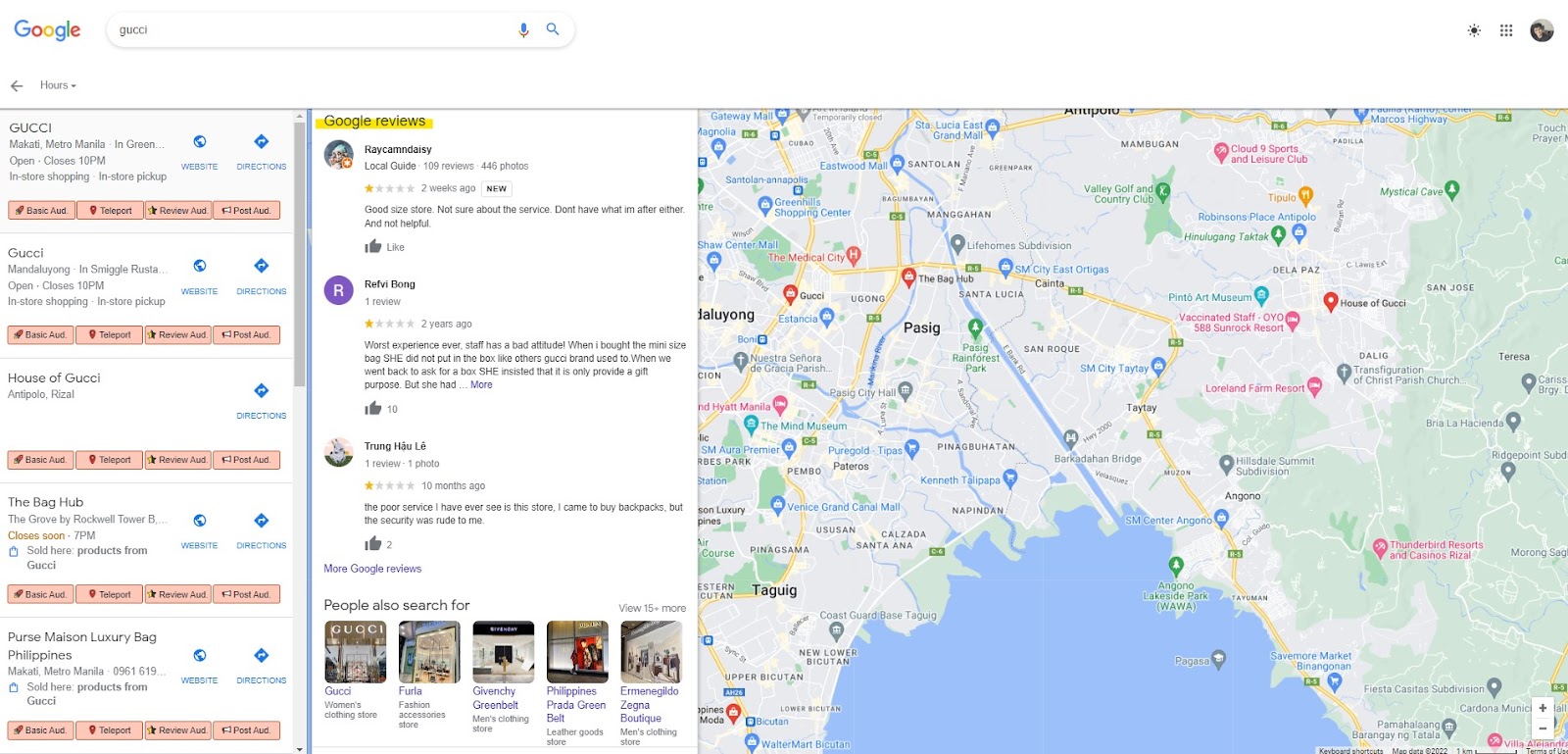
The display of Google Reviews on Google Maps.
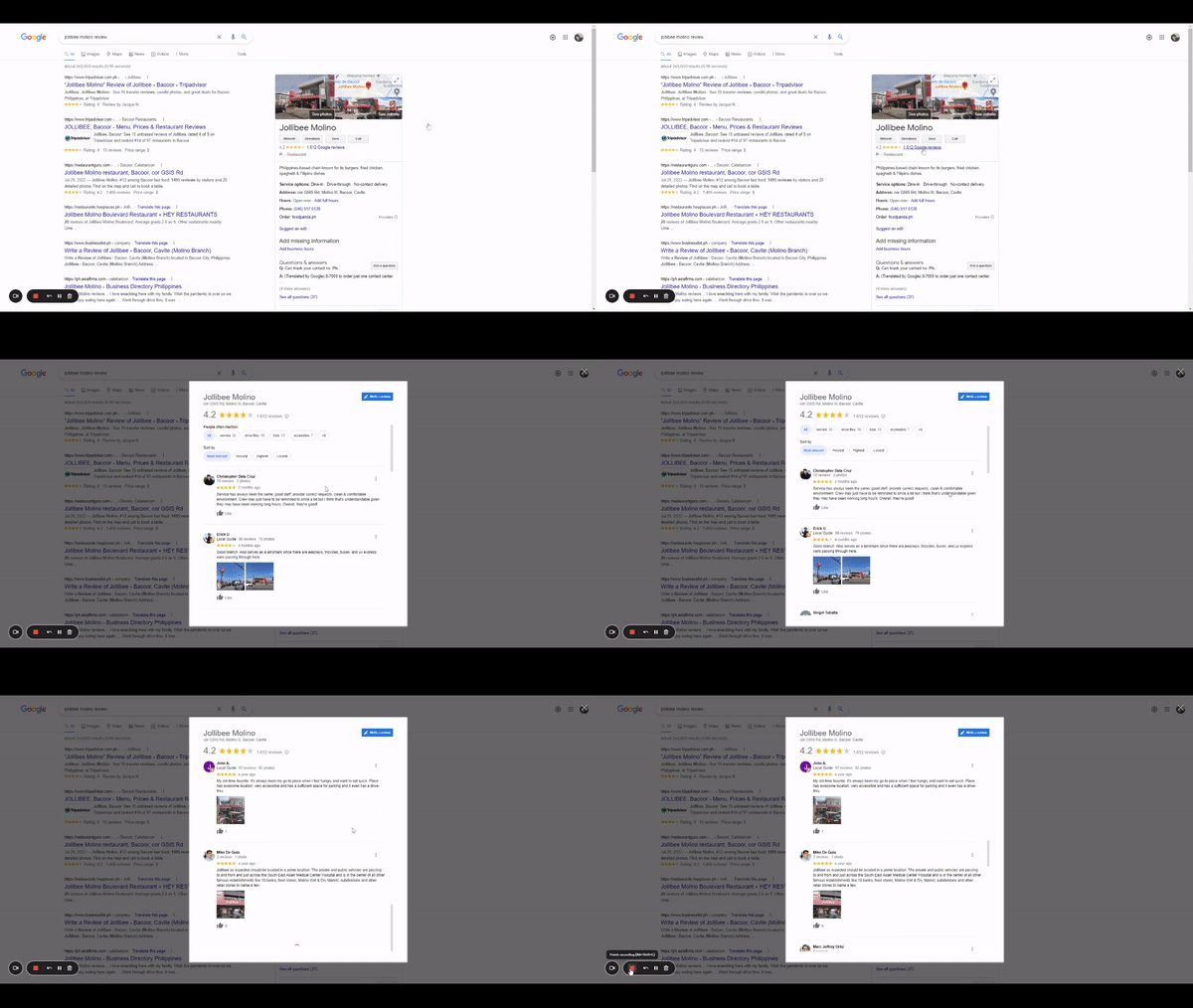
Reviews shown for a business in Google Search.
By knowing and sharing your Google Review link, you can ask customers to leave feedback and build a stronger online presence through authentic reviews.
Find Your Google Review Link with GMB Everywhere
With the GMB Everywhere Chrome extension, you can easily find your own Google Review link. GMB Everywhere is a lightweight Local SEO tool that provides competitor analysis, Google Business Profile audits, and more.
One of the audit types available is the Basic Audit. Included in the Basic Audit feature, the Google Review link can be copied and shared with your customers so you can spread the word about your products and services.
Step 1: Install GMB Everywhere
Head to gmbeverywhere.com and click the Install Chrome Extension button.
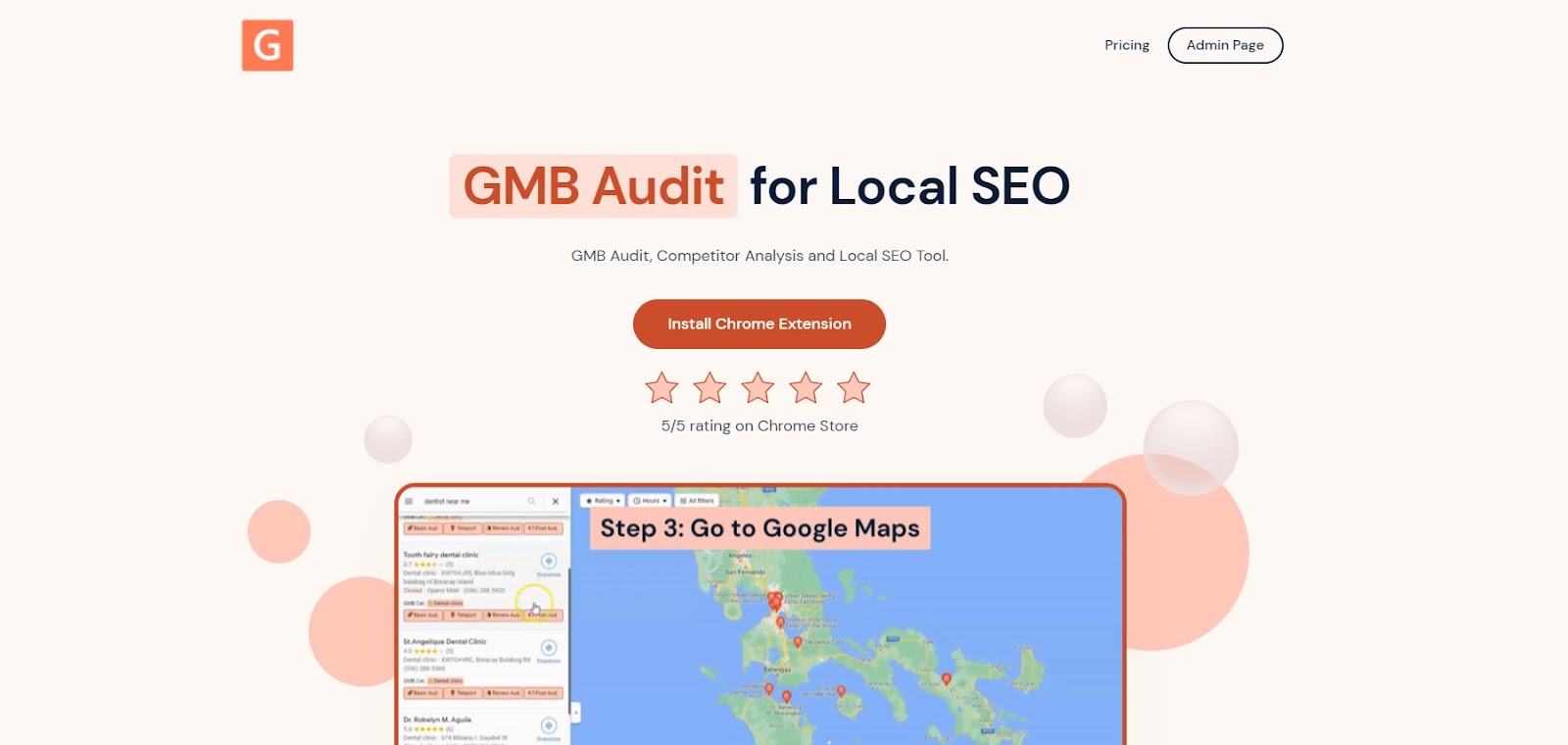
The GMB Everywhere homepage — click “Install Chrome Extension” to get started.
Step 2: Search for Your Business
After installing the extension, go to maps.google.com and search for your business. On the left side pane in the search results, you will see the GMB Everywhere buttons. Click Basic Audit.
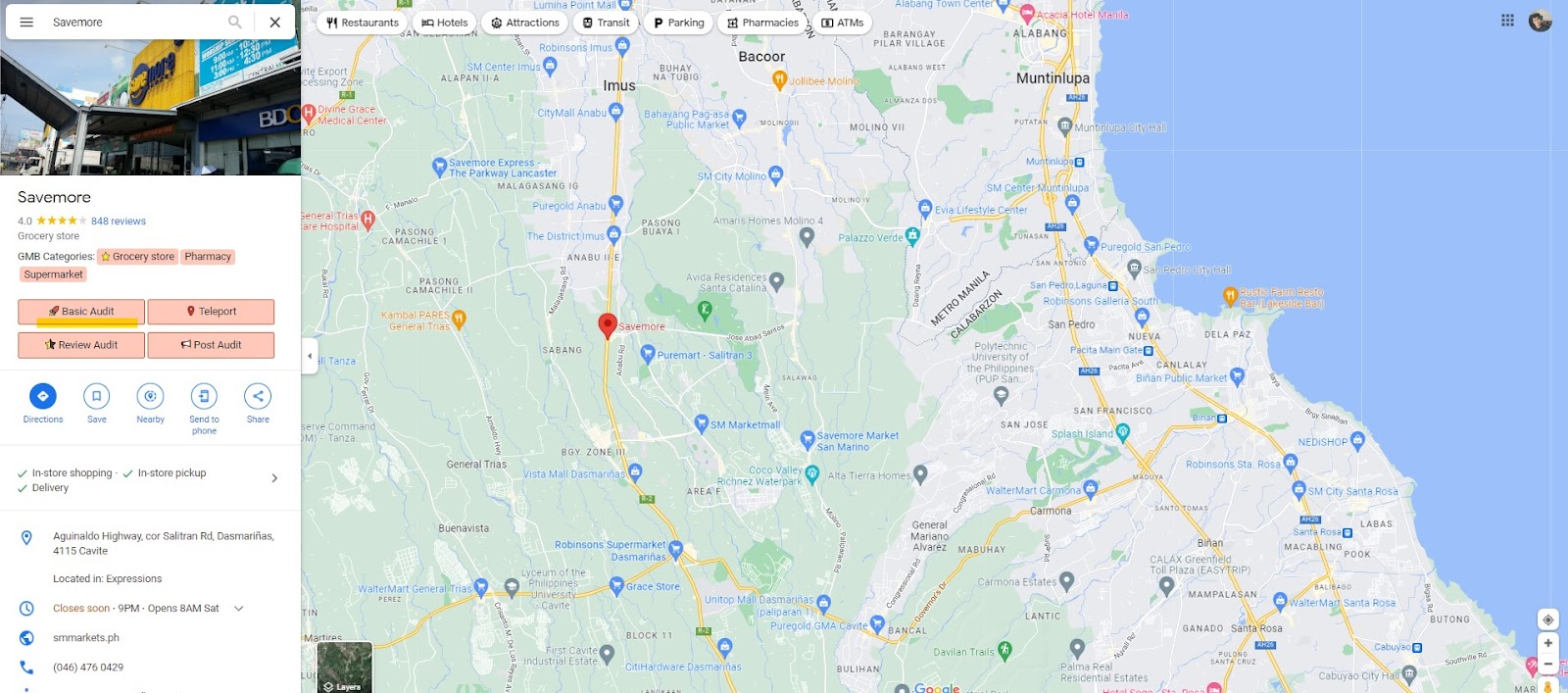
The Basic Audit button shown in the search results panel.
Step 3: Check the Review Request Link
Clicking the Basic Audit button opens a new tab showing the audit insights for the searched business. This includes Business Profile information and audit links. At the top section, you will see the Review Request Link, which is your Google Review link.
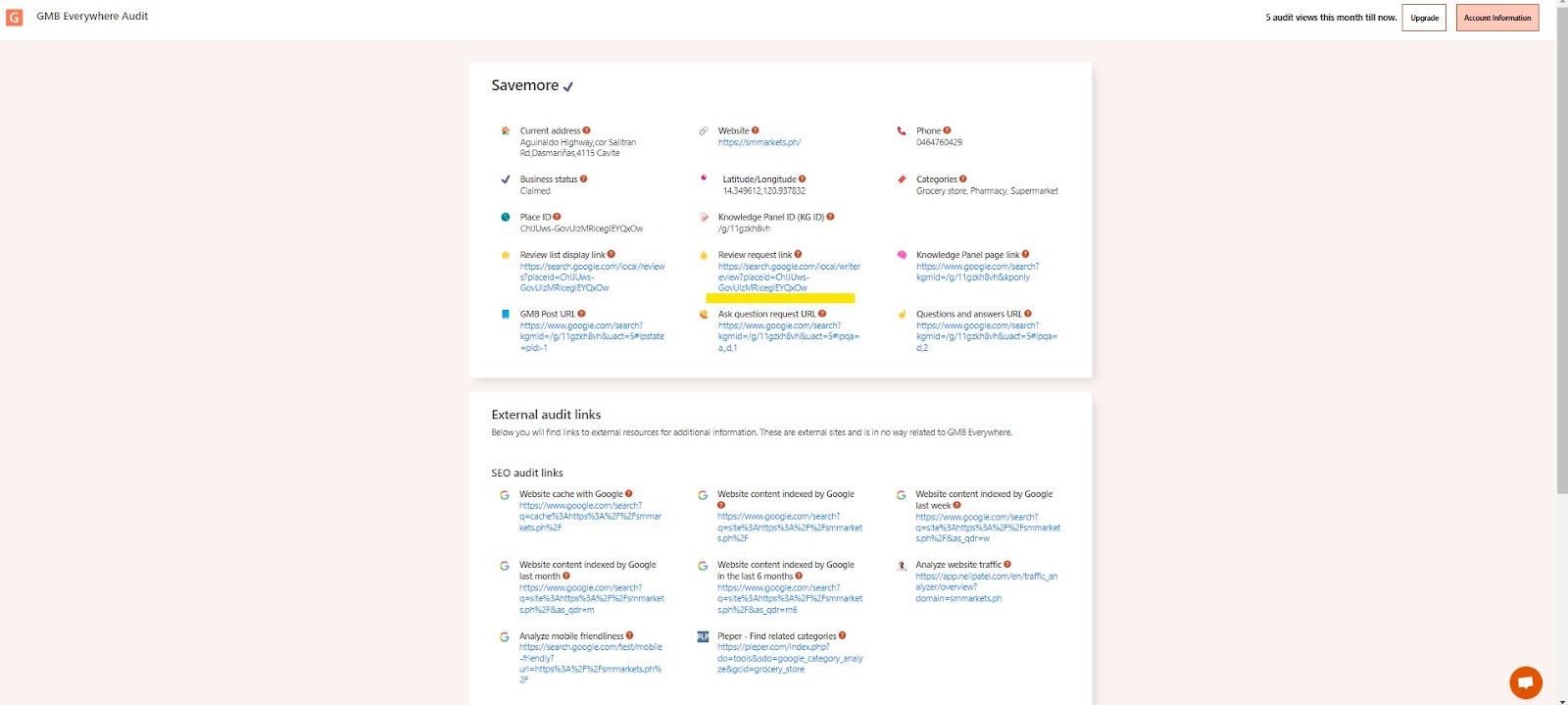
The yellow underline highlights the Review Request Link on the audit page.
Clicking the link redirects the customer to Google's review page for your business. The GIF below shows what the customer experience looks like.
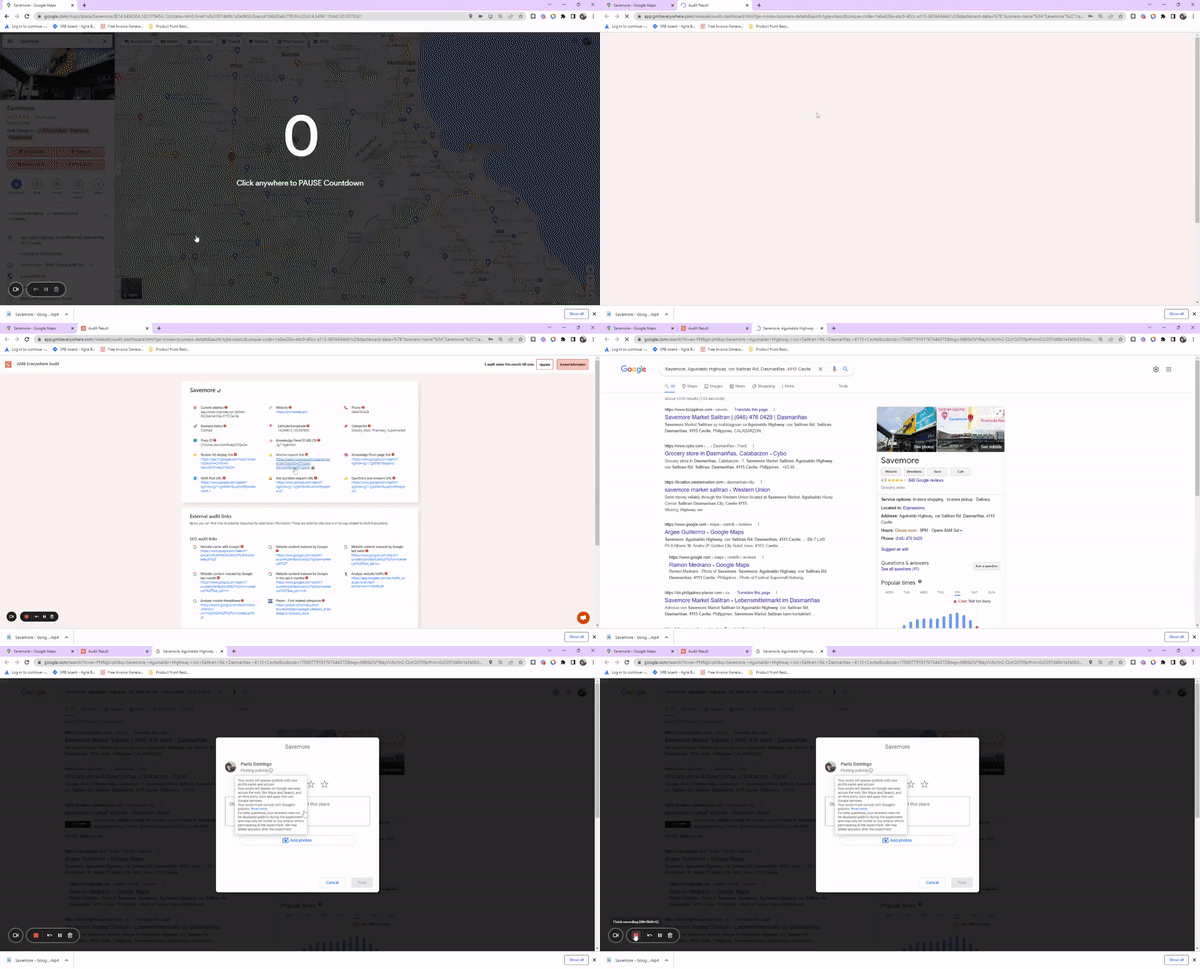
The customer experience when clicking the Review Request Link.
You can copy this link and send it to your customers to request a review. You can also include this link in your business emails, chat interactions, and receipts to make sure customers have an easy way to leave feedback.
Video Tutorial
Conclusion
Reviews are a powerful tool to build brand trust. By knowing your Google Review link, you can ask customers for feedback to improve your engagement and online presence.
Want to learn more about what GMB Everywhere can do? Check out our guide articles for more features and tips.