Crafting an effective Google Business Profile description is essential for attracting potential customers and boosting local search visibility. A well-written description helps your business stand out and makes it easier for people to understand what you offer.
AI makes this process faster and more effective by generating clear, engaging, and keyword-friendly content. Instead of struggling with wording, AI helps you streamline the task, maintain consistency, and highlight what matters most to your audience.
How to Generate Your Google Business Profile Description with AI
With the AI tools from GMB Everywhere, creating a Google Business Profile description is much quicker and easier. These tools automatically generate high-quality, engaging descriptions that reflect what your business is about. You can update your profile any time your services or offerings change, keeping your listing relevant to local customers.
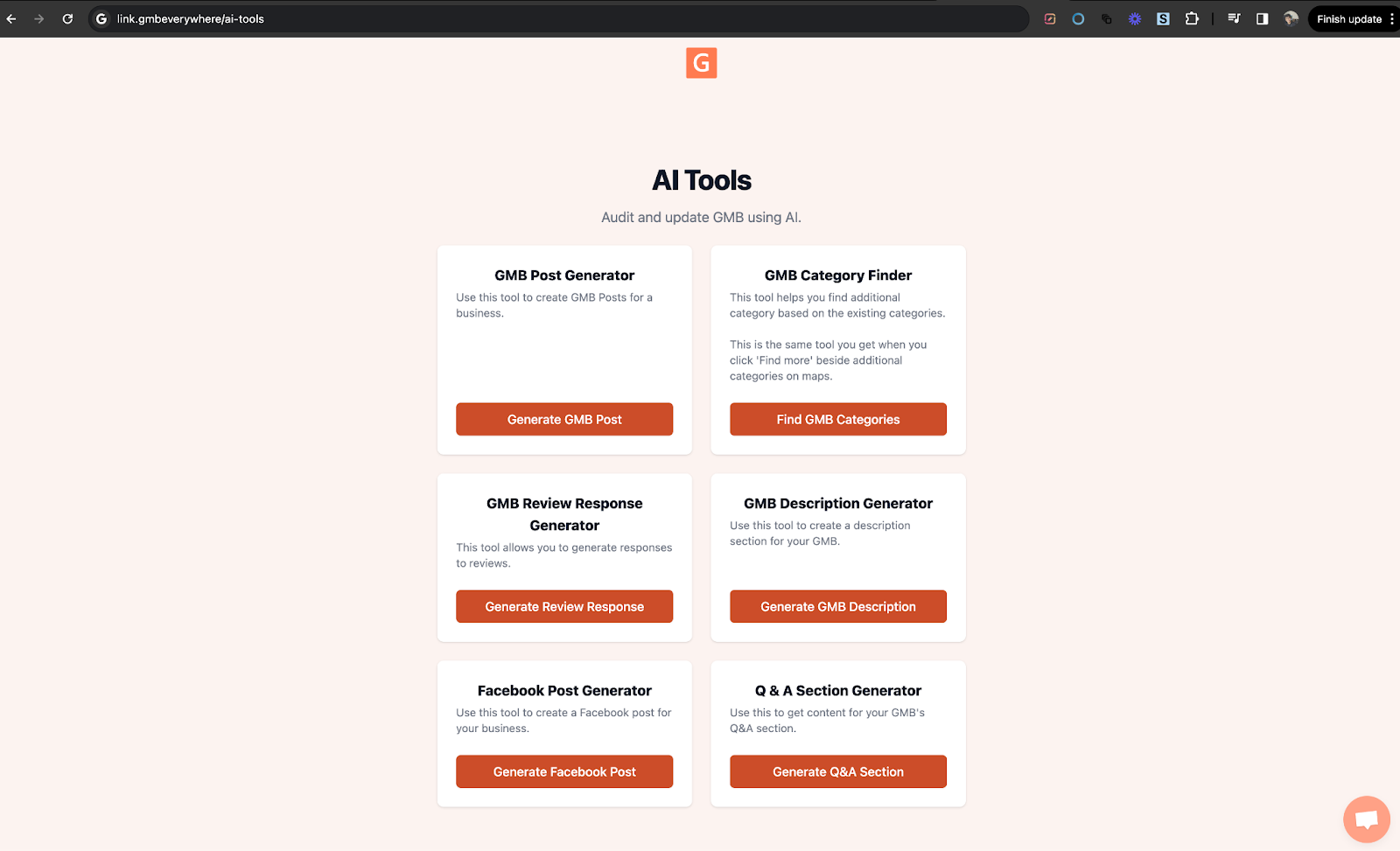
Step 1: Open the GMB Description Generator
Visit the GMB Everywhere AI tools page to see all available AI tools. Once there, click on GMB Description Generator to get started.
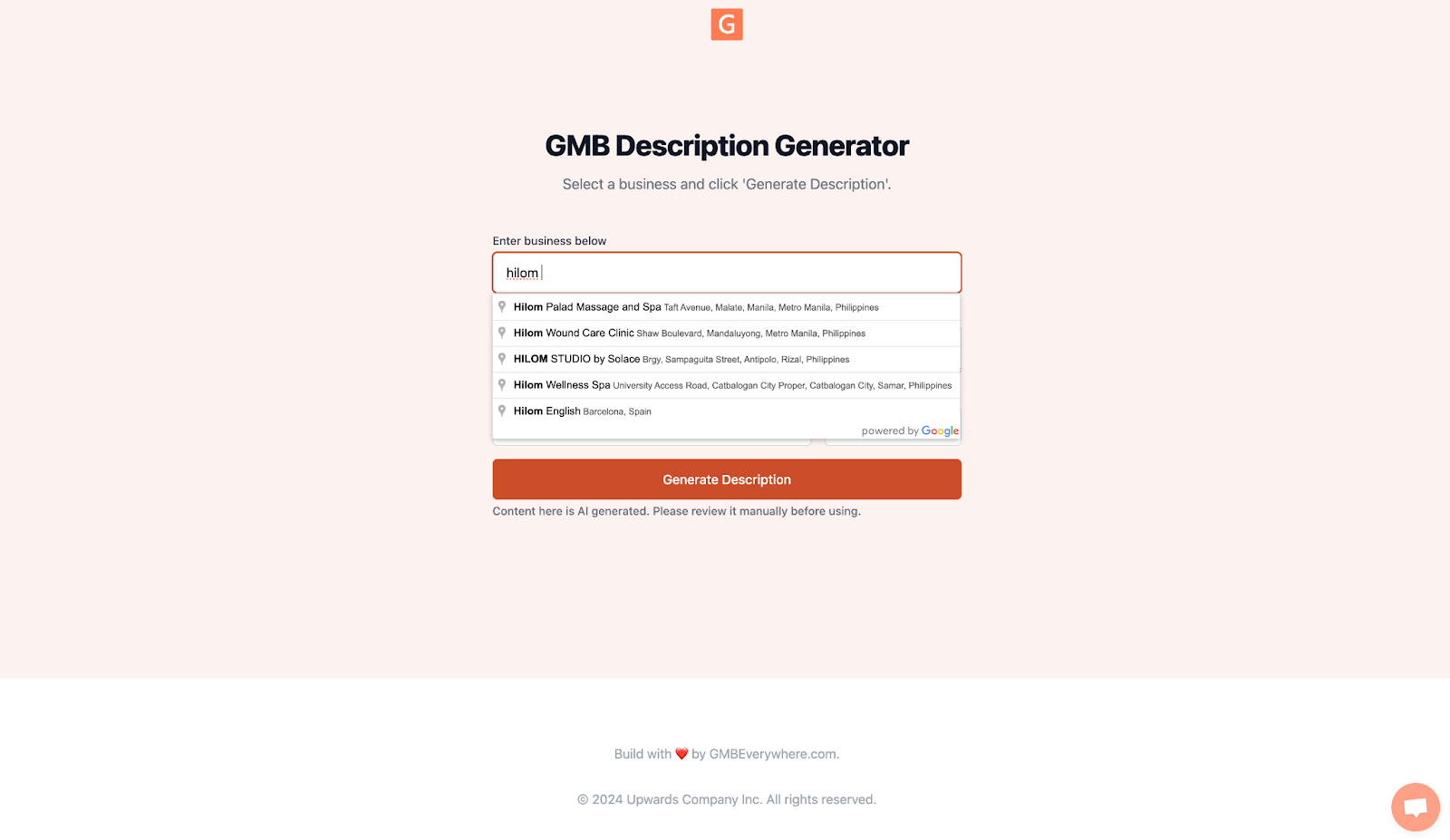
Step 2: Enter Your Business Name
Type your business name into the provided text box.
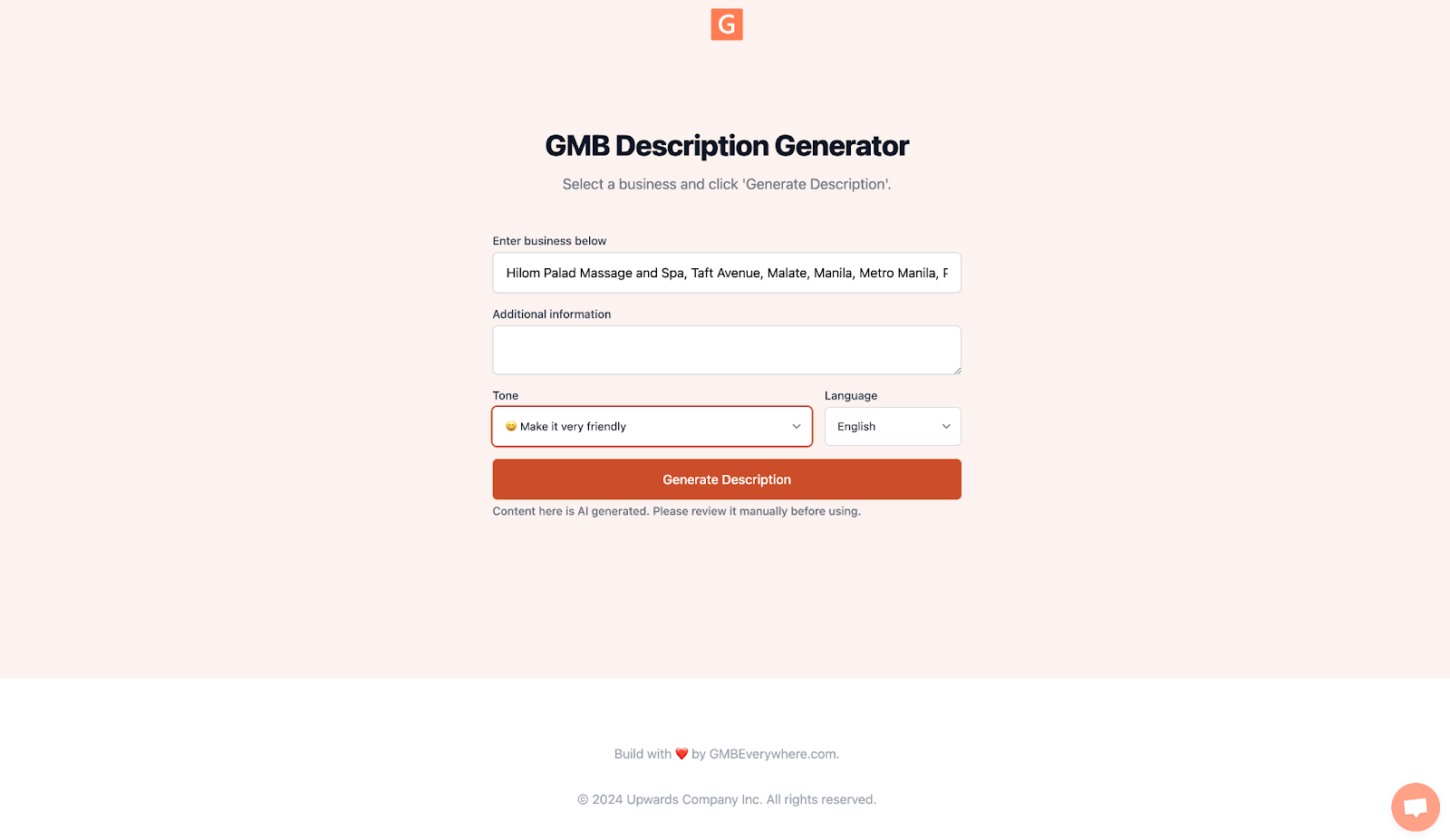
Step 3: Choose a Tone and Generate
Choose a tone that fits your brand — friendly, professional, or another style that matches how you communicate. Once you've selected your tone, click Generate Description. The AI will produce a description that reflects your business's voice and engages your audience.
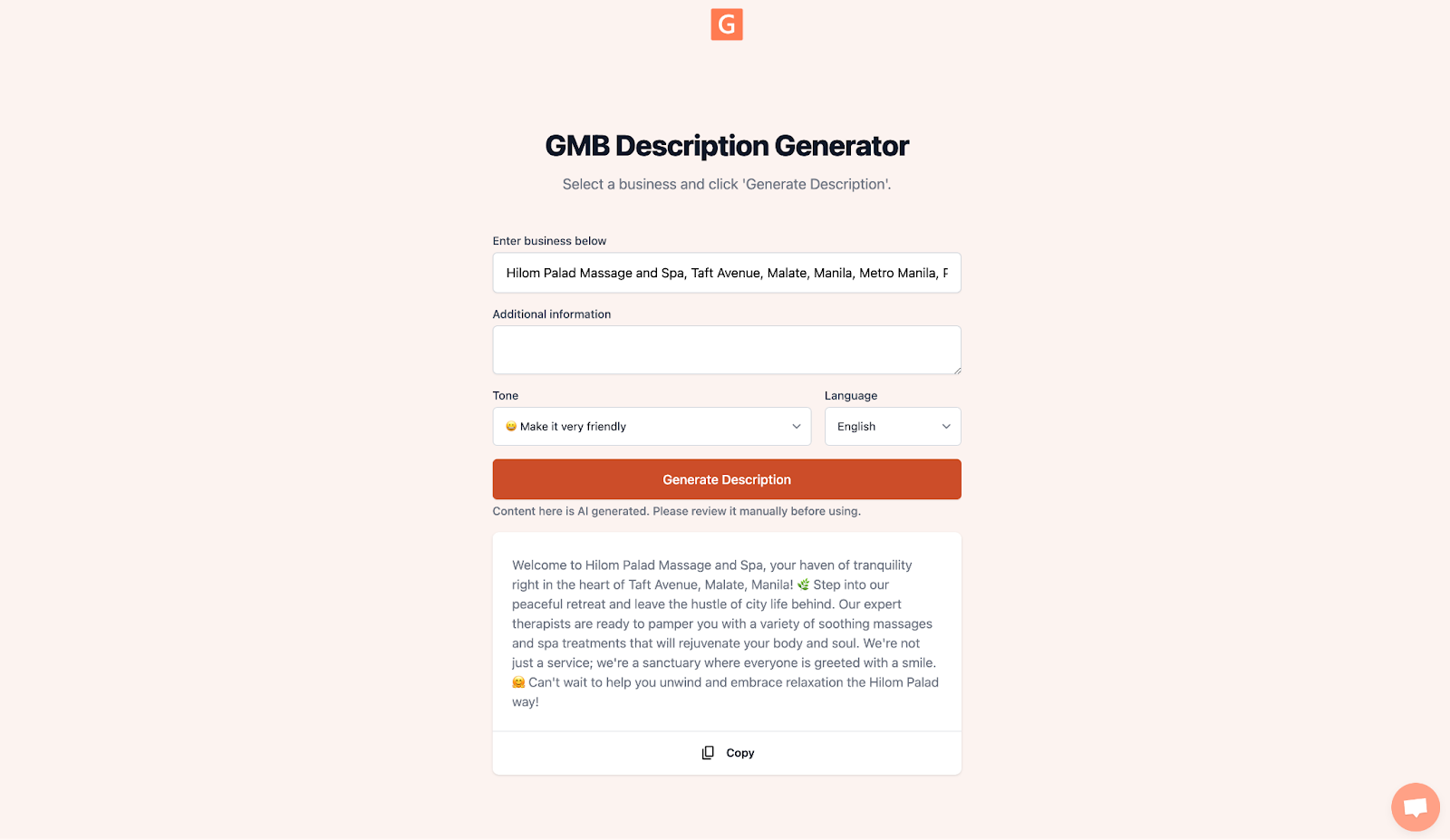
Step 4: Copy and Add to Your Profile
Once the description is generated, click Copy to save it to your clipboard. Then log in to your Google Business Profile and paste it into the description field. The content moves straight from generation to publication, keeping your profile active and up to date.
Tips for an Effective Google Business Profile Description
AI gives you a strong starting point, but understanding what makes a good description helps you get the most out of it. Here are some practical tips to keep in mind.
Keep It Clear and Concise
Your description should be straightforward and to the point. Avoid industry jargon or complex language. State what your business does, how it benefits the customer, and why it stands out. Keep it under 750 characters to stay within Google's limit while remaining informative.
Incorporate Keywords Strategically
Including relevant keywords in your description can help improve visibility in search results. Identify terms that potential customers might search for and integrate them naturally. Avoid keyword stuffing — overloading your text with keywords can work against you.
Highlight Unique Selling Points
What makes your business stand out? Whether it's years of experience, a specific product, or exceptional service, make sure these points feature in your description. This helps differentiate your business and attract more attention from local customers.
Use a Call to Action
Encourage potential customers to take the next step by including a call to action. This could be a prompt to visit your website, call for more information, or take advantage of an offer. A clear call to action can turn a casual reader into a customer. You can also pair this with your Google Review link to build social proof alongside your description.
Update Regularly
Businesses change, and your description should keep up. Regular updates keep your profile fresh and relevant, reflecting new services, promotions, or changes. This also signals to Google that your business is active, which can help with local search rankings. If you use GMB Everywhere to create Google Business Profile posts with AI, you can keep your entire profile content consistent and up to date.
Reflect Your Brand's Voice
Make sure the tone of your description matches your overall brand. Whether you're more formal, friendly, or conversational, your description should be consistent with how you communicate elsewhere. This consistency helps build a recognizable brand identity.
Proofread Before Publishing
Review your description carefully before saving it. Typos, grammatical errors, and inaccurate information can undermine the professionalism of your business and put off potential customers.
Conclusion
Using AI to create your Google Business Profile description can make the process faster without sacrificing quality. AI tools help ensure your descriptions are engaging, relevant, and optimized for local search. By combining AI with the tips above, you can craft a description that truly reflects your brand and appeals to the right customers.
Looking for more ways to optimize your profile? Browse our guide articles for more features and tips.